Port Forwarding Range Calculator
Plan a clean external port block, test it against existing forwards, and classify whether the rule set belongs on the public internet, behind an allowlist, or inside a VPN.
Full Breakdown
| Service | Typical External Port | Protocol | Forwarding Note |
|---|---|---|---|
| Plex remote access | 32400 | TCP | Usually one host; avoid exposing the admin interface separately. |
| Minecraft Java | 25565 | TCP | One port per public server unless a proxy such as Velocity fronts several instances. |
| WireGuard | 51820 | UDP | Good public endpoint candidate when admin apps stay reachable only through the tunnel. |
| Home Assistant | 8123 | TCP | Prefer VPN or reverse proxy with strong authentication for internet access. |
| Valheim server | 2456-2458 | UDP | Three-port contiguous range; conflicts often happen when multiple game servers share one WAN IP. |
| Syncthing listen | 22000 | TCP/UDP | Forward only when direct sync is required; global discovery can work without every port exposed. |
| Platform | Range Support | Source Restrictions | Planning Implication |
|---|---|---|---|
| Consumer Wi-Fi router | Often supports ranges | Sometimes missing | Keep rules few and simple; verify hairpin NAT before relying on LAN tests. |
| ISP gateway plus router | Two devices may need rules | Varies by ISP firmware | Double NAT doubles configuration work and makes conflict tracking more important. |
| OPNsense or pfSense | Strong range support | Aliases and firewall rules | Best fit for allowlists, service groups, logging, and one-to-one rule audits. |
| UniFi gateway | Supports port groups | Firewall policies | Use named groups for repeated services so the port plan stays readable. |
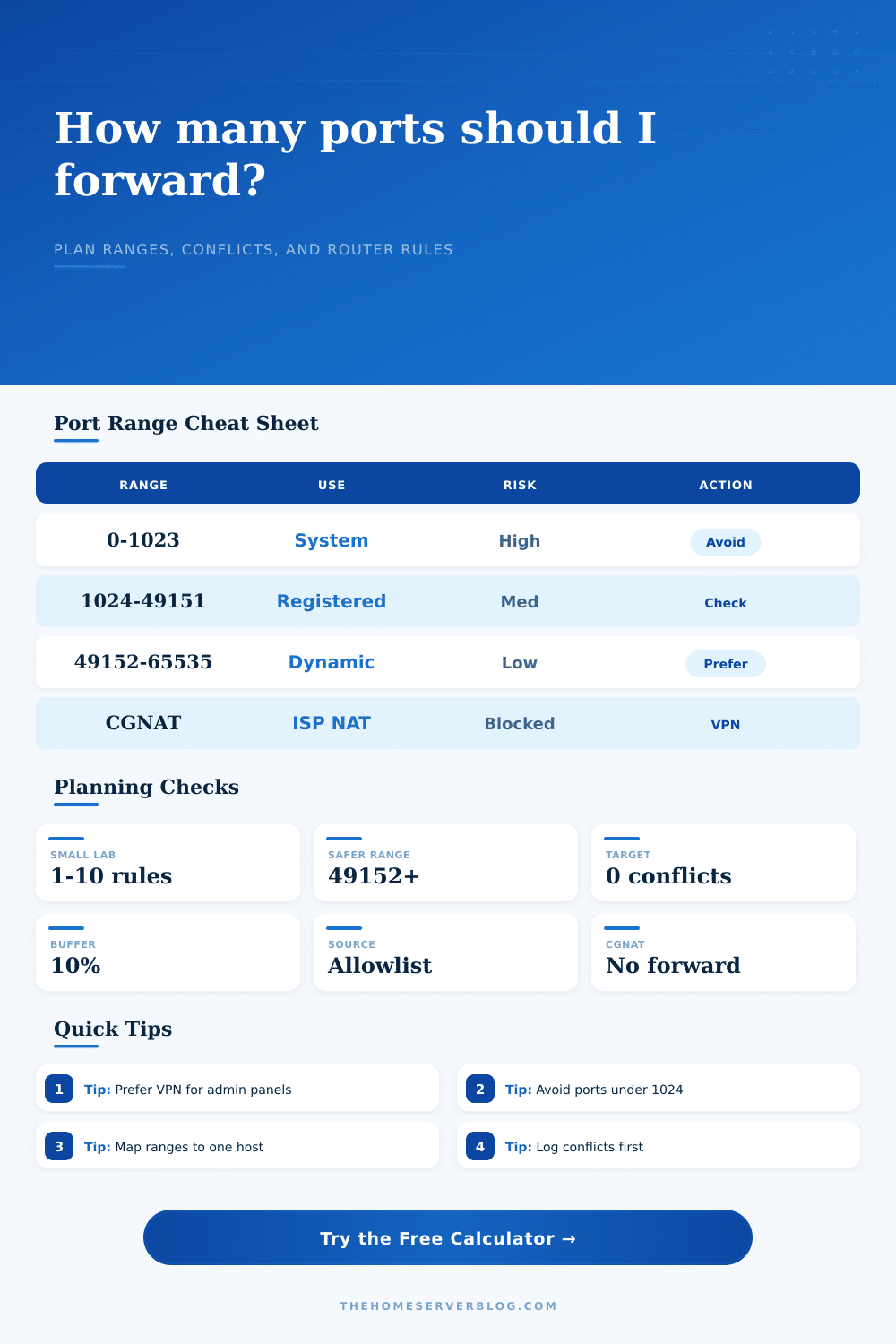
| CGNAT connection | No inbound IPv4 forward | ISP controlled | Use IPv6 firewalling, a VPN overlay, reverse tunnel, or request a public address. |
| VPN overlay | No public forward needed | Identity based | Ideal for Proxmox, IPMI, NAS dashboards, and other admin-only services. |
| Range | Name | Forwarding Use | Practical Caution |
|---|---|---|---|
| 1-1023 | Well-known ports | HTTP, HTTPS, SSH, DNS, mail | Higher scan volume; avoid direct admin exposure on these ports. |
| 1024-49151 | Registered ports | Many apps and game servers | Check vendor docs and your existing rules before assigning a block. |
| 49152-65535 | Dynamic/private ports | Custom external mappings | Useful for public-side translation, but still needs authentication and patching. |
| One WAN IP | One public port owner | External port cannot duplicate | Two internal hosts cannot both own the same public port without a proxy or load balancer. |
| TCP plus UDP | Two protocol entries | Some routers count as two | Rule counts can double when a service requires both protocols. |
| Project | Typical Ports | Suggested External Pattern | Better Boundary |
|---|---|---|---|
| Single VPN endpoint | 1 UDP port | One fixed port such as 51820 | Forward VPN only; reach apps through the tunnel. |
| Reverse proxy stack | 80 and 443 TCP | Two public ports to one proxy host | Use hostnames and certificates behind the proxy. |
| Game server group | 1-6 UDP/TCP ports | Contiguous block per game host | Document player ports separately from admin ports. |
| Media and sync host | 2-4 ports | Separate external ports per service | Keep management pages behind VPN or LAN rules. |
| Proxmox or NAS admin | Often 1 web port | No public forward recommended | Use VPN, zero-trust tunnel, or private management network. |
Access, How do I get to my server? If it’s in your house you have something called a router that sits between your devices (your laptop or phone) and the internet. Traffic from outside need to come into your house. This is done via port forwarding which opens a hole in the router’s firewall to allow traffic go to a specific device on your network.
The problem is, now anyone out there can try to get into that open port. Who gets through? What information are they bringing with them? It’s not safe to leave them open but you want to control who uses them.
Understanding Port Forwarding Risks
Risk Factors, There is a limit to how many forwarding rules you can set up. They also have different risk factors that tell you whether you should open it or not. Running the numbers will give you an answer based off risk vs reward. But knowing why the number came out like it did is much more valuable than just having the number. They also have various risk factors that tells you whether you should open it or not. Running the numbers will give you an answer based on risk vs reward. But knowing why the number came out like it did is much more valuable than just having the number.
Consider what you’re asking. Port forwarding isn’t an on/off switch. It’s a range of risk. That’s why the tool lets you specify a range instead of just a single point, so you can visualize it.
If you only have one port, great. No problem. But five hundred ports in a block is another thing entirely. Why do you need five hundred? Is it a game server with player slots plus voice chat? You could use contiguous ports there. Or are you doing it because you don’t want to bother setting up separate rules? This alters your security stance quite a bit. Automated scanners will find large ranges attractive: a large open window. Precise small rules appear more like noise.
But the input fields in the calculator force you to confront the reality of your network. The source scope is one of the most important settings. Most routers will assume you wish to receive traffic from anywhere on the internet. For a home server, that’s almost never true. Chances are if you’re poking at a virtualization host or NAS from a dashboard, you probably don’t need the whole world to see it. Limiting the source to a VPN connection or to your own static IP makes it into something like a near-zero attack surface.
The calculator shows this option. Selecting a wide-ranging source scope for your admin console will increase its risk score, which serves as a reminder that conveniences aren’t worth the price of opening up the door to bots.
Conflicts are another source of trouble. Routers don’t handle unlimited amounts of things. Consumer routers max out around 16-32 forwarding rules set manually. That’s not much if you’ve got five service, each requiring a handful of ports. The tool figures out how many ports are requested and compares them with what’s already forwarded. It flags the overlap.
You could have assigned port eight thousand to a web server last year and forgotten all about it. Now you try to assign it again to a different service. This creates a conflict. One or both rules gets dropped by the router (and typically it doesn’t tell you which). Avoiding those port clashes in advance saves hours of banging your head against the wall trying to figure out why a service stopped working. It’s tempting to think a change to the code broke something when actualy it’s just a port clash.
And then there’s the issue of protocol. You can’t just substitute TCP with UDP. For example, while UDP may be sufficient for movement updates, a game server may require TCP to handle login data. Older routers treats these as distinct rules. So now you’re double-spending on the router’s rule limit. That’s where the difference between TCP/UDP matters. The calculator takes it into account so you don’t forget that one service could actualy mean two entries. This ensures you don’t run out.
And lastly, think about what else exists. Few people have public IP addresses anymore. Your ISP probably uses Carrier Grade NAT, where they have no inbound ports for you to forward. When that’s true, the calculator switches modes. It recommends using a reverse tunnel (like VPN) as an overlay service. That way your services remain private by default. No need to punch holes in the firewall. Just invite the connections you want inside of a secure tunnel. It takes a bit more work to set up, but it is much safer long term.
This is where the calculator can help you balance the trade-offs. It helps you weigh the cost of exposure against the effort of containing it. Port forward planning is disciplined. Port forward planning says yes to audited exception cases, and no to blanket rules. Configuring a router is one thing; setting its boundary between the public internet and your private network is something else entirely.
That boundary must be clear, tight, and yours. The calculator is your map. Where to draw that line is up to you. Start small. Expand when the need shows itself. Admin interfaces should of been locked down behind VPN access. Let gaming ports breathe. Contain them. When the next wave of scans rolls past, they’ll see a closed door, and your future self will thank you for that.