PBKDF2 Iteration Planning Calculator
Estimate a defensible PBKDF2 work factor from benchmark speed, login latency, CPU capacity, mobile limits, attacker hardware, salts, rollout margin, and compliance target.
| PBKDF2 PRF | Hash output | Common use | Planning note |
|---|---|---|---|
| HMAC-SHA-1 | 20 bytes | Older frameworks and WPA2-era formats | Prefer migration when you control the format. |
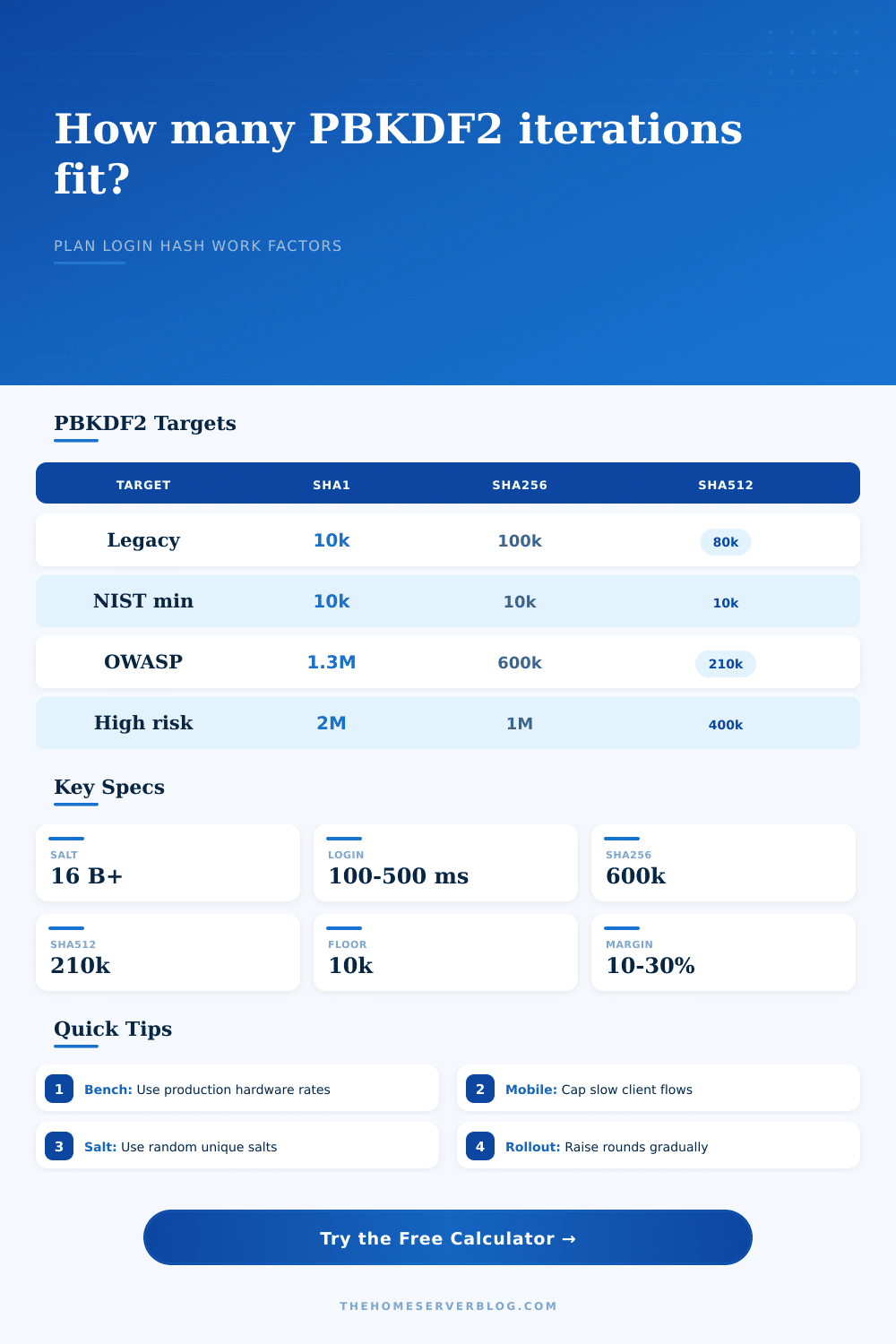
| HMAC-SHA-256 | 32 bytes | FIPS-friendly web application hashing | OWASP lists 600,000 or more for PBKDF2-HMAC-SHA-256. |
| HMAC-SHA-512 | 64 bytes | Server-side hashes on 64-bit CPUs | Often lower iterations for similar work because each PRF is heavier. |
| Parallel PBKDF2 | Varies | Specialized implementations | Use only when your library stores parameters clearly. |
| Reference | Iteration guidance | Salt guidance | Operational meaning |
|---|---|---|---|
| RFC 8018 | Store count with parameters | Random salt input | PBKDF2 uses password, salt, iteration count, and key length. |
| NIST SP 800-132 | 1,000 minimum; higher when practical | At least 128-bit salts are commonly used | Older floor, useful only as a minimum compatibility check. |
| NIST SP 800-63B | As large as verifier performance allows | Unique random salts | Benchmark and tune the cost factor for your verifier path. |
| OWASP Password Storage | 600k SHA-256; 210k SHA-512 | Salt plus optional pepper defense | Good practical target when PBKDF2 is required. |
| Login environment | Latency band | CPU concern | Planning action |
|---|---|---|---|
| Local admin console | 200-500 ms | Low concurrency | Favor higher iterations and strong rate limits. |
| Public web app | 100-300 ms | Login spikes | Balance work factor with peak attempts per second. |
| Mobile client verify | 100-250 ms | Battery and older devices | Set a hard mobile cap before rollout. |
| Incident hardening | 300-800 ms | Support queues | Raise rounds with staged rehash on login. |
| Security variable | What changes | What does not change | Calculator use |
|---|---|---|---|
| Iteration count | Cost per password guess | Password entropy | Main work factor output. |
| Salt count | Total campaign work across accounts | Cost of one guessed password for one salt | Shows breach-wide workload scale. |
| Hash family | HMAC speed and PBKDF2 block size | Need for unique salts | Adjusts blocks and target floors. |
| Login rate limit | Online attack throughput | Offline hash cracking speed | Compares CPU capacity to expected load. |
| KDF | Main cost knob | Best fit | Tradeoff |
|---|---|---|---|
| PBKDF2 | Iterations | FIPS-oriented stacks and broad library support | Low memory cost makes hardware attacks cheaper. |
| Argon2id | Memory, time, parallelism | Modern password storage when allowed | Needs careful memory sizing for shared servers. |
| scrypt | N, r, p memory settings | Memory-hard hashing in mature libraries | Parameters are less intuitive for operators. |
| bcrypt | Cost exponent | Legacy web apps with stable bcrypt support | Password length and encoding details need care. |
Don’t think of password hashing like a one-time thing. Instead, think about it more as a continuous process.
Choose a library. Setting the iteration count to whatever a tutorial suggests is reasonable by default are mistake waiting to happen. But doing that is a mistake waiting to happen. But this is a problem: hardware gets better over time. What was once a reasonably secure configuration three years ago can be cracked in moments on a moddern GPU rig. What was a reasonable number then becomes embarrassingly low today.
Treat Password Hashing as an Ongoing Process
Instead of copying some static number from a blog post into your code, you should of had a living model for how much security is worth. That’s the tradeoff; you want the hash to be fast (so your users don’t have any noticeable login lag) but slow (so attackers can’t afford to spend thousands of tries guessing each password). Sounds like a balancing act, right?
In fact, it’s a math problem: how many iterations is needed to use a specific amount of compute time on your server? Once you know your constraints (what resources you have available), the calculator do the hard part for you: translating your high-level security goals into concrete numbers of iteration that match your real-world server power.
Where to start? What’s your baseline? How fast does your server run an HMAC operation per core? That’s not its peak performance. That’s what it actualy runs in your production environment. It includes all those VMs and container, along with virtual machine overhead and container limits. Guess wrong here and everything fall apart.
The tool will divide that raw speed by the latency you want for logins. Maybe you want something really snappy, like one hundred milliseconds. So the math will limit how many iterations you do. Go longer if you’re willing to risk having people wait on a high-risk admin panel.
But what about the attacker? That’s where so many gets it wrong when they plan. They stare at their CPU and don’t realize a bad guy could have thousands of GPU running in parallel. The calculator also features a field for hardware multiplier on the attackers side. This is how fast the bad guy will be compared to your one server core. Underestimate this difference and your security are an illusion. It’s like buying a lock but giving the key to the person who picks locks in seconds because they have better tools. It’s not a barrier; it’s only a speed bump.
The output then display your guess rate per salt, showing whether it’s really important or not. This is a nice safety net, but can be dangerously weak. A regulatory minimum like 10k (or six hundred thousand, depending on the hash family) from NIST or OWASP are nice, but that’s the minimum. That’s the floor, not the ceiling. This means the tool will always ensure your final recommendation won’t fall below what is considered the bare minimum. But beyond that, it also tries to push you to do more based off your threat model.
For instance, SHA-512 may take more cycles per iteration than SHA-256. In that case, you could reduce how many rounds you run while still getting equivalent difficulty. The site explains this tradeoff clearly in the reference tables (you don’t need to memorize the crypto subtleties).
And then there’s migration. Breaking existing logins isn’t an option, nor can you simply increase the iteration count. Instead, you must rehash passwords upon successful authentication. The calculator compares a target number of new iterations against what you currenty have in storage. This helps you plan your rollout so you have enough extra space to handle unexpected login spikes or hardware changes without accidently DDoSing your own authentication endpoint on deployment day.
You don’t install security. You practice it. And you do so by thinking about the number of repetitions as a changing variable connected to your actual performance measure, not some fixed constant. As your equipment gets faster, those numbers shift, too. But the approach doesn’t. Measure what matters (cost), price out the attacker, and make adjustments from there. That’s what keeps you ahead of the game while still using your damn login form.