HomeServerBlog rack power planner
PDU Circuit Balancing Calculator
Balance rack PDU circuits by modeling circuit count, phase count, load per outlet, device count, breaker size, voltage, derating, dual-cord behavior, phase assignment, and spare margin.
★PDU load presets
⚙Circuit and load inputs
Load breakdown
Phase current and spare
| Phase | Circuits | Load | Current | Spare |
|---|
📊Live PDU planning cards
All circuits after derating.
Device count divided by available outlets.
Extra load if one feed carries both cords.
Lowest phase circuit count in the modeled panel.
🧭Balancing strategy grid
📋PDU reference tables
| Breaker | 80% amps | 120 V usable | 208 V usable |
|---|---|---|---|
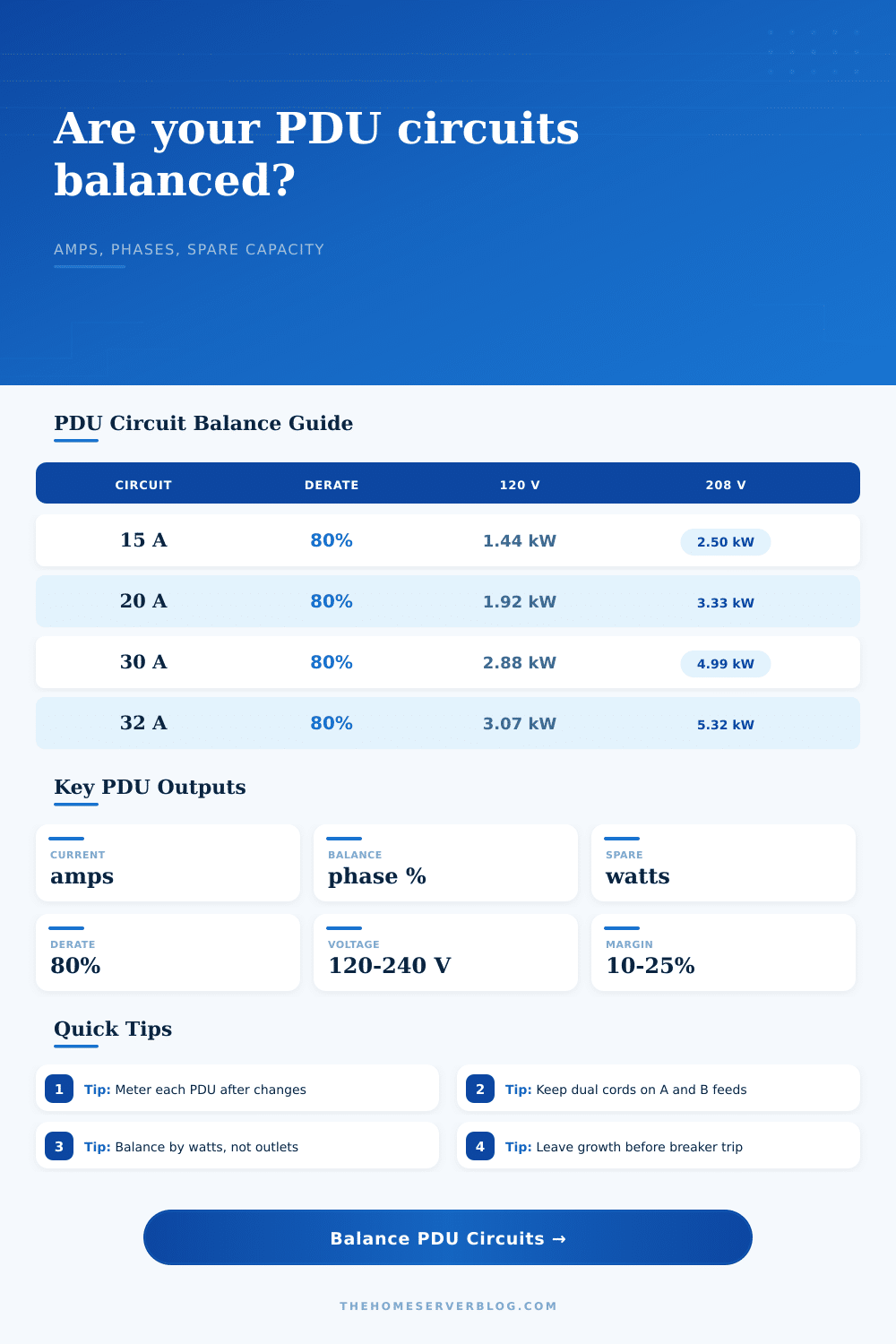
| 15 A branch | 12 A | 1,440 W | 2,496 W |
| 20 A branch | 16 A | 1,920 W | 3,328 W |
| 30 A branch | 24 A | 2,880 W | 4,992 W |
| 32 A branch | 25.6 A | 3,072 W | 5,325 W |
| 50 A branch | 40 A | 4,800 W | 8,320 W |
Continuous planning often uses breaker amps x derating percent x voltage.
| PDU style | Typical feed | Best use | Balance concern |
|---|---|---|---|
| Basic 120 V strip | 5-20P or L5-20P | Small network racks | Single leg can fill fast |
| Metered 208 V PDU | L6-20P or L6-30P | Servers and storage | Watch per-bank current |
| Switched PDU | L6-30P or IEC 60309 | Remote reboot labs | Startup sequencing matters |
| Three-phase PDU | L21-30P or 530P6W | Dense full racks | Outlet banks map to phases |
| A/B redundant pair | Two independent feeds | Dual-PSU equipment | Failover doubles one side |
Always verify connector, breaker, wire, receptacle, and PDU ratings as a matched system.
| Assignment | Calculator behavior | Good fit | Risk to check |
|---|---|---|---|
| Round-robin | Even phase weights | Fresh circuit maps | Actual PDU bank labels |
| Manual skew | User-selected heavy phase | Known imbalance | Measured amps drift |
| A heavy | One phase leads | Legacy panels | Neutral or leg overload |
| A/B heavy | Two phases lead | Dual-cord racks | C phase underuse |
| Unverified | Randomized penalty | Unknown labels | Field metering required |
Treat the assignment result as a planning model until a qualified person verifies the panel schedule.
| Rack scenario | Device count | Avg watts | PDU note |
|---|---|---|---|
| Router, switch, firewall | 3-8 | 25-120 W | Outlet count matters more than amps |
| NAS and mini PCs | 8-18 | 70-220 W | Startup and drive rebuilds add peaks |
| Virtualization rack | 12-28 | 180-420 W | Dual-cord mapping matters |
| Storage shelf rack | 10-24 | 300-650 W | Keep shelves split across phases |
| GPU or AI rack | 6-16 | 700-1800 W | Use metered PDUs and large margin |
Use measured steady watts and measured peak watts when the rack has dense storage or accelerators.
💡Two PDU balancing tips
All your server is humming along. Everything’s working. Then some joker plugs in his high-density storage shelf. Lights start blinking, breakers trip, and panic ensues. Welcome to the classic home lab nightmare, and it almost always comes down to one thing: you balanced the outlets, but you ignored the power.
Use this page to make sure that never happens to you by converting your physical rack layout into a math problem before you lay a finger on a wire. It will estimate the remaining space (spare capacity), branch amps, and phase spread so you know exactly how close you’re pushing against the limit.
How to Plan Your Server Power Use
The first thing most folks do is count their plug. I’ve got 12 outlets, I’ve got 12 devices. Good enough! The second thing… Where most folks go wrong, is this: outlets aren’t power sources. They’re just physical connectors. If there are ten outlets on a PDU (power distribution unit) fed by one 20-amp breaker, you could easily be overloading the circuit if you fill all sockets up with even moderately-sized mini PCs.
But rather than thinking “socket count,” the tool makes you think “amps” and “watts.” You input number of devices and then how much each typically draws. It will tell you what that totals. Then it applies a derating factor, often 80 percent, that takes into account the sustained heat that comes from continuously loading circuits. For both longevity and safety reasons, you don’t argue with this step.
But the real fun start when you factor in redundancy. Most server are powered by two power supplies plugged into different power distribution units (PDUs), marked as A and B. During normal operations, the load is split equally. But what happens when Feed A fails? All of that juice flows over to Feed B. If Feed B has a 90 percent load, it’s going to trip immediately, shutting down half of your infrastructure. That’s exactly what failure scenario inputs on the calculator simulate. It shows you how much capacity remains for transferring load onto other circuits. And if it goes red, you know: You’re gonna need to rebalance before adding more gear. Seeing the issue on the screen is preferable than discovering it in the middle of a critical backup window.
Of equal importance is phase balance, whether you’re dealing with a split-phase residence or multiple three-phase environments. Placing all your high-draw loads onto one phase (e.g., Phase A) make the rest of your house a mess. It stresses the neutral conductor and fluctuates voltage on other legs. The tool allows you to model various assignments: round robin, manual skew, etc. Moving a high-draw GPU server from Phase A to Phase B has a ripple effect across the whole load. Perfect isn’t required; you want a nice balance. Less then ten percent variation between phases should be good enough for most labs.
Also: don’t trust nameplate specs. A server might say, “This server is only rated at 150 watts, but when I run a memory test or do a hard drive rebuild… ” No! Measure the steady state draw. Have an intelligent PDU? You can get a clamp meter cheaply and put it to work. Plug in, press button. If you know what your stuff draws, plug those real world numbers back into the tool. The site also includes some reference tables of common breaker sizes to get you started. However, the math comes from your gear. Run through the calculator first, confirm later with a meter.
And finally, account for expansion. You can’t tolerate any margin for error on a circuit that’s running near 100 percent. Put in a little smart UPS or network switch, and you’re over your head. Make sure there’s always plenty of headroom. 20 percent or so. That will guard against the effects of aging components, the inefficiency of wiring, and the ever-expanding set of gear you’ll add eventually.
Power balancing isn’t rocket science; it’s just good planning. When your servers are supposed to be up, they stays up. You’ve balanced your load, respected your breaker, and slept well at night. It should of been easier than this.