HomeServerBlog Kubernetes storage planner
Persistent Volume Size Calculator
Estimate Kubernetes persistent volume and PVC requests from live data, growth, snapshot changed blocks, filesystem overhead, expansion rounding, backend replication, and free-pool headroom for home labs and small clusters.
1Persistent volume presets
2PV and PVC sizing inputs
Formula breakdown
Backend capacity check
3Live formula checkpoints
Daily growth multiplied by planning days.
Live data, snapshots, overhead, and buffer.
Recommended request minus current claim size.
Usable pool divided by backend raw capacity.
4Storage backend comparison grid
5Reference tables
PVC configuration sizing patterns
| Configuration | How PVC count is read | Primary risk | Typical sizing move |
|---|---|---|---|
| RWO app | One claim mounted by one pod at a time | Pod cannot reschedule if node-local storage is lost | Size one PVC from app growth plus snapshots |
| StatefulSet | Replicas multiplied by volumeClaimTemplates | Under-counting per-replica data | Use one PVC per replica and round each request |
| RWX share | One shared claim mounted by many pods | Single namespace can fill the shared filesystem | Add quota checks and reserve for all writers |
| Database plus WAL | Separate data and write-ahead log claims | Small log volume fills faster than data volume | Model WAL as a separate high-change claim |
| Logs and metrics | Claims are tied to retention windows | Retention changes create step-function growth | Base daily growth on ingestion after compression |
Snapshot changed-block reserve guide
| Workload | Changed blocks per snapshot | Reserve behavior | Planning note |
|---|---|---|---|
| Static configs and secrets | 0.5% to 2% | Small snapshot growth | Metadata may be larger than changed data |
| Databases and queues | 3% to 12% | Frequent changed extents | Use app-aware backups when possible |
| Image registry | 2% to 8% | Layer churn depends on cleanup | Garbage collection reduces old layers |
| Media libraries | 0.2% to 3% | Large writes, low rewrites | Reserve grows when files are replaced |
| Metrics and logs | 5% to 20% | Retention and compaction churn | Downsampling changes real growth sharply |
Backend free-space and expansion limits
| Backend | Raw factor | Free reserve | Practical limit |
|---|---|---|---|
| Local path or local SSD | 1.0x | 10% | Node disk pressure can evict pods before the PV is full |
| NFS or SMB CSI share | 1.0x | 15% | NAS pool alerts and snapshots often need separate headroom |
| ZFS mirror dataset | 2.0x | 20% | Performance drops as pools get close to full |
| Longhorn replicated volume | 2.0x to 3.0x | 20% | Rebuilds need enough space on surviving nodes |
| Ceph replicated RBD | 3.0x | 20% | Recovery, backfill, and nearfull ratios define the ceiling |
Common home lab PV project sizes
| Project | Claim pattern | Starting PVC | Watch metric |
|---|---|---|---|
| Home Assistant | One RWO config claim | 10Gi to 30Gi | Backup tarballs and recorder DB growth |
| Prometheus | One or more TSDB claims | 50Gi to 500Gi | Bytes ingested per day after retention |
| Container registry | One RWO or RWX artifact claim | 100Gi to 2Ti | Untagged layer cleanup interval |
| Nextcloud | RWX data claim plus DB claim | 500Gi to 20Ti | User upload growth and snapshot count |
| KubeVirt VM disk | One PVC per virtual disk | 32Gi to 500Gi | Guest filesystem free space and image trim |
6Practical sizing tips
Kubernetes sounds easy when it’s just chugging along, but what about persistent volumes? Fifty gigabytes sounded like plenty to get started, whether it was a media server or a database. But then it starts to add up. Your logs accumulate at a rate you didn’t anticipate. Snapshots begin building up because you’re paranoid. Before you know it, your app freeze or your pod gets kicked out, and suddenly the underlying storage is full.
The calculator do all that math for you when you enter how much you use today and how fast you think that will grow. That way you don’t need to guess when it comes time to ask for more space. It converts your habits, raw data use, into actual storage requests.
Why You Need More Storage Space
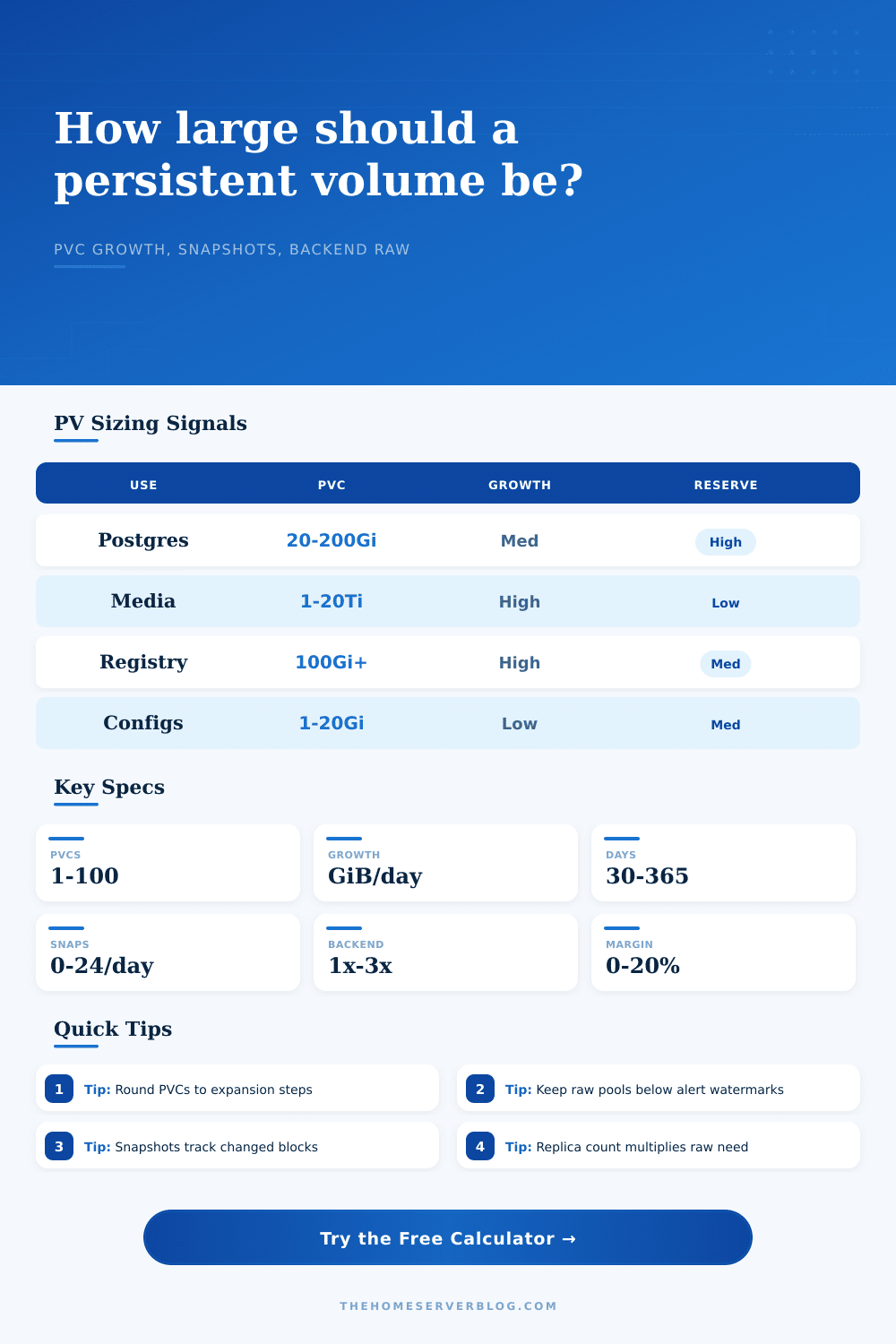
PersistentVolumeClaims are more than just where your data lives. They’re also a contract with the storage backend and they have some overhead you might not know about. For example, filesystems requires space for allocation maps, journaling, and other metadata. Five percent is typical, so filesystems like Ext4 or XFS usually has an overhead that’s around five percent. But if you have multiple claim, then this overhead adds up. Before rounding up to the next step of expansion, tool adds a buffer to account for this.
That’s important because Kubernetes can expands a lot of claims at once, but seldom shrinks them. You don’t want to be on the edge of a forty-five-gigabyte limit and have to shrink down by five gigs, for instance; instead, pick an increment that provides breathing room (say, going from twenty gigabytes to fifty instead).
People usually go wrong when planning for growth. They estimate based off their current data size, unaware of how much more data pours in every day. Logs and metrics pour into a home lab running Loki or Prometheus all the time. To calculate what you’ll need for thirty days out, you should multiply your daily ingestion rate by thirty and add that to your current usage. You can use the calculator to do that for you, but you’re still going to have to make an honest estimate of how much you grow per day. This is where many people underestimate. It’s better to over-size a little bit than to discover that you had no ability to immediately resize your volume when an alert fires off at 3 a.m.
Then there’s another wrinkle: Snapshots aren’t free. Copying all those layers doesn’t magically happen without cost. All the backends store each block in a way that allows copy-on-write rules; when you take a snapshot, they save any blocks that you later modify separately from the original. Over time, that reserve adds up. At a rate where your workload changes five percent of the data daily and you retain fourteen snapshots, you’ll rapidly eat up a lot more space than what you started with.
The page’s reference table makes it clear how different types of workloads affect changed-block rates (and thus snapshot overhead). For instance, when using a relatively static configuration file, you change it infrequently enough that snapshot overhead is not a major concern. But if you’re running a busy database or an image registry where you’re churning through layers, then snapshot reserve is going to be a big chunk of your overall requirement. And here you get to decide: how many do you really need? How many do you simply want to have around anyway?
But what about the backend? Different types of storage are not all created equal. If your application doesn’t handle replication, then local SSDs provide no redundancy. Network file shares (e.g., NFS) make it convenient, but only as long as the underlying server stays healthy. You can also use distributed systems such as Ceph or Longhorn that replicate your data across several nodes.
This means your raw physical capacity must be multiplied by the replication factor. For example, if you’re using a replication factor of 3, you’ll have 3 copies of your data. This means you’ll need 3x the physical space for the same amount of logical capacity. Depending on which backend you choose, the calculator adjusts its final estimate of raw capacity accordingly, so that you won’t run out of disk space on your worker nodes; even if you forget to consider the second or third copy of your data.
There’s no exact science to sizing persistent volumes; it involves managing risk. It’s about balancing availability, performance and cost. Sure, a bigger volume will spend some time idling, but better that than running out when you really need it. Your aim is to get to a place where your storage planning becomes predictable instead of reactionary.
As you learn how much to expect from snapshots, how much replication costs, and how quickly things inevitably grow, the math begins to add up. Storage stops being a fixed commodity and starts becoming a dynamic resource requiring careful management. This change in thinking is what transforms a fragile setup into a resilent one.