HomeServerBlog PoE wiring calculator
PoE Voltage Drop Calculator
Estimate voltage drop, delivered device voltage, cable heating loss, and pass/fail margin for cameras, access points, phones, switches, splitters, copper cable, CCA cable, long outdoor runs, and 802.3af, 802.3at, or 802.3bt PoE budgets.
Breakdown
Estimated load current at the delivered voltage after cable loss is solved.
Current split across active pair sets; four-pair PoE lowers conductor stress.
Round-trip resistance adjusted for AWG, material, length, pairs, and temperature.
Power the switch or injector must supply, including heat lost in the cable.
Selected PoE class source limit used for pass/fail power checking.
Share of supply voltage consumed by the cable and connector allowance.
Material multiplier applied to base conductor resistance.
Combined voltage, heat, material, and standards margin label.
| Standard / cable | Typical source | PD voltage floor | Power planning note | Best fit |
|---|---|---|---|---|
| 802.3af Type 1 | 15.4 W PSE | About 37 V at PD | Fine for phones and simple cameras; long CCA runs can erase margin. | VoIP, basic camera, small sensor |
| 802.3at Type 2 | 30 W PSE | About 42.5 V at PD | Good AP and camera budget, but two-pair current is higher than af. | Wi-Fi AP, IR camera, thin client |
| 802.3bt Type 3 | 60 W PSE | About 42.5 V at PD | Four-pair delivery helps current sharing and reduces drop per path. | PTZ camera, multi-radio AP |
| 802.3bt Type 4 | 90 W PSE | About 41.1 V at PD | High power still needs copper quality and thermal headroom. | Heated camera, signage, mini PC |
| Cat6 copper | 23 AWG typical | Lower resistance than 24 AWG | Best normal choice for long permanent PoE runs. | Outdoor AP, camera homerun |
| CCA warning | Aluminum core | Higher resistance | Voltage drop and heating rise quickly; avoid for standards PoE. | Short low-power only, if unavoidable |
| Wire gauge | Ohms per 1000 ft per conductor | Common Ethernet use | Voltage drop effect |
|---|---|---|---|
| 22 AWG | 16.14 ohm | Heavy specialty cable | Lowest drop in this calculator |
| 23 AWG | 20.36 ohm | Many Cat6/Cat6A solid cables | Strong long-run PoE choice |
| 24 AWG | 25.67 ohm | Common Cat5e solid cable | Good for normal cameras and APs |
| 25 AWG | 32.37 ohm | Some compact cable | Watch APs and longer runs |
| 26 AWG | 40.81 ohm | Patch or stranded cable | Use shorter runs or lower watts |
| 28 AWG | 64.90 ohm | Slim patch cable | Not a great long PoE feeder |
| Device | Typical draw | Recommended standard | Voltage drop concern | Practical check |
|---|---|---|---|---|
| VoIP phone | 3 to 7 W | 802.3af | Usually low | Confirm pass-through ports if a PC is chained. |
| Fixed camera | 5 to 12 W | 802.3af or at | Medium with IR on | Use night-mode watts for the calculator. |
| Wi-Fi 6 AP | 15 to 25 W | 802.3at | Medium to high | Check 250 ft and hot ceiling runs carefully. |
| PTZ camera | 25 to 55 W | 802.3bt | High | Four-pair and copper cable are strongly preferred. |
| PoE splitter | 8 to 24 W | af, at, or passive | Depends on output voltage | Add splitter efficiency loss to device watts. |
| Mini PoE switch | 8 W plus downstream load | 802.3bt input | High on uplink | Include downstream device watts in the load. |
| Factor | Multiplier used | Why it matters | When to use it |
|---|---|---|---|
| Pure copper | 1.00x | Baseline for Ethernet PoE voltage-drop planning. | Solid copper Cat5e, Cat6, or Cat6A cable. |
| Tinned copper | 1.03x | Slightly higher effective resistance allowance. | Marine, outdoor, or specialty cable. |
| CCA aluminum core | 1.62x | Aluminum core raises resistance and cable heat. | Warning scenario or short low-current run only. |
| High-flex patch | 1.18x | Stranding, small conductors, and patch assemblies add loss. | Rack patch bundles or temporary lab wiring. |
| Hot cable path | 1.10 to 1.25x | Copper resistance rises with temperature. | Attic, sun-facing conduit, crowded bundles. |
| Connector allowance | 0 to 30% | Models contact and insertion losses as extra drop. | Patch panels, couplers, surge blocks, splitters. |
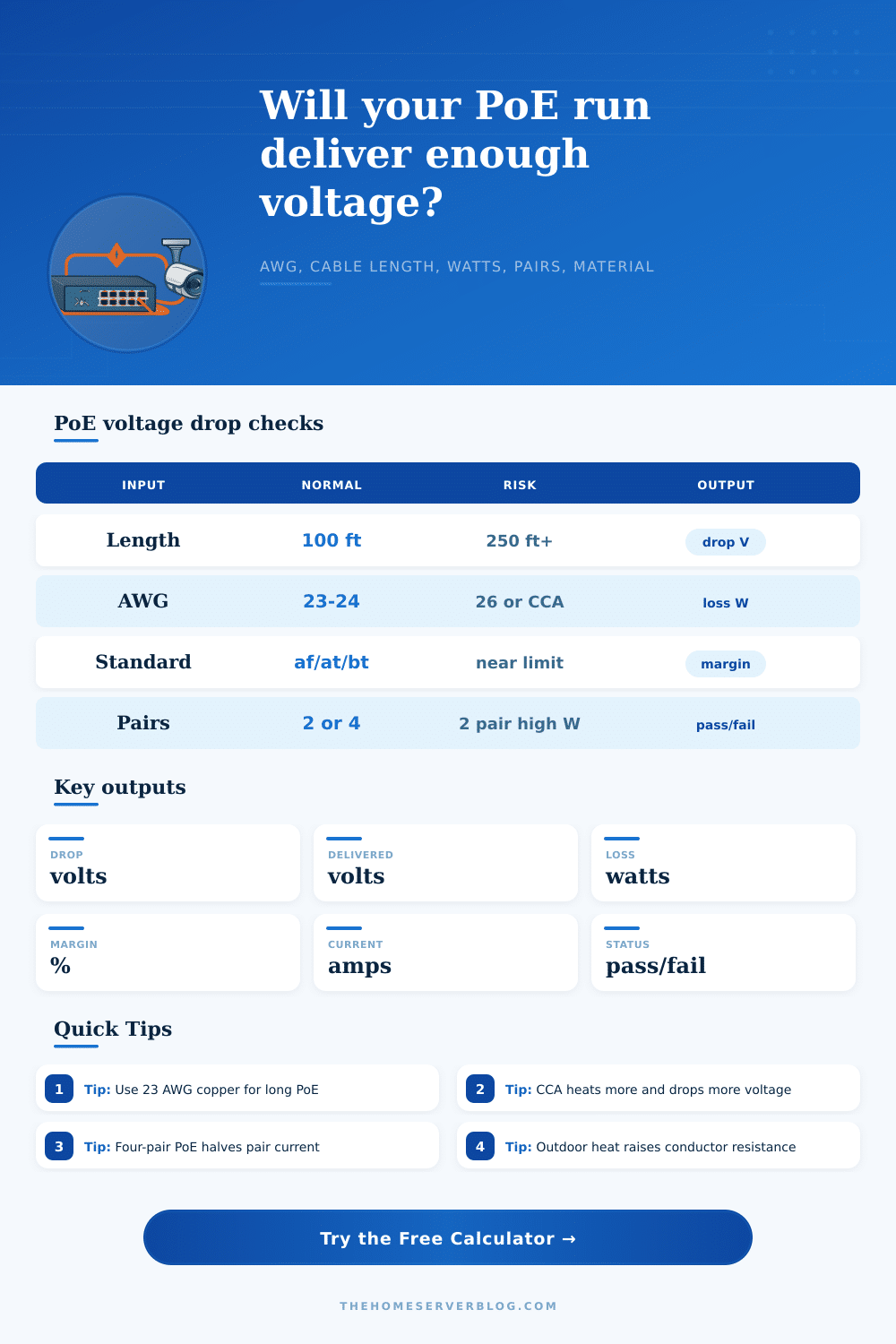
Keep headroom
10%+A run that passes by only a volt can fail when a camera heater, IR LEDs, or AP radio load turns on.
Favor four-pair
Lower IFour-pair PoE splits current across more conductors, reducing I squared R cable loss.
Respect length
328 ftVoltage may pass beyond 100 m in some cases, but Ethernet data limits and installation standards still matter.
Avoid CCA
HeatCopper-clad aluminum is especially risky for high-power PoE because its resistance is much higher.
Sometimes your security camera will freeze when heater turns on and the infrared lights turn on. Or sometimes the feed just cuts out in the morning and comes back several hours later. Re-seating the connectors, checking the cable, that doesn’t typically fix it. What is the issue? It’s not a hardware issue. It’s an issue of physics. The cable sap all the voltage from the camera.
When you send power over Ethernet, you’re sending electrical current down some copper wires intended for carrying data, not massive amounts of electricity. During install, that make all the difference. Enter specs of your devices and desired run length and the calculator does the rest. What’s next? Define the route. In most cases, it’s limited to one-hundred feet for reliable data transmission.
Why Your Camera Loses Power
Beyond a hundred, resistance factor. Think about thicker wire carrying the load better than thin wire. A solid twenty-three AWG Cat6 fight voltage drop better than thin twenty-eight AWG patch cable. As wire tapers in diameter, the voltage drop increase. This becomes heat in the cable bundle.
Next you need to pick your PoE standard. Older (Type 1) devices uses little power and don’t pose much of a risk for voltage drop as long as the cable isn’t too bad. Newer equipment like high-res PTZ cameras and Wi-Fi six access points require lots more. They pull a lot more current, and even at short distances, voltage sag when the conductors aren’t up to the task.
This tool assesses if the delivered voltage exceed the minimum acceptable value for each standard. Below that line, the device doesn’t boot or resets. No middle ground, so no mistakes on site if you know what your margin is.
Second: The material matters. Cheap cables is typically made with copper-clad aluminum rather than pure copper. The aluminum is less conductive than copper (more resistant), so it drop more volts, producing more heat for the same amount of current. That extra heat increase resistance even more, creating a cycle where voltage drop keeps increasing.
The voltage-drop calculator lets you specify both material and temperature (since your conduit may be sun-bathed, or you have a hot attic). Often what seems like a money-saving deal on a cheap cable ends up costing more in troubleshooting time down the road. Pros say they only use solid copper runs for permanent install for this reason.
The work-around is what we call four-pair PoE delivery, which splits the current between four wire pairs (half the current on each pair). With half the current on any single conductor, there’s lower voltage drop and less resistive heating. That enables you to deliver more with same cable, even if it has impossibly high gauge.
You should also consider connector losses. Any surge protector, patch panel port, or keystone jack introduce a small amount of resistance. They don’t seem like much individually but collectively, they can consume enough voltage headroom that it tips the scales when under load. Don’t just size your run for idle consumption. But don’t assume that’s what you’ll get all day every day.
Sizing for peak load is important. Cameras with heaters, IR illuminators turning on at night, or radio bursts all increases power draw. If you don’t account for this, you’ll probably have intermittent failures while under the load. Sizing for at least 10% (plus) above min voltage is a good rule of thumb. This allow for minor variation in wear and temperature over time.
For a sanity check before running a foot of wire, use the table on the page which clearly illustrates how various standards address different power loads. There’s no such thing as a deadline or a budget when electricity is involved. Electricity doesn’t care. All that matters is following the path of least resistance.
Every single ohm of impedance resists the flow of power. It fights it. The shorter the run, the thicker the wire (and yes, the more you’ll spend), but at some point you’ll reach the thermal limit of your space and be done for the day. Designing it on paper is simple; chasing its ghost in a ceiling space isn’t so much. Don’t push that margin and you’ll have your devices running when you need them most.
You should of accounted for this earlier, because luxurios setups needs more power. It could of been avoided if you used better wire. Actualy, the cable saps all voltage from camera.