📡 Pub/Sub Throughput Calculator
Calculate message throughput, bandwidth, fan-out load, and partition needs for your pub/sub system
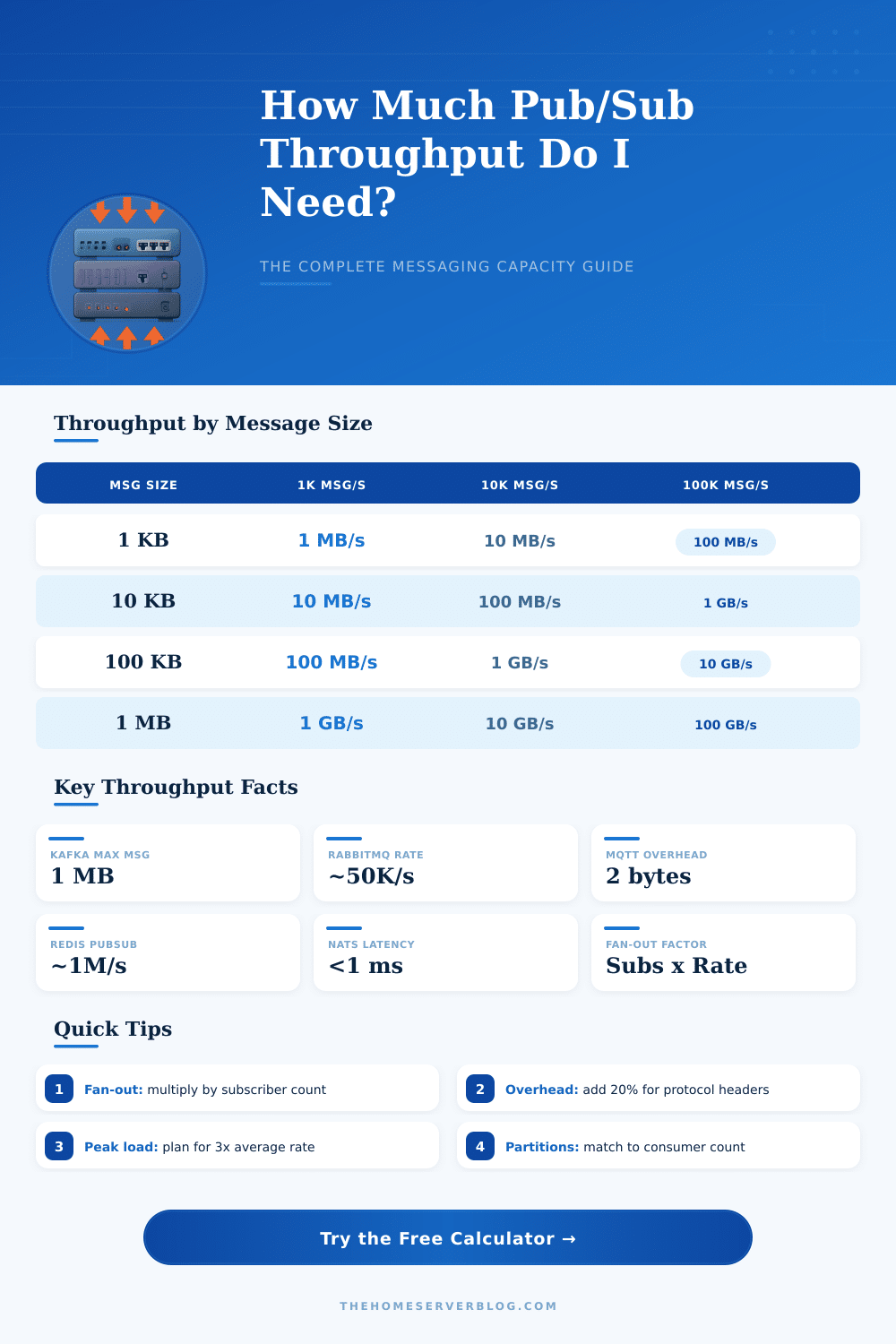
| Message Size | 1,000 msg/s | 10,000 msg/s | 100,000 msg/s | 1M msg/s |
|---|---|---|---|---|
| 100 Bytes | 100 KB/s | 1 MB/s | 10 MB/s | 100 MB/s |
| 1 KB | 1 MB/s | 10 MB/s | 100 MB/s | 1 GB/s |
| 10 KB | 10 MB/s | 100 MB/s | 1 GB/s | 10 GB/s |
| 100 KB | 100 MB/s | 1 GB/s | 10 GB/s | 100 GB/s |
| 1 MB | 1 GB/s | 10 GB/s | 100 GB/s | 1 TB/s |
| Publishers | Subscribers | Fan-out Factor | Total Delivery Rate | Notes |
|---|---|---|---|---|
| 1 | 10 | 10x | 10x publish rate | Simple broadcast |
| 10 | 100 | 10x | 1,000x single rate | Typical microservice |
| 100 | 1,000 | 10x | 100,000x single rate | Large-scale event bus |
| 1 | 1,000 | 1,000x | 1,000x publish rate | Broadcast pattern |
| 1,000 | 1,000 | 1x | 1,000x single rate | Queue/point-to-point |
| Retention Period | Storage (1 replica) | Storage (3 replicas) | Storage (5 replicas) |
|---|---|---|---|
| 1 Hour | 0.04 GB | 0.13 GB | 0.21 GB |
| 24 Hours | 1 GB | 3 GB | 5 GB |
| 7 Days | 7 GB | 21 GB | 35 GB |
| 30 Days | 30 GB | 90 GB | 150 GB |
| 90 Days | 90 GB | 270 GB | 450 GB |
| 1 Year | 365 GB | 1,095 GB | 1,825 GB |
| Target Throughput | Min Partitions | Recommended | Consumer Threads |
|---|---|---|---|
| < 10 MB/s | 1 | 3 | 3 |
| 10 – 50 MB/s | 5 | 12 | 12 |
| 50 – 200 MB/s | 20 | 48 | 48 |
| 200 MB/s – 1 GB/s | 100 | 200 | 200 |
| > 1 GB/s | 500+ | 1000+ | 1000+ |
Remember that sensation where your application just slows down without any apparent cause? Everything’s good, the database is humming right along, the CPU’s fine, but all of a sudden it’s taking twice as long for each request to return. That’s usually because your messaging layer are choking on its own success. Pub/sub systems is built to be able to deal with spikes in traffic, but they’re also not infinite. Understanding how much throughput your system need beforehand will save you from a heart attack at 2 a.m. And more often than not, the problem boils down to infrastructure limitations different than expected load.
A few messages per second may seem like nothing. This changes when you realize that every one of those five-hundred subscriber needs to recieve the same message. Fan-out is where things go from gently trickling to firehosing realy fast. Before sending something to production, the calculator above will help you see how much it multiplies, giving you an idea of what’s going over your network.
How to Plan Your System Capacity
First, consider your subscribers and publishers. This isn’t some vague number in a form field; these are real network sockets, real threads, and real connections that your broker has to handle. For example, if you’ve got ten analytics pipelines receiving telemetry from one-hundred IoT devices, the rate at which it needs to be delivered isn’t a function of the one-hundred devices. It’s a function of their overlap, or in other words, meeting of publishers and subscribers. A common error is to size for publish rate while neglecting that every message will get cloned and sent out to all active subscriber. To account for this, the tool uses something called a fan-out factor, which show how much bandwidth demand exists on your broker cluster.
Message size works the same way. A lot of devs imagine their messages as small JSON payloads. They ignore serialization overhead and headers, bytes required to frame protocols like MQTT vs the record batch structure found in Kafka or AMQP. The twenty percent overhead buffer present in those settings isn’t there for padding. It’s an acknowledgement that what gets sent over the network isn’t usually pure data. There is always metadata attached to every packet, failure to account for it will cause you to dramaticly underestimate your bandwidth requirements.
There’s also another wrinkle most teams don’t expect: storage retention. Even with a persistent broker like Kafka, a message isn’t automatically discarded once it’s delivered. It remains sitting there on disk waiting to be purged according to the retention policy. For example, if you have a high-throughput stream and set retention to seven days, that could mean terabytes of storage space across all replicas. And you may require multiple replica for durability purposes (e.g., three), which immediately triples your storage cost. As you can see from the reference tables included along with the calculator, these numbers scale rapidy. Before settling into a longer retention time frame, I’d suggest running some checks against your estimates.
The other thing is picking the correct broker. They all has their own strengths and bottlenecks. Redis Pub/Sub rocks at speed, but not persistence. RabbitMQ does complex routing very well, but doesn’t scale as well for massively parallel fan-outs (vs Kafka or NATS). The interface includes some pre-set buttons so you can play around with various architectures without having to type everything out by hand. If you select a high frequency trading or log aggregation scenario, it will give you an out-of-the-box example of what that looks like under real world constraints for those types of use case.
Partitioning is where hardware meets theory. One consumer thread consumes one partition at a time; that’s how Kafka scales throughput per partition. Consumers are either overloaded or idling when there aren’t enough partitions. When you have too many partitions, the system gets complex to rebalance and the metadata overhead increases. The tool includes a sizing guide (based off your desired bandwidth) that recommends a minimum number of partitions. This is a rule of thumb but it prevents the most common scaling mistakes.
At its core, capacity planning is all about planning for peak, not average. Spikes in traffic occur. Marketing campaigns go live. User behavior goes crazy. If you design a system that handles only your average traffic, it will crash when things get busy. Plan for a safety margin. Simulate your load with tests. Realize that what you see on the screen is an estimate based on current settings. It’s a map but you should of still drive the car. Monitor the storage implications and the fan-out factor. This will help you avoid most of the messaging infrastructure pitfalls. Not only do we want speed; we want our systems being resilient in the face of actual volume.