RAID 5 Rebuild Time Calculator
Estimate RAID 5 single-parity rebuild duration, surviving-disk read load, parity recalculation, URE risk proxy, and degraded write penalty for a NAS or home lab array.
Calculation Breakdown
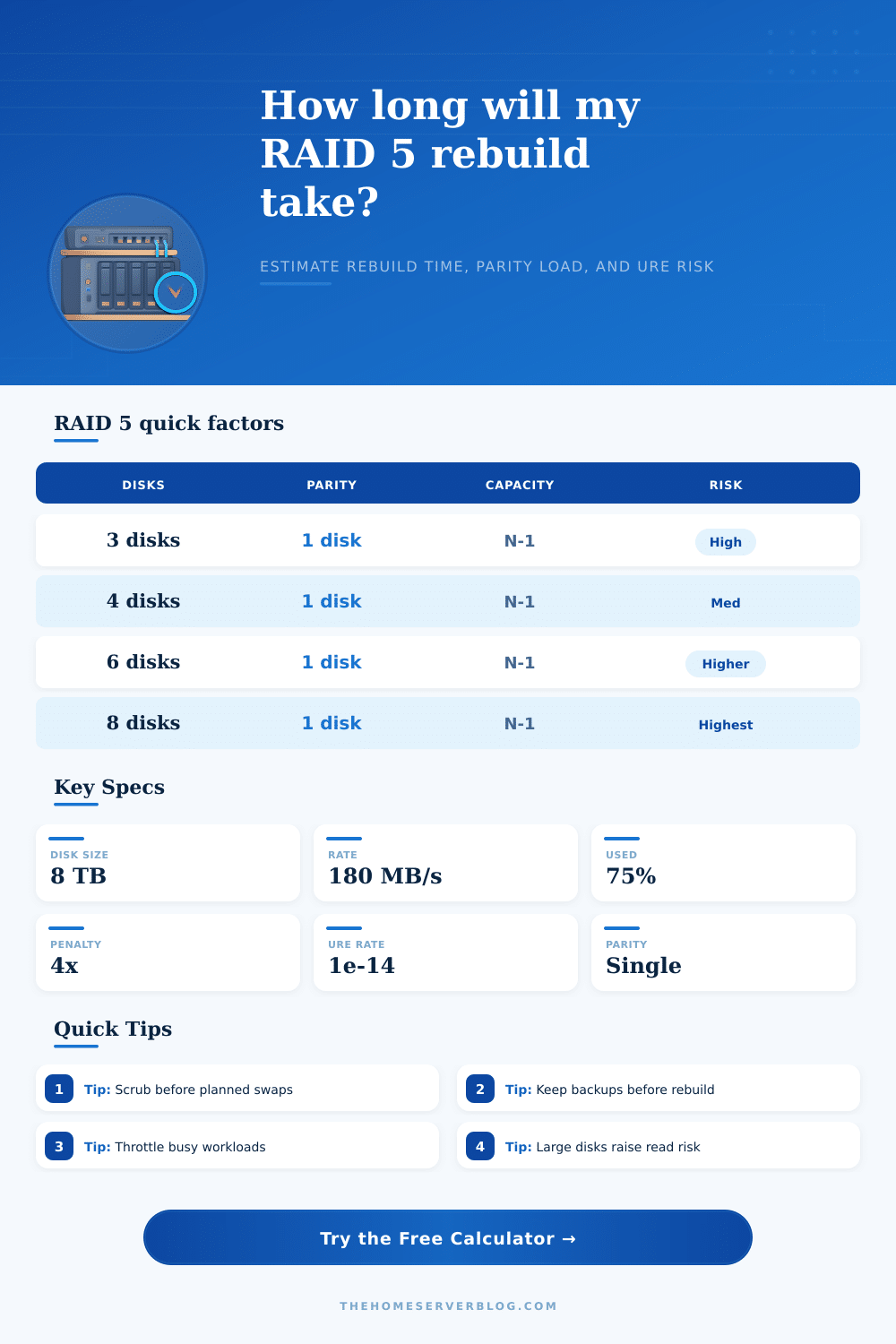
| RAID 5 Set | Usable Capacity | Surviving Disks Read | During Rebuild | Planning Note |
|---|---|---|---|---|
| 3 disks | 2 disk equivalents | 2 disks | No remaining parity margin | Shortest fan-in, but each survivor is critical. |
| 4 disks | 3 disk equivalents | 3 disks | Reads all surviving members | Common four-bay NAS shape for media libraries. |
| 5 disks | 4 disk equivalents | 4 disks | Wider read exposure | Often acceptable for smaller drives with backups. |
| 6 disks | 5 disk equivalents | 5 disks | Longer rebuild window | Consider RAID 6 when disks are large or busy. |
| 8 disks | 7 disk equivalents | 7 disks | Large parity fan-in | Single parity becomes a more fragile tradeoff. |
| Drive or Pool Type | Typical Rate | What Slows It | What Helps | Calculator Starting Point |
|---|---|---|---|---|
| Large 5400 RPM HDD | 80-140 MB/s | Outer-to-inner track slowdown, heat, SMR behavior | Idle host workload and good cooling | 110 MB/s |
| 7200 RPM NAS HDD | 130-220 MB/s | Snapshots, scrubs, antivirus, SMB writes | High rebuild priority and clean SMART data | 170 MB/s |
| Enterprise HDD | 180-260 MB/s | Controller queue limits and mixed IO | Backplane bandwidth and steady airflow | 220 MB/s |
| SATA SSD RAID 5 | 300-900 MB/s | Write endurance limits and controller policy | TRIM support and low host activity | 600 MB/s |
| Busy home NAS | 40-130 MB/s | Plex scans, backups, camera ingest, downloads | Pausing scheduled jobs during recovery | 90 MB/s |
| URE Rating | Common Label | Proxy Meaning | Where It Matters | Practical Response |
|---|---|---|---|---|
| 1e-14 | Consumer HDD | One specified bit error per 10^14 bits read | Large RAID 5 HDD rebuilds | Use backups and avoid very wide single parity. |
| 1e-15 | NAS or enterprise HDD | Ten times lower proxy rate than 1e-14 | Better suited to larger arrays | Still scrub and monitor SMART before rebuild. |
| 1e-16 | Enterprise SSD | Lower read-error proxy in the model | SSD RAID 5 pools | Also watch write endurance and firmware behavior. |
| Custom | Vendor data | Use your published spec or policy value | Mixed fleets and unusual media | Document the assumption with the rebuild report. |
| Workload During Rebuild | Write Share | RAID 5 Effect | Rebuild Impact | Suggested Input |
|---|---|---|---|---|
| Mostly idle media NAS | 0-10% | Reads dominate, fewer parity writes | Lower slowdown | 5-15% workload |
| Backup target window | 60-90% | Parity write penalty competes hard | Large slowdown | 40-70% workload |
| Light VM datastore | 25-50% | Small random writes increase latency | Moderate to high slowdown | 25-45% workload |
| Surveillance ingest | 80-100% | Steady writes keep parity busy | May stretch rebuild overnight | 50-80% workload |
| Maintenance paused | 0-5% | Controller can favor rebuild IO | Best recovery window | 0-10% workload |
RAID 5 tolerates only one failed disk. During rebuild, another disk failure or an unrecoverable read error can still threaten the array, so keep verified backups outside the pool.
RAID 5 arrays is particularly insidious, because they can fail silently after a drive failure occur. That’s the worst kind of failure. There are no sirens and no flashing lights. There is just a subtle change in status indicator from green to amber, along with an obscure log entry hidden somewhere inside the system interface.
Most users becomes aware of something amiss once a backup job fail due to a missing volume, or if performance starts dipping. It doesn’t help that this silent failure set off a highly stressful rebuild process on your storage array. How long this takes matter more than just convenience; treat it like a life-or-death matter.
Why Silent Failures Are Dangerous
Each hour of operating in degraded mode increase the cumulative risk across all other drive. To understand this means looking past capacity figures; if one of your drives fail, the controller has to rebuild everything based off whatever’s left plus some distributed parity info. It reads each and every block across all remaining drives to determine what should goes where on the new drive.
Your calculator will do that math for you after you enter your configuration details, but knowing how it works lets you use the output confidentally. That sustained rebuild rate is the critical number, and it’s not the same thing than the sequential read speed printed on the box. Active users, background tasks, and other factors like controller throttling can all slows down the rebuild.
If you’re using your NAS for backup job or media during the day, it could be crawling along at only a fraction of peak performance. Another problem during that long window is unrecoverable read errors, or UREs. That’s where a drive physically can’t reads some sector of data.
When this happen in an otherwise healthy array, it’s covered over by parity. But during a rebuild, all the surviving disks are getting hammered as they recreates what was lost. If even a single bit can’t be recovered off the surviving drives, then the whole thing falls apart. That chance grows with both the size of each drive and the amount of data it has to reads.
So bigger drives expose more bits per pass, which means there’s a higher statistical chance of landing on a bad sector. The tool figures that out based off your drive capacity (and normal error rates), providing an idea of just how lucky you might of had to get.
Another source of frustration at this time will be degraded performance. When run in less-than-full redundancy mode, RAID 5 were never meant to perform well with random writes. With each write, all the data and parity must be read in, the new parity calculated, and the two values written out again. That’s a four step process with a heavy penalty that results in slowness and lack of responsiveness from your system as it struggles to catch up.
It is just how single-parity systems work. Most admins will discover that pausing any unnecesary tasks (such as large transfers, full file scans) will speed the rebuild along and ease the burden on the rest of the hardware. When failure happens; which will happen, planning can blunt the pain.
Checking your array regularly for any undetected data corruption softens the blow. It confirms that all block are readable and rewritable if necessary. Because RAID doesn’t protect against widespread controller malfunctions or accidental deletion, having off-RAID, verified backups is non-negotiable. And if you have to perform a rebuild, treat it as a high priority instead of a routine task; this can save you days of anxiety.
Minimizing the vulnerable window are the best way to preserve your data integrity. RAID 5, then, is ideally suited as a strong backup against random drive failures, rather than some sort of insurance policy for bad luck during prolonged maintenance periods. It’s OK if your drive fails, so long as you know how long it’ll take to recover and are prepared to manage those expectations accordingley.
It may feel like we’re at the mercy of our hard drives failing, but every hour spent in a degraded state adds incremental risk, and even a single read error during a rebuild can cause total failure. Downtime happens; accept this fact, plan for it, and rely on redundancy instead of hoping that the math comes up right each and every time. That soft amber glow doesn’t have to be a disaster, with a little foresight, it’s just a warning sign.