HomeServerBlog storage maintenance planner
RAID Rebuild Window Calculator
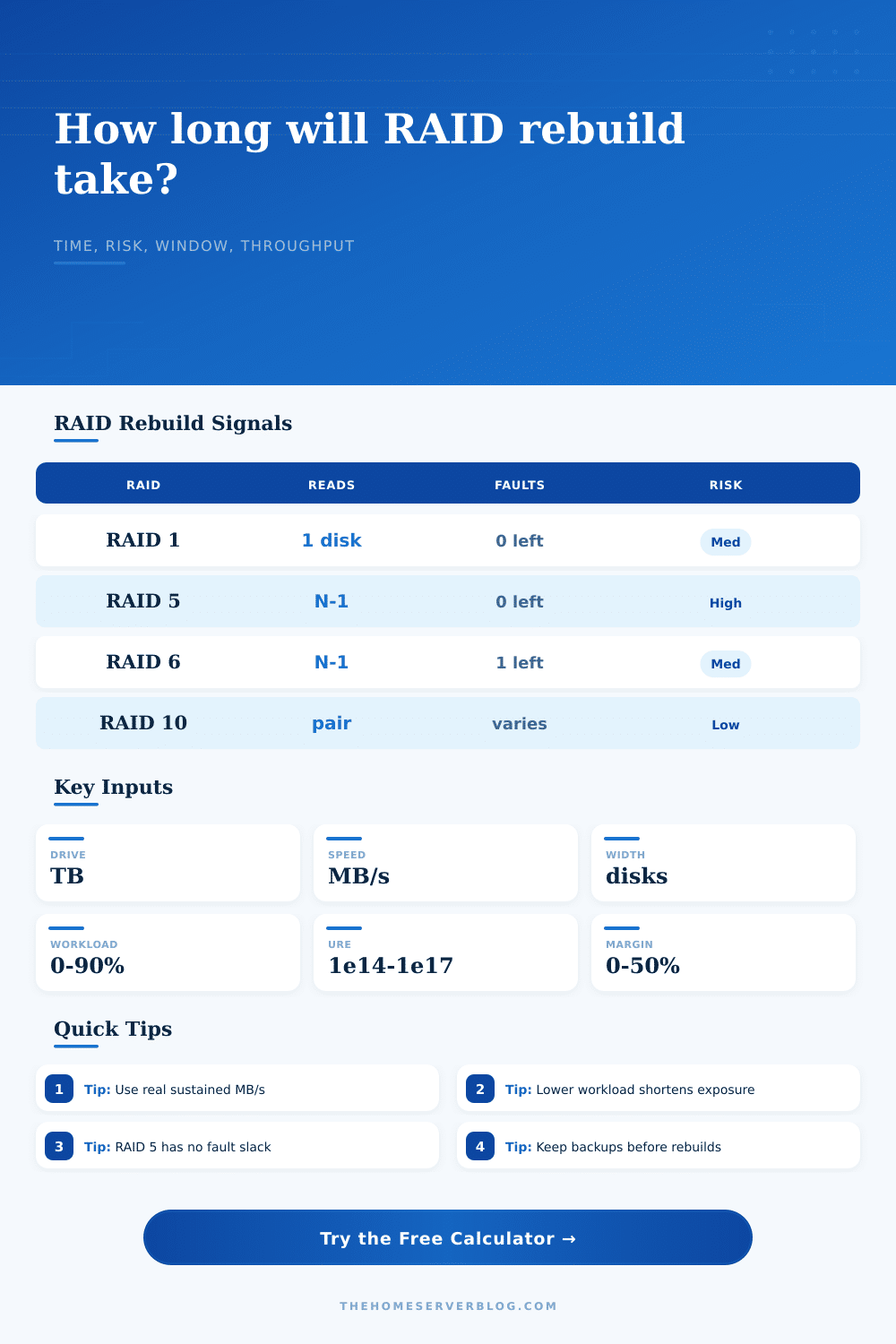
Estimate how long a degraded RAID array may stay exposed, how much throughput is left for active work, and how much extra maintenance window to reserve before replacing a disk.
Calculation breakdown
Risk and workload meter
Data copied or reconstructed onto the spare.
Approximate surviving-drive read exposure.
Time before the real rebuild work starts.
Workload share competing with rebuild IO.
| Level | Model Factor | Read Members | Planning Note |
|---|---|---|---|
| RAID 1 | 1.00x | 1 surviving copy | Mostly sequential copy unless the source disk is weak. |
| RAID 5 | 1.18x | Width minus 1 | Parity reconstruct; no extra fault tolerance remains. |
| RAID 6 | 1.32x | Width minus 1 | Longer parity math but one more disk can fail. |
| RAID 10 | 0.82x | Mirror partner | Localized to the affected pair in normal layouts. |
| RAIDZ1 | 1.28x | Vdev members | ZFS checksums help detection, not missing redundancy. |
| RAIDZ2 | 1.45x | Vdev members | Resilver often pays a larger metadata and parity scan. |
| Rate | Common Class | Example Exposure | Use In Calculator |
|---|---|---|---|
| 1 in 10^14 | Consumer HDD | Large SATA rebuilds | Use for desktop or older disks. |
| 1 in 10^15 | NAS / enterprise HDD | Typical CMR NAS | Reasonable default for home servers. |
| 1 in 10^16 | Enterprise SAS | Better spec media | Use when the exact model supports it. |
| 1 in 10^17 | SSD / high spec | Flash or premium media | Use only when backed by datasheet values. |
| Choice | Speed Effect | Delay | Operational Signal |
|---|---|---|---|
| Hot spare | 1.00x | 0 hr | Best for unattended home lab arrays. |
| Warm spare | 0.96x | 0.5 hr | Needs slot activation or quick swap. |
| Cold spare | 0.92x | 2 hr | Plan for access, labeling, and test boot. |
| USB spare | 0.72x | 1 hr | Temporary path; watch bridge cooling and errors. |
| SMR mismatch | 0.55x | 0.5 hr | Can collapse under sustained random writes. |
| Window Result | Meaning | Suggested Action | Home Lab Fit |
|---|---|---|---|
| Under 8 hr | Single session | Run after backup check. | Small mirrors and SSD sets. |
| 8 to 24 hr | Overnight | Reduce jobs and snapshots. | Common NAS rebuild size. |
| 1 to 3 days | Weekend | Keep alerts and spare cooling ready. | Large parity HDD arrays. |
| Over 3 days | Extended | Consider backup restore or staged migration. | Wide archive shelves. |
For the most part, a drive failure in your home server isn’t an epic event. It’s a quiet little beep. It is a dashboard alert. You know you’re okay as long as it stays that way… but only for so long.
And here’s the thing: The rebuild window is what gets you. It’s the period where your array are running degraded. This exposes the other drive to additional wear and tear as you wait for parity to be reconstructed, or a mirror to sync up.
Why RAID Rebuilds Are Dangerous
People believe that RAID protects their data. That it’s some sort of magical thing. It doesn’t. It simply gives you time. How much time? Well, that all depends on how long it takes to do a rebuild, and how risky that window is different than what you expect.
Plug your observed speeds into the calculator above, along with your drive size, and let it do the math. You won’t have to guess about tricky parity coefficients anymore. Start by feeding it your sustained rebuild speed. That’s what most estimates fail to take into account.
Drive sequential write speeds is quoted based off fresh, empty drives. Rebuilding rarely results in clean operations. You’re reading from several surviving drive while writing to the new one. Frequently this occurs while the server are still handling network requests. Plug in a theoretical maximum, and the tool will tell you how long it thinks rebuilding should of lasted. In reality? Rarely ever. Measure the speed post-cache flush. Use that. It’s all that matters.
And then there’s the issue of exposure. For each hour your array is running degraded, you’re adding an hour of exposure. One more failure and you lose all your data for that volume.
The tool takes into account the Unrecoverable Read Error, or URE. It’s the statistical chance that one of your drives will fail in such a way that it can’t be read during the rebuild process. Since the remaining drive don’t have enough information to reconstruct the lost parity, down goes the array. That’s laid out nicely in the reference table on the page.
Enterprise disks has lower URE rates than consumer ones. Running a bunch of cheap disks in a big RAID 5 or RAID 6 is a roll of the dice. As the width of your array increases, the math becomes brutal. You aren’t just protecting against a drive failing, but also against a drive being unable to read its own data during a recovery.
There’s also the other silent killer: Workload impact. While the rebuild runs, your server may be performing database queries, virtual machine backups or video transcoding. This dramatically slows the rebuild process. The calculator considers the percentage of active workload on the server. A 25 percent load will tack on a couple of hours. At 75 percent load, rebuilding could take twice as long.
(That’s where people go wrong.) People assume that they’ll run the rebuild as a background job… One that runs in isolation. It doesn’t. It compete with I/O operations and disk head movement. Wherever possible, try to pause any non-essential jobs during your maintenance window. The safer you are, the shorter the exposure.
Spare drive matter too. Some spares is hot, meaning they come on immediately. Other spares require you to physically change out the drive. If you spend hours looking for a new drive, you are delaying the rebuild by those same hours. Delay means risk; no matter what’s wrong with your original drive, there’s nothing happening while you run around looking for the new one.
The tool includes these types of delays in the safe window calculation. It will tell you how long you should reserve as extra time for stalls and verification and human error. It doesn’t account for power surges or a controller failure, but it does provide a realistic range around when you can be anxious.
When you understand those variables, it forces you to think about storage differently. Instead of thinking in terms of raw capacity, you begin to think in terms of operational resilience. Your bigger array isn’t just bigger. It’s also more surface area for failure.
Rebuilds aren’t something to be avoided. They’re going to occur. How do you manage the window? Make it quick. Lighten the load. Verify your backups. And when the light starts blinking, you’ll know exactly how much time you have to act.
That’s what the calculator provides, that clarity. That way, a scary alert becomes a manageable project. You know the risk. You have a plan. Instead of fear, now you can track the progress bar with confidence.