RAM True Latency Calculator
Convert DDR data rate and primary timings into real nanoseconds, then compare two memory kits by CAS latency, row-miss delay, full cycle timing, and bandwidth.
DDR5-6000 CL30 timing result
True latency and row-miss timing update as you change the memory kit.
| Timing item | Cycles | Formula | Primary ns | Compare ns |
|---|---|---|---|---|
| CAS / tCL | 30 | CL x cycle | 10.00 | 10.00 |
| Generation | Common data rates | Typical primary timings | What to compare |
|---|---|---|---|
| DDR3 | 1333 to 2133 MT/s | CL9 to CL13, tRCD near CL | Older NAS and low-power hosts often care more about capacity than bandwidth. |
| DDR4 | 2133 to 4000 MT/s | CL15 to CL22, tuned kits near CL16 | DDR4-3200 CL16 is a useful baseline because it lands at 10 ns CAS. |
| DDR5 | 4800 to 8000+ MT/s | CL30 to CL46, tRCD often higher | High transfer rate can hide a larger CL number, but tRCD still matters. |
| ECC RDIMM | 2400 to 6400 MT/s | JEDEC timings, often conservative | Server stability and capacity may beat the lowest latency score. |
| Kit example | Cycle time | CAS ns | Row miss note |
|---|---|---|---|
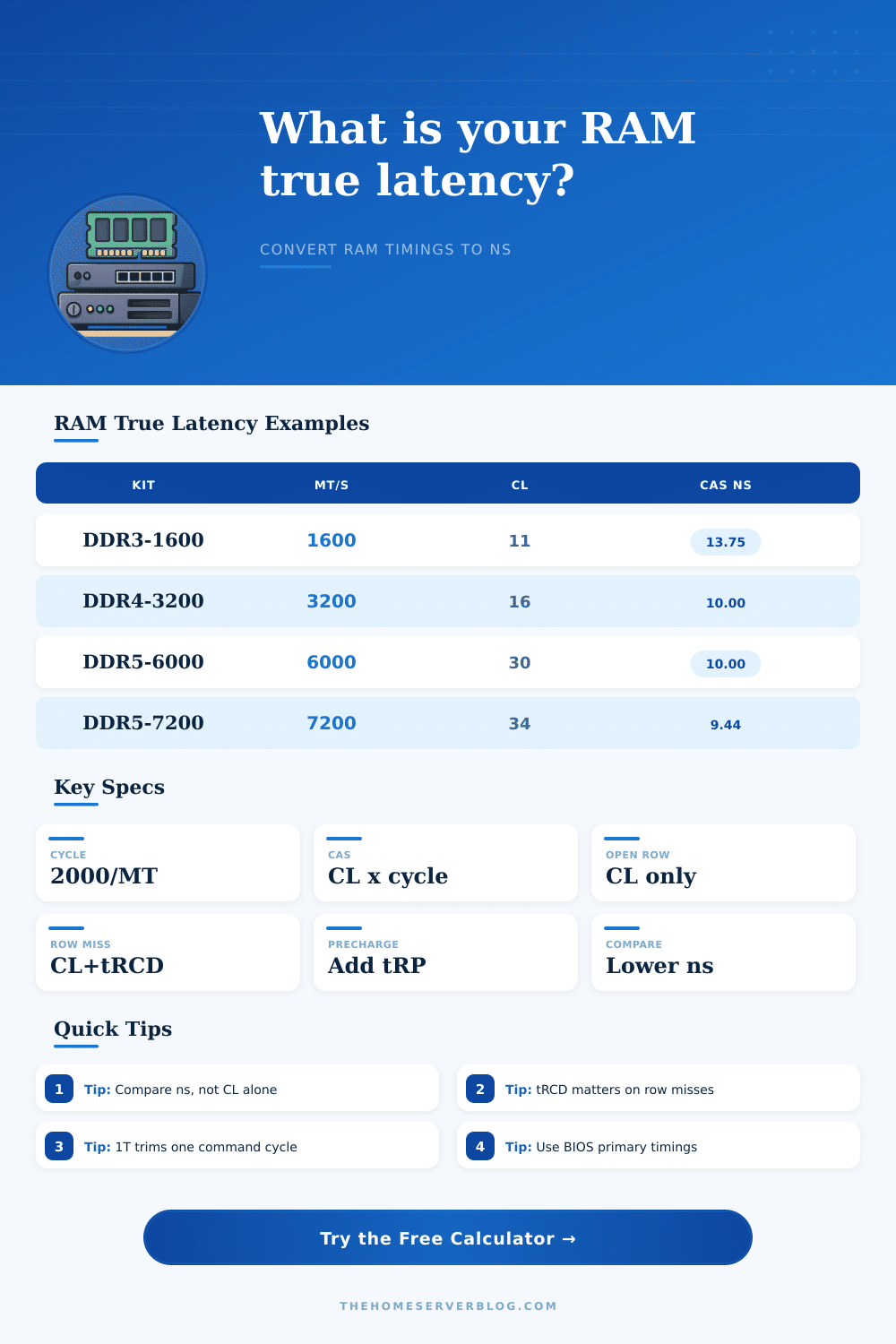
| DDR3-1600 CL11 | 1.250 ns | 13.75 ns | Still serviceable for light NAS and appliance workloads. |
| DDR4-2666 CL19 | 0.750 ns | 14.25 ns | Common server baseline with conservative timings. |
| DDR4-3200 CL16 | 0.625 ns | 10.00 ns | A strong home lab baseline for DDR4 platforms. |
| DDR4-3600 CL16 | 0.556 ns | 8.89 ns | Good latency when the memory controller runs stable. |
| DDR5-4800 CL40 | 0.417 ns | 16.67 ns | High bandwidth, but first access can trail tuned DDR4. |
| DDR5-6000 CL30 | 0.333 ns | 10.00 ns | Popular balance of latency, bandwidth, and stability. |
| DDR5-7200 CL34 | 0.278 ns | 9.44 ns | Fast when the board, CPU, and DIMMs train cleanly. |
| Metric | Formula | Use it for | Practical note |
|---|---|---|---|
| Cycle time | 2000 / MT/s | Converts cycles to nanoseconds | DDR transfers twice per clock, so real clock is MT/s divided by 2. |
| True CAS | CL x cycle time | Open-row first data delay | Lower CL is only better when the data rate is also considered. |
| Row miss | (tRCD + CL + command) x cycle | Closed-row access estimate | Databases, VMs, and mixed services may see this more often. |
| Full window | (tRP + tRCD + CL + tRAS) x cycle | Bank cycle comparison | Useful for seeing how primary timings stack beyond CAS. |
| Bandwidth | MT/s x 8 x channels / 1000 | Theoretical GB/s | Real applications usually land below this ceiling. |
Use the timings your BIOS, SPD reader, or memory profile actually applies. Auto rules, gear modes, and command rate can change the number you experience.
When you look at a memory kit you will see a large numbers next to the data rate and a smaller number for the CAS latency. The CAS latency is an important number, but it dont tell the whole story about the performance of memory. What matters is the length of each clock cycle.
The shorter the length of each clock cycle the higher the data rate of the memory modules. It is true that memory kits with higher CAS latencies will usually deliver data at a slower rate than memory kits with lower CAS latencies and higher data rates. In order to make a determination of which memory kits is better than the others you could use this calculator to evaluate memory kits for workstations, servers, or computers with gaming rigs and mixed workloads.
Compare Memory Speed and Delay
The calculator will take the data rate for memory and the CAS latency for the memory and convert the numbers to nanoseconds. The nanoseconds will allow you to directly compare the latency for memory kits from different manufacturers. Enter the data rate for memory and the primary timings for the memory as well as the command rate for the memory channels into the calculator.
Also enter the number of memory channels and the row-hit rate for your memory kit into the calculator. The calculator will show the real delay for the first access to memory chips as well as the cost of missing a row of memory chips. Additionally, the calculator will show an estimate of the experience of the memory controller once it has added margins to the timings for the memory.
In most computers the memory controller will experience some overhead in addition to the CAS latency so the memory controller timings will always be somewhat higher than the specs for memory chips themselves. Many people will think that lowering the CAS latency is the best decision for there computer systems but that is not always true. Memory controllers has to open rows of memory chips before they can read from those rows and that process takes up some of the cycle count for those memory chips.
If a computer system accesses many different rows of memory chips then a memory kit with slow CAS latency but fast tRCD will be faster than a memory kit with good CAS latency but slow tRCD. This calculator will allow you to determine the best setting for your system without having to purchase memory kits first. Some people may not take into account the command rate for their memory channels.
Command rates of 2T will require an extra cycle for every memory command compared to command rates of 1T. You will see the cost of this extra cycle in performance if the memory controller is already waiting for the row activation to complete. On some systems the extra cycle will be negligible so that the benefit of lowering the command rate from 2T to 1T will be worth the penalty but on other systems the extra cycle will be seen in performance. The same logic applies to memory channels.
Adding more memory channels to your system will increase the data rate of memory but it will not change the first-access latency of your memory kits unless you are performing very heavy memory loads on your system. In addition to the memory timings that you enter into the calculator the system also has to account for some extra cycles for the memory controller to function proper. These extra cycles will be for memory refresh cycles, memory scheduling, and performing error corrections on the data that is being transferred between the system and the memory.
The calculator will show you what the memory latency will be with a certain margin for the memory controller. The typical memory margin is 10% for desktop systems but servers will usually have a higher margin. This is done in case the memory controller misses a row of memory and has to reopen that row.
The reference tables on this page will show several different memory kits from different manufacturers. Using the tables you can compare the newer generations of memory to the older generations of memory. DDR5 kits will have CAS latencies in the thirties but because DDR5 memory kits have shorter clock cycles than DDR4 kits the real delay will be the same as DDR4 memory kits.
This is true across all generations of memory. Faster signaling speeds will lead to shorter cycles which means that higher data rates which means that even though the CAS latency will be higher the actual time taken for each cycle will be less. The row-hit percentage will impact the relative performance of your memory.
When the row-hit percentage is high the CAS latency will be the dominant factor in your system’s memory performance. When the row-hit percentage is low the activation and precharge times will be the dominant factor in your system’s memory performance. Use the row-hit slider to determine the impact of the row-hit rate on your system.
You can use this information to size the memory for database applications or virtual machines. Bandwidth will appear once you have entered the number of channels and the data rate for your memory. Bandwidth and latency are two separate measurements for memory.
Bandwidth is the total data transfer rate of your memory while latency is the delay between requesting data from memory and when the data becomes available. The higher the data rate and the number of channels the more data that can be transferred in a second. However, the processor can only see the benefit of high bandwidth if it can take advantage of the high bandwidth.
For most applications and programs the time it takes for the first byte of data to become available is the most important time so high bandwidth will not matter much. The calculator will always display the bandwidth and latency so that you can make an informed decision about your memory kit. Now that you understand the relationship between latency and bandwidth for memory kits it is easy to compare the memory kits for your system.
For most applications a memory kit that offers the best raw speed will offer the worst time for the first access to the memory. The same can be said for kits that offer the best time for the first access to data. Using this calculator you can make an easy comparison between memory kits without having to guess at the answer.
The best memory kit for your system is the kit whose specifications match the memory access requirements for the applications that you use on your system.