HomeServerBlog capacity and HA planner
Replica Count Calculator
Estimate how many replicas a home lab service, database tier, queue worker group, quorum cluster, or storage pool needs for traffic capacity, failure tolerance, zone placement, and rolling updates.
1Replica planning presets
2Replica count inputs
Formula breakdown
Capacity health
3Derived replica metrics
Recommended replicas times per-replica sustainable throughput and target utilization.
Replicas still serving after the selected number of failed instances is removed.
Temporary additional replicas for rolling updates or blue-green warmup.
State, cache, or local data multiplied by the recommended replica count.
4Equipment and workload spec comparison
Stateless HTTP
Good for dashboards, APIs, reverse proxies, and small web tools behind a load balancer.
80-300 req/sec per small podQueue Worker
Capacity depends on job duration; replicas can scale without client-facing load balancers.
5-80 jobs/sec per workerRead Replica
Use measured read QPS and watch write amplification, replication apply rate, and lag target.
50-500 read qps per nodeCache Replica
Memory footprint and failover promotion matter more than CPU for many home lab caches.
1-64 GB memory per replicaQuorum Node
Consensus systems usually prefer odd counts so a majority remains after failures.
3 or 5 common voter countBroker Replica
Streaming brokers need enough nodes for partitions, leadership spread, and repair traffic.
3+ broker set floorStorage Node
Replica count multiplies raw capacity and sets how many failures data can survive.
2x-3x copy multiplierEdge Gateway
Ingress and VPN gateways should keep at least one active target per failure domain.
1/zone placement floor5Replica reference tables
Capacity and HA formulas
| Planning constraint | Formula used | Why it matters | Typical home lab note |
|---|---|---|---|
| Traffic capacity | ceil(peak / (per-replica capacity × target utilization)) | Prevents sizing from benchmark-only throughput. | Start with measured p95 load if available. |
| Headroom | ceil(capacity replicas × (1 + buffer %)) | Absorbs bursts, noisy neighbors, and cache misses. | 10% is a practical default for small services. |
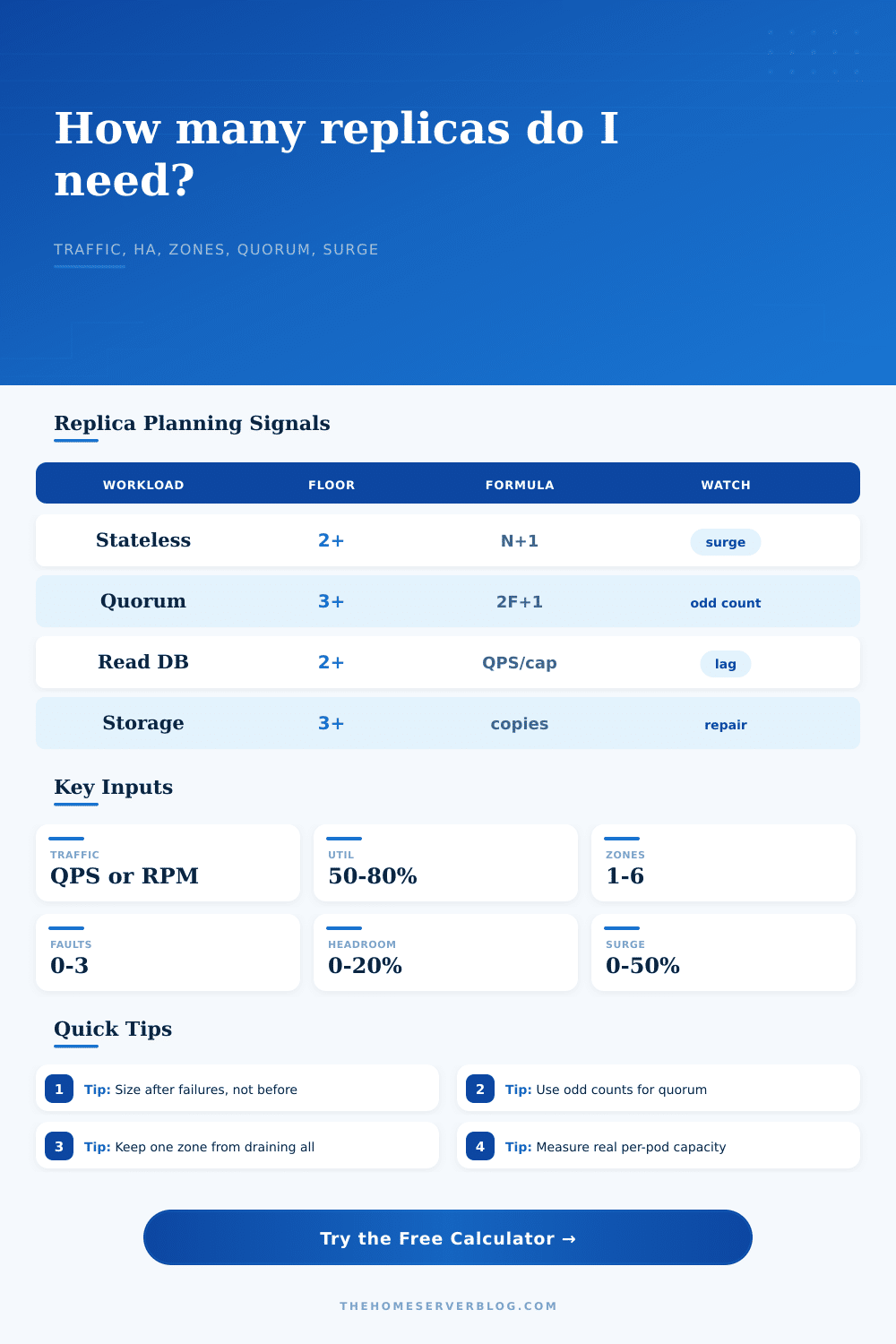
| N+1 failover | capacity replicas + tolerated failures | Keeps service capacity after hosts or pods fail. | Use one failure for maintenance windows. |
| Zone spread | max(replicas, zone count) | Avoids placing every replica in one failure domain. | Use hosts, racks, UPS groups, or rooms as zones. |
| Quorum | 2 × tolerated failures + 1 | Majority systems need an odd voter count. | Three voters tolerate one failed voter. |
| Rolling surge | ceil(recommended replicas × surge %) | Estimates temporary deploy capacity. | Surge must fit CPU, memory, and ports. |
Common replica strategies by configuration
| Configuration | Minimum count | Best-fit formula | Watch point |
|---|---|---|---|
| Single-node lab service | 1 replica | max(1, traffic capacity) | No HA; useful for noncritical tools. |
| Stateless API | 2 replicas | capacity + failure allowance | Session affinity can hide uneven load. |
| Database read pool | 2 replicas | read QPS / safe read QPS per replica | Writes and indexes can create replica lag. |
| Cache with sentinel | 3 nodes | primary + replica + witness or odd voters | Memory pressure can make failover worse. |
| Control plane quorum | 3 voters | 2F + 1 | Even voter counts may not improve tolerance. |
| Replicated object store | 3 storage nodes | desired copies + repair margin | Capacity is raw space divided by copy count. |
Standards, defaults, and practical limits
| System or standard | Relevant value | Planning use | Calculator connection |
|---|---|---|---|
| Kubernetes Deployment | spec.replicas | Desired steady-state pod count. | Matches recommended replicas. |
| Kubernetes RollingUpdate | maxSurge, maxUnavailable | Controls temporary extra pods during rollout. | Uses the surge percentage input. |
| PodDisruptionBudget | minAvailable or maxUnavailable | Protects capacity during voluntary disruption. | Compare with after-failure replicas. |
| Raft majority | floor(N / 2) + 1 | Defines quorum needed for writes or leadership. | Odd quorum policy rounds up when needed. |
| Load balancer pool | healthy targets | Traffic only reaches healthy replicas. | Fault input removes unhealthy replicas. |
| Storage replication | 2 or 3 copies | Raw storage is multiplied by copy count. | State footprint card shows total replicated data. |
Common home lab project sizes
| Project | Traffic or state | Typical replica floor | Secondary check |
|---|---|---|---|
| Personal dashboard | 20 to 80 req/sec peak | 2 stateless replicas | Keep one spare during updates. |
| Family media metadata API | 100 to 400 req/sec peak | 3 stateless replicas | Cache misses can dominate latency. |
| PostgreSQL read scaling | 150 to 800 read QPS | 2 or more read replicas | Verify replication lag under writes. |
| Home automation MQTT | 50 to 1000 msg/sec | 2 gateways or 3 quorum nodes | Retained messages add state per replica. |
| Mini object store | 2 to 40 TB usable data | 3 storage nodes | Repair bandwidth affects recovery time. |
| Control plane service | Low QPS, high importance | 3 or 5 voters | Latency between voters matters. |
6Replica count tips
The common path of most home lab enthusiasts are to begin with a single server. This lasts until the next time something goes wrong. That’s fine if you’re running experimental containers or media at home, it is not so much when your job (or family) relies on that service being up.
Using the replica count calculator eliminate the guesswork, replacing vague notions of reliability with real-world numbers around failure tolerance, bandwidth, and replicas.
How to Plan Your Server Replicas
This is the tricky bit of this calculation: What do you mean by “capacity”? The numbers can be deceptive. Your database may be able to support a thousand queries per second under ideal conditions, but in production there are other processes running in the background plus real users. So get an idea of how many QPS it can sustain at a particular level of use. Target about sixty to seventy percent. That way it has headroom for occasional bursts without causing any performance drop.
The application will ask you what your safe capacity per replica is and what your peak load is. Divide those two figures and there’s your starting point. The math is straightforward; the inputs are not. They requires actual testing instead of wishful thinking.
The other half of the equation is chaos. Things break. Updates breaks things. Networks partition. Servers fail. That’s where the failure tolerance and headroom come into play. To survive a kernel update on one host going down, how many hosts do you have to spare? How much of your available capacity are lost if one goes down? That’s the N plus one principle.
You’re not just buying peak performance. You’re buying the ability to lose something and still live to tell the tale. It’s true for stateless services (you need redundancy so they stays available). It’s true for quorum systems (odd numbers make decisions). It’s true for storage nodes (have more than one copy of the data). The reference tables describes typical approaches. But it’s all universal logic.
The other thing that people don’t understand is zone placement. If you have multiple physical hosts, racks or even just multiple power strips, spread out replicas over them and if one trip causes one host to go down, it won’t take down the whole cluster with it. The calculator actualy makes you think about your zones explicitly. You create as many domains as you like and it will force you to have at least one replica per domain. Which is to say, no trap of having three replicas where they are all running on the same UPS which is functionally the same than having zero replicas.
Then there’s rolling updates, which add another level of complexity. In many cases, when updating code, you spin up new instances while still serving requests on the old ones and then tear them down. That causes a spike in resources that last for however long you take for the new deployment. If you undersized your cluster, then even the process of rolling out the change will be a denial of service event. Surge input takes into account the number of additional copies required during this time. It is a little thing but it prevents you from getting woken up because your automated upgrade broke the dashboard.
Other things change with storage. In the world of stateless web servers, they go down and come back up at any time. Stateful services, such as object stores or databases, holds some form of data on disk or in memory. This data needs to be kept alive or copied elsewhere. To help you remember this, the tool shows you how much state your service uses, it’s called its “state footprint.” Add more copies? Your storage bill will scale accordingly. Every terabyte of data stored across a three-copy object store take up three terabytes of actual disk capacity. That’s the price of durability.
Redundancy = no losing data if a drive dies. When it comes to strict rules, look no further than quorum systems (think: Kafka) and distributed databases. Typically they’re built with an odd number of voters so there’s always a majority in case something goes wrong. A three-node cluster will never become more fault tolerant if you add a fourth node. All you do is increase the complexity. To fix this, if you choose a workload that uses consensus, the calculator enforces odd counts so that you don’t accidently create an even split that could potentially deadlock should the network become partitioned.
In the end, replica sizes are a tradeoff between price and risk. Outages are bad; adding capacity in an outage is worse. Adding capacity later is always possible. Start with the tool as a safe baseline and tune from there depending on your tolerance for outages and your budget. Perfection isn’t necessary. What you want is toughness that meets your needs. Knowing that your cluster can withstand the unexpected would of let you sleep easier.