Resource Pool Share Calculator
Estimate proportional CPU and memory entitlements for sibling resource pools, then test reservations, limits, demand, and home lab safety buffer.
Calculation Breakdown
Router / Firewall
NAS Services
Media Server
Kubernetes Worker
Backup Appliance
Desktop VM
Database VM
Monitoring Stack
The comparison grid uses active-demand planning values, not full vCPU assignment. A VM can be allocated more virtual CPU than it actively consumes.
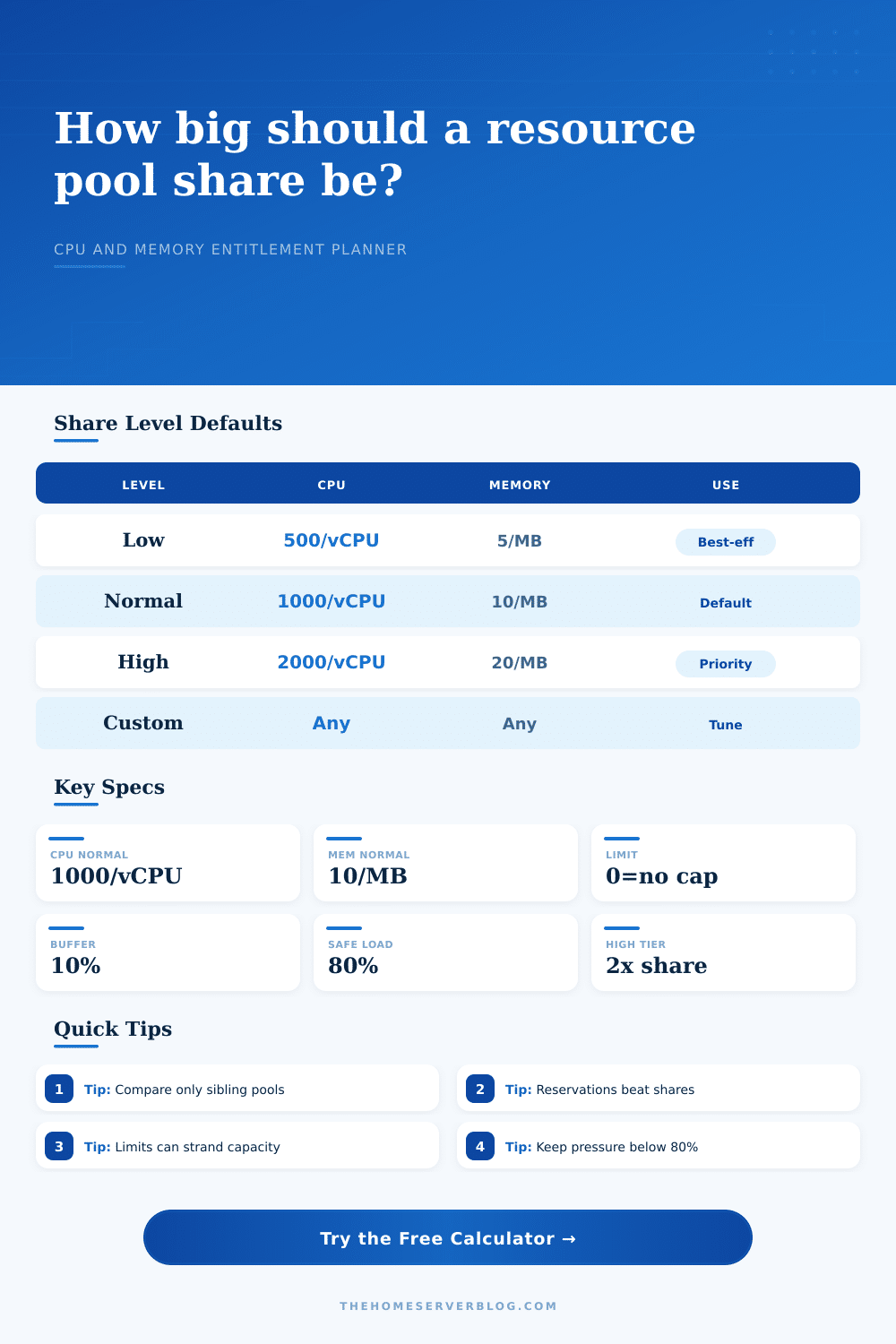
| Share level | CPU share basis | Memory share basis | Best home lab use |
|---|---|---|---|
| Low | About 500 shares per vCPU | About 5 shares per MB | Disposable test VMs, short experiments, noncritical sandboxes |
| Normal | About 1,000 shares per vCPU | About 10 shares per MB | Default mixed workloads where no pool should dominate |
| High | About 2,000 shares per vCPU | About 20 shares per MB | Infrastructure services, storage VMs, routers, DNS, monitoring |
| Custom | Any positive integer weight | Any positive integer weight | When sibling pools need a precise ratio such as 3:2:1 |
| Configuration | Typical cluster | Share ratio | Practical entitlement |
|---|---|---|---|
| Single host starter lab | 16 to 32 GHz, 32 to 64 GB | 1:1 or 2:1 | Good for keeping infrastructure VMs above experiments |
| Three mini-PC cluster | 45 to 75 GHz, 96 to 192 GB | 3:2:1 | Separates services, media, and throwaway lab work |
| Storage first home lab | 24 to 60 GHz, 128 to 256 GB | 4:2:1 | Protects NAS and backup VMs during CPU contention |
| Full rack mixed cluster | 120+ GHz, 384+ GB | 5:3:2 | Lets production-like services borrow idle capacity safely |
| Pressure range | Meaning | Recommended action | Typical symptom |
|---|---|---|---|
| 0% to 60% | Comfortable headroom | Keep the current shares and monitor peaks | VMs feel responsive under normal bursts |
| 61% to 80% | Healthy but active | Reserve critical services or trim idle guests | Short waits during backup or scan windows |
| 81% to 100% | Tight entitlement | Increase shares, reduce limits, or move workloads | Ready time, swapping, or delayed jobs appear |
| Above 100% | Over entitlement | Add capacity or reduce active demand | Sustained contention and missed maintenance windows |
| Control | Formula role | When it helps | Risk if misused |
|---|---|---|---|
| Shares | Pool shares / sibling share total | Fair division only when resources are contested | Too many custom values become hard to reason about |
| Reservation | Minimum entitlement floor | Critical routers, storage controllers, and DNS | Can block VM starts if cluster reserve is exhausted |
| Limit | Maximum entitlement cap | Keeping noisy batch jobs below a hard ceiling | Can waste idle host capacity during quiet periods |
| Buffer | Entitlement multiplied by free capacity factor | Planning for hypervisor overhead and burst overlap | Too high a buffer may understate usable lab capacity |
You start with single server in the corner of your bedroom, and it works fine. Then you add another, then another, and now you’ve got an engineering problem with physics of running multiple systems. Your hardware will still run Linux or Windows. That’s not the question anymore. The question is: What do you do when everything want to run all at once?
That’s where resource pools come in. They manage the contention, they decide who gets the airtime they require when the hardware hits its limits. If you don’t have those, your hypervisor is nothing more than a busy waiter trying to keep track of everyone’s order. With those, you create a ranking of need and keep lights on.
How to Share Computer Resources
It’s a little intuitive, but it runs math for you here: That’s right, it’s not simply plugging in numbers into a calculator. It is actualy describing a social contract among your workloads. Enter CPU and memory shares like weights on a scale. When contention occur, that network router pool gets priority than your testing sandbox because those shares has larger weights (i.e., numbers). It is not a suggestion. It is a guarantee.
The page contains a reference table that translates normal, low and high levels to what actual share values correspond to (e.g., x number of megabytes of RAM or virtual CPUs). And most folks keeps everything at its default setting. Bad idea. It assumes all of your virtual machine are the same, and that never happens with a home lab.
There are two more layers of complexity: reservations and limits. Reservations is guarantees on resource allocation. They’re the floor under which your workload will not be permitted to go. Limits are ceilings that stop a noisy neighbor from eating all resources. Other parts of the cluster may still sit idle with extra capacity. Understanding that these controls trump the share logic is where magic is.
Reserve too heavily and your cluster may run out of unallocated resources leaving you unable to spin up any additional virtual machines. Limit too harshly and you waste capacity during low-activity periods. There’s a balance between efficiency and security here.
Also consider demand. You’re asked for expected active memory/CPU demand on the calculator. That’s different from the max memory or CPU that you set when allocating those resources in the hypervisor. It’s what your applications will actualy use under normal conditions. You may allocate a desktop virtual machine with four virtual CPUs, but it rarely use them all at once.
This is most difficult piece of the planning exercise to get right. Overestimate demand and you’re leaving resources on the table. Underestimate demand and your virtual machines will be stuttering in real life, although they’ll look healthy on paper. No matter what, you want a safety buffer. Give yourself some headroom for unexpected spikes as well as hypervisor overhead. A good default here is ten percent. This means you won’t be totally maxed out during a security scan or a backup job.
The pressure metric on the results will let you know how far from the edge you are. Below eighty percent you’ll have a smooth experience. Between eighty and a hundred you’re going to begin seeing latency, and above one hundred you’re overselling your capacity. This is not ideal for critical infrastructure, although it is sustainable if you are aware of the risks.
In short, resource pooling is about predictability. When you pull up your file server, you want it to respond immediately. When your database testing goes sideways, you want your router to keep running. Carefully assigning reservations and shares gives you a stable set of virtual machines where chaos doesn’t reign.
Your hypervisor cares what you prefer; the hardware itself doesn’t. Map out your scenarios based off the tool beforehand. It’s much simpler to tweak a number on your calculator than it is to reconstruct a cluster constantly thrashing for resources.
You should of planned ahead. It’s not about cramming as many things as possible into the box. It’s about getting them to behave while they’re each trying to use it at the same time.