Replication Bandwidth Calculator
Estimate the bandwidth needed for NAS replication, VM backups, database logs, object sync, and offsite disaster recovery based on change rate, RPO, compression, protocol overhead, WAN headroom, and catch-up time.
Formula Breakdown
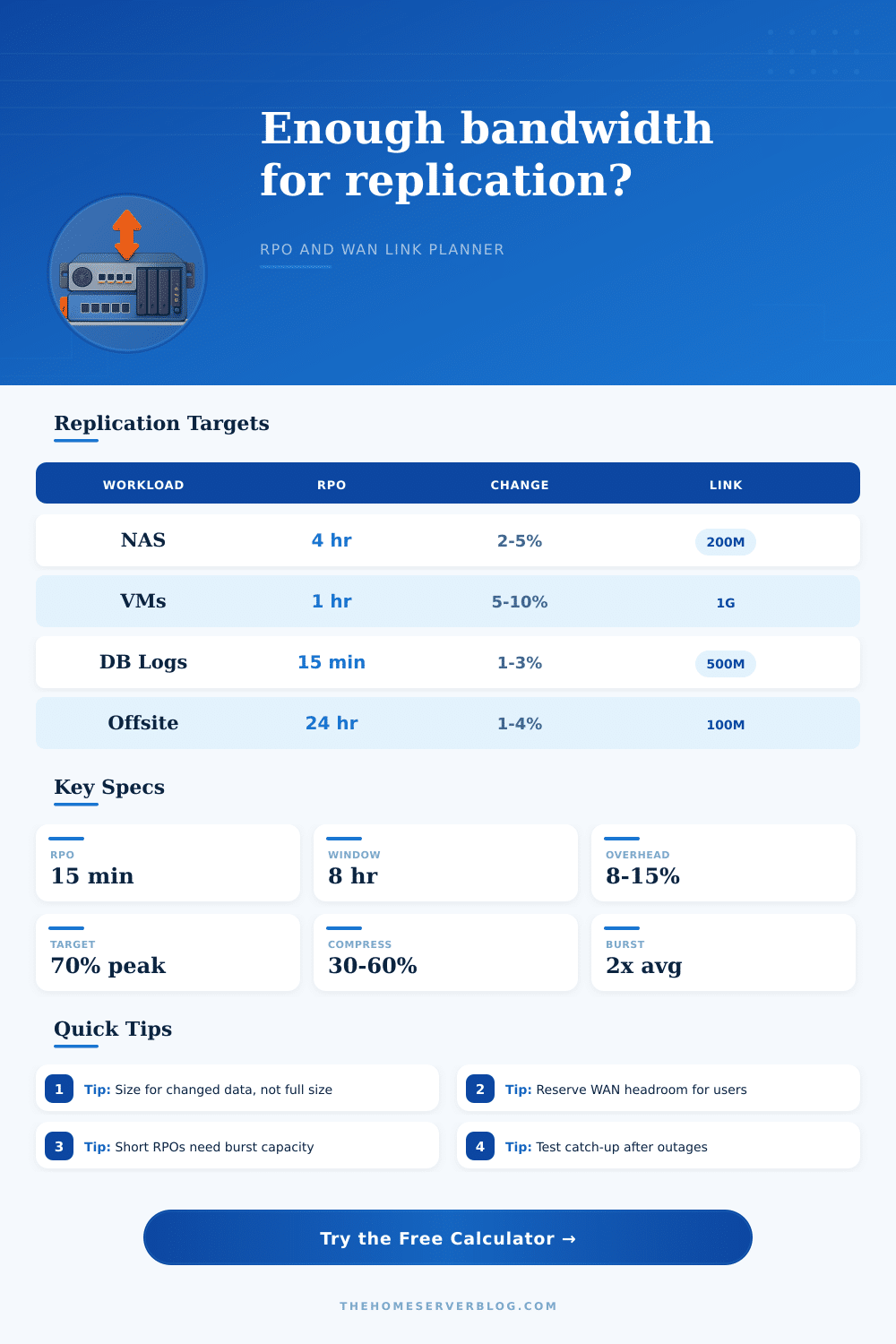
| Replication scenario | Typical RPO | Change-rate range | Bandwidth planning note |
|---|---|---|---|
| NAS file share to offsite NAS | 4 to 24 hours | 2% to 6% per day | Daily deltas are often lumpy, so plan for the backup window and not just the 24-hour average. |
| Virtual machine backup repository | 1 to 8 hours | 5% to 15% per day | Patch nights and VM churn can double normal change rates for short periods. |
| Database log shipping | 5 to 30 minutes | 1% to 4% per day | Small payloads need predictable latency more than huge throughput. |
| Object bucket mirror | 1 to 12 hours | 1% to 8% per day | Small-object metadata overhead can matter as much as payload size. |
| Formula | Expression | Used for | Practical note |
|---|---|---|---|
| Daily changed data | dataset x change rate | Raw delta before compression | Use measured backup deltas when possible instead of guessing. |
| WAN payload | delta x (1 - reduction) x overhead | Actual data sent across the link | Encrypted archives, photos, and video often reduce poorly. |
| Window bandwidth | payload bits / window seconds | Scheduled replication requirement | Nightly copies must finish before users return. |
| RPO bandwidth | interval payload bits / RPO seconds | Continuous or frequent replication | Short RPOs are sensitive to burst multiplier. |
| Replication profile | Default reduction | Default overhead | Use when |
|---|---|---|---|
| ZFS send or block snapshots | 35% to 55% | 8% to 12% | Snapshot deltas are already known and usually stream efficiently. |
| Image backup replication | 45% to 65% | 10% to 16% | Backup software applies compression and dedupe before transport. |
| File sync or rsync | 15% to 40% | 8% to 18% | Metadata and many small files can reduce throughput. |
| Database log shipping | 10% to 35% | 6% to 12% | Frequent small batches benefit from low jitter and persistent tunnels. |
| Camera archive copy | 0% to 10% | 8% to 15% | Video files are normally precompressed and do not shrink much. |
| Project size | Inputs to collect | Primary result | Secondary result |
|---|---|---|---|
| Small home lab NAS | Dataset, nightly delta, WAN upload | Required Mbps for window | Whether user traffic still has headroom |
| Proxmox or VMware lab | VM change rate, repository reduction | RPO bandwidth target | Backlog catch-up after outage |
| Branch office DR | Reserved traffic, VPN limit, RPO | Utilization of usable headroom | Upgrade pressure and burst margin |
| Database replica | Log generation rate, interval, latency | Per-RPO payload | Continuous stream safety margin |
This calculator is a planning aid. Validate important replication links with real backup reports, WAN graphs, restore tests, packet loss checks, and scheduled outage catch-up drills.
Data replication require that you determine how much data must move and how fast that data must move. The amount of data that must move is a function of the workload, and the speed at which the data must move are a function of the link speed and how far behind you can be. Many teams only realizes the data replication requirements after the outage has occurred.
For many teams, the realization comes with the discovery that there nightly replication job isnt able to clear the backlog of data that accumulated during the period when the system was active. The change rate of the data is the main consideration in replication. How quick the data changes and the total amount of data are actualy less important.
How to plan bandwidth for data replication
A data system that contain vast amounts of data that does not change rapid can be replicated over a small connection. A system that contains small amounts of data that rapidly changes will create data delta at such a high rate as to overwhelm even the most robust network connection. The calculator allows for the entry of the size of the data system and the percentage of the data that change each day.
Using this calculator is one way for replication teams to avoid guessing at the benefit that data compression will provide to the replication process. Recovery Point Objectives or RPOs indicates how fast the data must be replicated. A recovery point objective of fifteen minutes indicates that the system must be able to replicate data in small bursts and frequently.
A recovery point objective of four hours allow for the data replication process to occur over a longer period of time. The difference between these two scenario is visible within the requirement of the systems link to provide large bursts of data in short periods of time. Such short recovery points require links that can handle large bursts of data.
If an RPO is established, the tool will reveal whether or not the available headroom in the link can meet the requirements of that recovery point objective. The benefits of data compression does not always work as you may expect. Archives that are encrypted and video files that are compressed will not experience a significant reduction in size when using data compression software.
Data replication over a network also includes the data overhead of protocol and encryption software. The data replication calculator also allow for the entry of the percentage at which the data will be reduced and the percentage of overhead data for the protocol and encryption software. By entering these two percentages into the calculator, replication engineers can test out different scenario instead of relying upon one percentage to accurately project the requirements of the network connection.
Catch-up time is often an overlooked aspect of replication. Network links that meet the requirements for data replication based off the current RPO may fail to meet the requirements if the data is accumulated over several days of system activity. The data replication calculator also ask for the number of hours of accumulated data and the time during which the link should catch up with that data.
These two values are requested of replication engineers because they reveal whether or not the link can handle the data without impacting other network traffic. The requirements for catch-up time are rarely the same than the requirements for replication under normal system operation. The reference tables provide examples of the data replication requirements for common scenarios.
Data systems whose logs are replicated will change at a slower rate than data from virtual machine images. However, these are only examples of data replication requirements. Each network and data system is different and these tables should not be relied upon as the final answer for replication requirements.
Finally, the mode in which the data is replicated also impact the bandwidth requirements for that data system. Continuous replication will allow for small data link speed. Data that is replicated in scheduled fashion will require larger data link speed.
Data systems that use snapshots will require data links that can handle an extra allowance for bursts of data. These different mode can be tested within the tool without having to change any other variable within the calculation. It is recommended that you use the data replication calculator twice.
Each calculation should use different variables. One calculation can use the current change rate of the data, and the other can use a higher percentage to account for unusual activity that may occur outside the normal operation of the data system. The gap between the two calculation will show how much room for growth the current link have to handle the data system.
Finally, shared traffic must be considered. Data replication is rarely on a dedicated link. Data from other systems and function also use that link.
The target utilization percentage will ensure that the link will not be overwhelmed with replication traffic while other systems and users are accessing the network. If the link is treated as dedicated to replication, problems will develop during peak business hours. Thus, bandwidth planning for data replication is about matching the assumptions to the reality of the situation, and the data replication calculator offer a way to test those assumptions prior to the occurrence of an outage.