SIP Trunk Bandwidth Calculator
Estimate voice bandwidth for simultaneous calls, codec payload, packetization interval, RTP/UDP/IP/Ethernet headers, VLAN tags, VPN encapsulation, duplex traffic, and planning headroom.
☎SIP trunk presets
⚙Voice bandwidth inputs
Use the peak number of active two-way calls, not registered extensions.
Wire-rate mode includes the 20 byte preamble and inter-frame gap slot.
Keep a small allowance for SIP keepalives, re-INVITEs, registration, and call setup bursts.
📞Codec and packet spec grid
📊Codec bandwidth reference
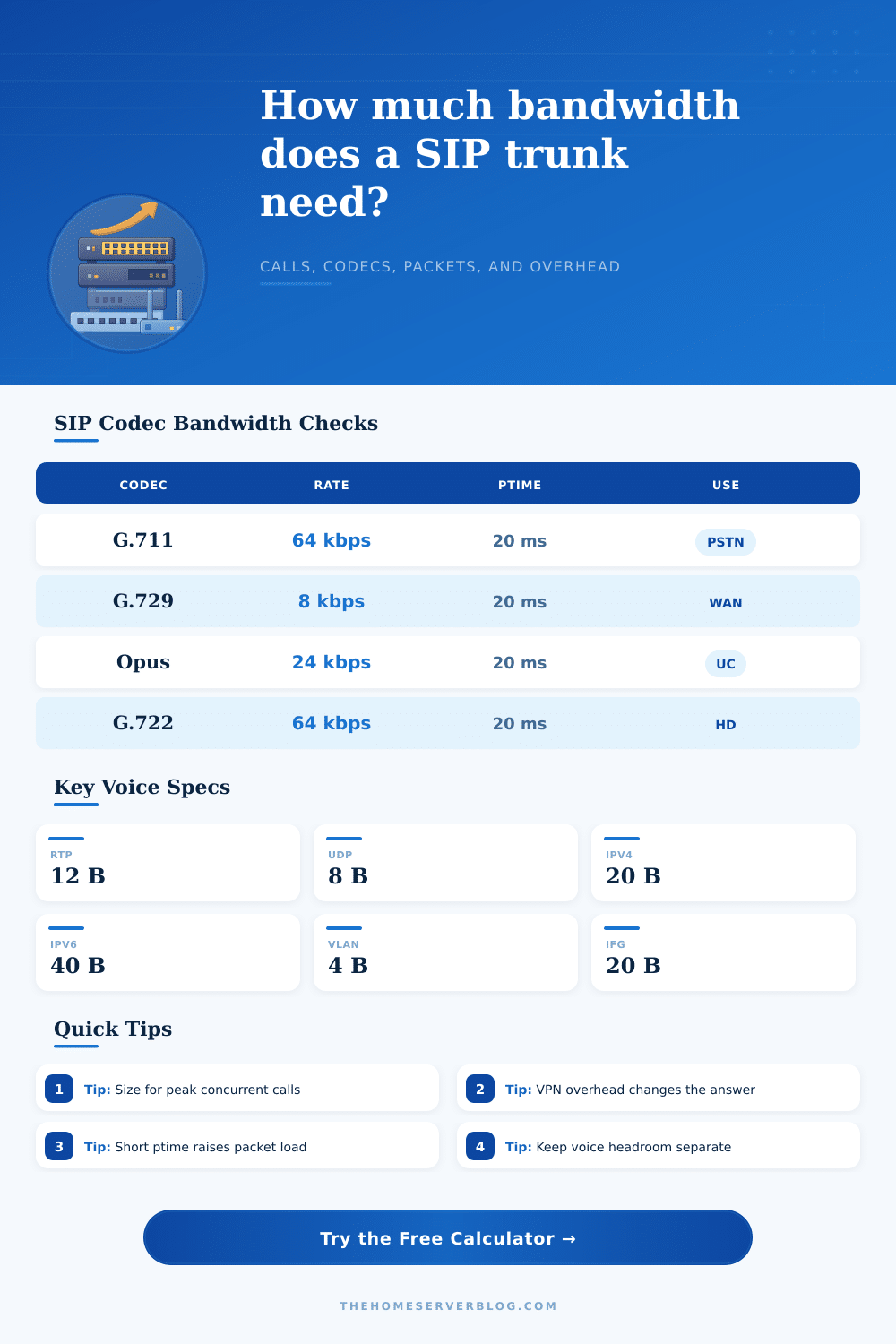
| Codec | Codec rate | 20 ms payload | Typical planning note |
|---|---|---|---|
| G.711 u-law / A-law | 64 kbps | 160 bytes | Common PSTN quality codec; simple CPU load but high WAN bandwidth. |
| G.722 wideband | 64 kbps | 160 bytes | HD voice on many phones; bandwidth resembles G.711 before overhead. |
| G.729 | 8 kbps | 20 bytes | Efficient WAN codec; licensing and transcoding may affect platforms. |
| Opus voice | 16-24 kbps | 40-60 bytes | Flexible modern codec; packet size depends on configured bitrate. |
| G.726 ADPCM | 32 kbps | 80 bytes | Middle ground for legacy gateways and compressed voice paths. |
| iLBC / GSM-FR | 13-15 kbps | 33-38 bytes | Low-rate legacy choices; packet overhead becomes a large share. |
🖧Header and encapsulation table
| Layer or wrapper | Bytes | Applies per packet? | SIP trunk planning note |
|---|---|---|---|
| RTP + UDP + IPv4 | 40 | Yes | The classic RTP header stack before Layer 2 framing. |
| RTP + UDP + IPv6 | 60 | Yes | IPv6 adds 20 bytes more than IPv4 for every voice packet. |
| Ethernet II with FCS | 18 | Yes | Usually absent from captures but present on the wire. |
| Preamble and inter-frame gap | 20 | Yes | Use for physical wire-rate calculations and switch port sizing. |
| 802.1Q voice VLAN | 4 each | Yes | One tag is common; carrier handoffs may use double tagging. |
| SRTP auth tag | 4 or 10 | Yes | Depends on crypto profile and endpoint configuration. |
🔒VPN overhead reference
| Tunnel profile | Typical overhead | Effect on VoIP | When to use in calculator |
|---|---|---|---|
| No VPN / direct trunk | 0 bytes | Lowest packet overhead | SIP provider reachable directly or via SBC edge. |
| WireGuard over UDP/IPv4 | 60 bytes | Moderate overhead | Branch or home PBX tunnel with modern VPN endpoints. |
| IPsec ESP NAT-T | 74 bytes | Higher overhead | Common firewall-to-firewall SIP transport. |
| OpenVPN UDP | 69 bytes | Higher overhead | Remote PBX or softphone tunnel where OpenVPN is used. |
| GRE over IPsec | 98 bytes | Very high overhead | Routed voice VLANs across legacy enterprise tunnels. |
| Custom wrapper | User value | Depends on design | Use packet captures or vendor documentation for bytes. |
🏢Common SIP trunk sizing examples
| Scenario | Calls | Codec / ptime | Typical one-way bandwidth |
|---|---|---|---|
| Small office direct trunk | 4 | G.711 / 20 ms | About 0.4-0.5 Mbps with headroom. |
| Remote branch over WAN | 8 | G.729 / 20 ms | About 0.3 Mbps, but packet rate still matters. |
| Home PBX with Opus | 6 | Opus 24 / 20 ms | About 0.4 Mbps on a direct trunk. |
| Call center carrier handoff | 30 | G.711 / 20 ms | About 3.5-4 Mbps before other data traffic. |
| VPN branch voice VLAN | 12 | G.729 / 20 ms | VPN overhead can double low-rate codec load. |
| HD voice team phones | 16 | G.722 / 20 ms | Plan near G.711 bandwidth plus QoS margin. |
When you order an SIP trunk, you have to consider more than just number of channels that the trunk should support. The bandwidth requirements for a SIP trunk are essential consideration, because if you dont consider factors like the codec that is used for calls, the packet interval for those calls, and whether you are using a VPN to access your telephony provider, your SIP trunk may experience poorly call quality during peak hour, or the trunk may experience dropped calls when other device are using the link. Because voice packets are small, a high volume of voice packets must travel on the link.
For instance, with a packet interval of twenty milliseconds, fifty packets will travel in each direction for each simultaneous call. This factor impact the bandwidth requirements for a SIP trunk more than the codec settings for the link. Small payload as a result of using a low bitrate codec reduce the amount of data that can pass through a link, but the headers for each packet remains the same size.
How Much Bandwidth Does a SIP Trunk Need
Furthermore, the headers will expand with the addition of a VLAN tag, encryption protocol, or a VPN tunnel. Thus, a low bitrate codec can actualy use more bandwidth with a VPN protocol then a higher bitrate codec would require without a VPN. The calculator included with this article can help you determine your bandwidth requirements by entering the number of simultaneous call, the codec for the calls, the packet interval for each call, and whether you will use any encapsulation protocol like a VPN.
Furthermore, the calculator can help you test various level of headroom. Headroom is the amount of bandwidth reserved for the network, and it ensure that jitter buffers are not emptied when other application on the network experience a spike in data needs. For the best performance, fifteen to twenty percent of bandwidth should be left to the network for this purpose.
Choosing the codec for your calls can be a three-way decision. G.711 codecs provides the best audio quality for calls, and require the least amount of CPU power from your phones endpoint. However, G.711 codecs use the most bandwidth for calls.
G.729 and Opus codecs saves a small amount of bandwidth for each call, but may require licensing for your PBX system. Furthermore, codecs like G.722 provide better call quality than G.711 without increase the amount of bandwidth that is used for calls. However, the bandwidth savings of the G.722 codec are only relative to G.711, since both use the same data header.
The packet interval will interact with every other element of your bandwidth calculation. Using a ten-millisecond packet interval will halve the amount of data for each packet, but will double the rate at which packet are sent across the link. Furthermore, the headers for packets will represent a larger portion of the total size of each packet.
Thirty- and forty-millisecond intervals will reduce the number of packets that must cross the link, but will increase the latency of the packets reaching listeners. Most voice phone system and softphone application use a twenty-millisecond interval as the default setting. Many people are unaware that using a VPN will impact the bandwidth requirement for their SIP trunk.
For instance, a sixty-byte WireGuard wrapper will be added to each packet that crosses the link. This sixty-byte amount is the same for each codec. Thus, a sixty-byte wrapper can represent more than half the size of a packet on a G.729 link, but will be a smaller portion of the size of each packet on a G.711 link.
You can use the calculator to compare different type of VPN protocols to ensure that your bandwidth remain within your upload limit. Another consideration for bandwidth is the traffic create by SIP signaling. Calls use signaling traffic for steps like registration to the system, OPTIONS requests to keep endpoints “alive,” and re-INVITEs when changing call parameter.
With many endpoint on the network, this type of traffic add up. Thus, it is recommended to include some headroom in your calculation for these signaling packet. With the results from the calculator, you must determine how the result compare to your actual circuit.
For example, the upload speed for your internet access may appear to be sufficient, but with headroom and other application on the network that use the upload speed, it may not be sufficient for your calls. Furthermore, you should ensure that your link have headroom for other data application. For example, you may not want any dropped file while using your SIP trunk.
Thus, the results will tell you the minimum amount of bandwidth that a link must have to support your calls. With this value, you can ensure that your link has the necessary bandwidth for your calls, so that adding one more call will not negative impact the quality of those calls.