HomeServerBlog SSL/TLS operations tool
SSL Certificate Cost Calculator
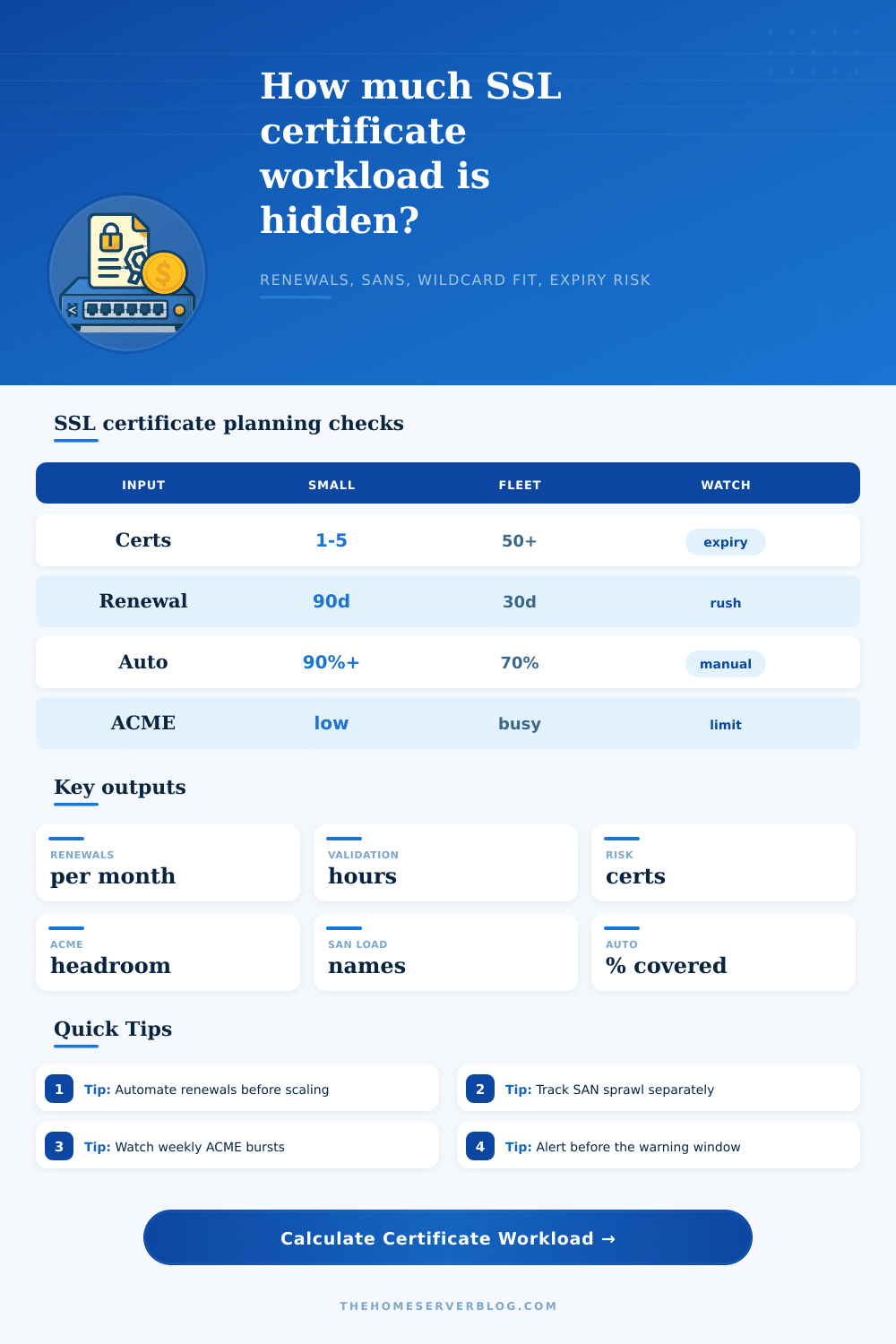
Model certificate inventory pressure without money: renewal volume, validation workload, SAN and wildcard coverage, automation gaps, expiry exposure, failed renewal rework, and ACME weekly headroom.
Total names that can move renewal failure from one certificate to many services.
Share of renewal work still depending on people, tickets, DNS edits, or deploy reviews.
Weekly issuance pressure after adding failed-renewal retry load.
Quick read on automation, warning window, renewal interval, and ACME reserve.
Single-name DV
Low blast radiusOne hostname per certificate keeps failures isolated, but large portfolios create many renewal events.
Multi-SAN certificate
Fewer renewalsGroups related names into one rotation. Watch SAN limits and service impact if renewal fails.
Wildcard certificate
High coverageUseful for homelabs, reverse proxies, and ingress. DNS validation and key handling matter more.
Short-lived ACME
Automation firstWorks well at scale when renewal clients, DNS hooks, reloads, and monitoring are reliable.
Mail server TLS
Many endpointsSMTP, IMAP, POP, webmail, autodiscover, and MTA-STS names often need separate coverage checks.
Device certificate
Expiry drift riskIoT and appliance fleets can miss renewals when devices sleep, roam, or lose controller access.
Kubernetes ingress
Controller-drivencert-manager style automation reduces tickets but makes DNS, issuer, and secret sync health critical.
Reverse proxy bundle
Central reload pointOne proxy can protect many apps, so test reload hooks and alerting before adding more hostnames.
| Preset | Typical inventory | Main workload driver | Planning note |
|---|---|---|---|
| Single Blog TLS | One certificate, one to two names | Low renewal volume | Still monitor expiry because a single missed renewal can take the site offline. |
| Wildcard Homelab | One zone covering many apps | DNS validation and key control | Wildcard coverage lowers certificate count but raises secret handling importance. |
| Kubernetes Ingress TLS | Many ingress hosts and secrets | Controller and issuer health | Watch failed orders, DNS01 propagation, HTTP01 routing, and secret reload timing. |
| Multi-SAN SaaS | Many customer or product names | SAN sprawl and renewal blast radius | Segment SANs by service tier or ownership to limit impact from failed renewals. |
| Mail Server Certs | SMTP, IMAP, POP, webmail, MTA-STS | Service reload coverage | Certificate renewal is not done until every daemon has reloaded the new chain. |
| IoT Device Certs | Many devices with intermittent reach | Device wake windows | Use wider warning windows and renewal telemetry for offline or roaming devices. |
| Input | What it changes | Healthy direction | Watch when |
|---|---|---|---|
| Certificate count | Base renewal events and monitoring surface | Keep ownership clear by service | Inventory grows faster than automation coverage. |
| SAN count | Name coverage and blast radius per certificate | Group names intentionally | One certificate covers unrelated services or teams. |
| Wildcard coverage percent | Hostnames covered by fewer certificates | High for internal app patterns | DNS validation or private key scope is weak. |
| Automation percent | Manual validation and ticket volume | Raise toward full coverage | Manual paths remain for busy or critical certificates. |
| Failed renewal percent | Retry load and expiry risk | Trend toward zero | DNS hooks, HTTP routes, or deploy reloads drift. |
| Renewal interval | Monthly effect | Automation need | Operational signal |
|---|---|---|---|
| 30 days | High recurring renewal volume | Very high | Good for short-lived security posture only when automation is proven. |
| 60 days | Moderate to high renewal volume | High | Useful for fleets that want quick rotation and reliable ACME telemetry. |
| 90 days | Common ACME cadence | High | Good default when renewal clients and alerting are mature. |
| 180 days | Lower operational churn | Medium | Still needs monitoring because long gaps can hide broken automation. |
| 365 days | Low monthly volume | Medium | Manual calendars become risky because teams forget rarely repeated work. |
| Risk band | Expiry signal | ACME signal | Adjustment to test |
|---|---|---|---|
| Comfortable | Less than one expected certificate in warning | More than 60% weekly reserve | Keep current cadence and verify monitoring coverage. |
| Managed | One to five certificates in warning | 30% to 60% weekly reserve | Reduce failed renewals and check staggered schedules. |
| Tight | Several certificates need attention | 10% to 30% weekly reserve | Increase automation, widen warnings, and avoid same-day renewals. |
| Critical | High expected expiry workload | Below 10% reserve or over limit | Split issuers, lower retry storms, and fix validation blockers first. |
As any system administrator will tell you, nothing brings back panicked memories like sudden appearance of an alert in your browser. First there’s a user complaint, followed by a ticket within your own systems. Soon after, you realize that a certificate expired three days ago while everyone was on vacation.
For some, purchasing an SSL certificate seems limited to annual fees and price tags. What they’re missing is true cost altogether. And it doesn’t include the renewal bill. Instead, it is work needed to maintain and sync these credentials across your growing server fleet. You also has to make sure they stay secure.
The True Cost of SSL Certificates
Teams tend to get stuck thinking about certificates as a unit count: if I’ve got ten sites, I must renew ten things. But today’s infrastructure isn’t like this. It’s more moddern. A SaaS platform may package fifty customer subdomains under one multi-SAN cert. A single ingress resource in Kubernetes may fan out to dozens of endpoint.
Enter those variables into the calculator and it’ll crunch some numbers for you, converting vague inventory figures to concrete workload hours. Why does this matter? Because it differentiates between easy maintenance and complex operational risk. This is where the budget gets wasted in validation time.
Ninety percent of renewals can be automated; it’s the other ten percent that sucks down engineering resources like a black hole. Those are the ones that gets stuck behind rate limits, or have failed DNS propagation checks. How much time does your team spend manually checking those errors? The tool calculates this based off the number of hours per month your team has to review failed validations.
Five hours a month might not seem like much, but that’s a full work week every quarter. An engineer spends a major chunk of their time troubleshooting something they should of had to do. The only way to get control is through automation coverage… with an honest input.
You may think your pipeline is automated 95% of the time, but then you often have failures at deploy hooks? You’re not capturing all of your manual work. This friction needs to be accounted for in the calculator’s question about failed renewals. Noise starts when you fail two percent of the time. Two percent times a thousand certs is still twenty human interventions per cycle.
This noise pulls away teams from shipping new features, and turns what should be routine maintenance into constant fire drill. When it comes to internal networks and homelabs, the obvious fix can be those wildcard certificates. One file and you’ve covered all your domains. Great! That’s a huge reduction in certificate numbers. But it changes everything about your risk profile.
You renew less stuff, but when you do, impact is greater. A wildcard key gone wrong? Boom. All subdomains goes dark at once. Missed a DNS validation? Boom. Every subdomain goes dark at once. To model that, the calculator distinguishes between wildcard coverage and exposed names. It allows you to understand if you’re streamlining your inventory or simply concentrating your risk on fewer, bigger points of failure.
The final limitation that most people don’t consider but run into as a wall is ACME rate limits. Certificate authorities limit how many you can request per week so that they remains stable and aren’t abused. Bursting lots of activity with clustered renewal schedules might cause this problem by exceeding these limits for your cluster. The tool compares your planned demand to typical ACME caps to indicate whether or not you will have headroom.
This is another failure mode that doesn’t often get considered in planning meetings until it occurs and causes some downtime (or at least delays renewals). A straightforward and powerful defense is staggering renewals: make sure each cert has an expiration date that doesn’t overlap another’s. That way, you even out your work. This prevents several systems from rotating at the same time like a “renewal storm” that overload API limits or human patience.
The example tables included in the tool illustrate this. Picking 30-day intervals will cause a lot more volume but limit exposure for each particular certificate. Six months will be infrequent, but more effective since people is bad at remembering things they don’t do often.
In short, SSL management isn’t just a matter of purchasing certs; it’s a question of attention and time-management. It’s not a search for no-touch operations, because that’s impossible in a complex environment. It’s about bounded, predictable effort.
You need to know exactly when your certs enter the warning zone. You need to know how many there are, how many hours they’ll require, and what your automated renewal rate looks like under stress. If you can do this, you’re no longer in emergency mode. You can plan for emergencies rather than react to them. And planning turns what was a regular cause of anxiety into one manageable task on the operational calendar.