Stacking Bandwidth Calculator
Estimate switch stack fabric capacity, ring or chain failover behavior, east-west load pressure, uplink demand, and safe headroom for home lab access and core designs.
Switch stack bandwidth result
The calculator treats stacking bandwidth as shared fabric capacity, then reduces it for topology efficiency, control overhead, failure assumptions, and the portion of traffic that must cross between members.
| Architecture | Path behavior | Typical capacity factor | Planning note |
|---|---|---|---|
| Closed ring stack | Traffic can use clockwise and counter-clockwise paths | 2.0x | Best default for three or more members when both stack ports are cabled. |
| Open chain stack | Single path between ends of the chain | 1.0x | Works for small labs, but one break can isolate part of the stack. |
| Dual ring fabric | Two independent rings or paired fabrics | 2.4x | Useful for dense VM, NAS, or campus-style traffic across members. |
| Partial mesh stack | More than two paths with platform hashing | 2.8x | Confirm vendor forwarding rules because not every mesh forwards equally. |
| Stack port set | Raw one-direction bandwidth | Good use case | Watch point |
|---|---|---|---|
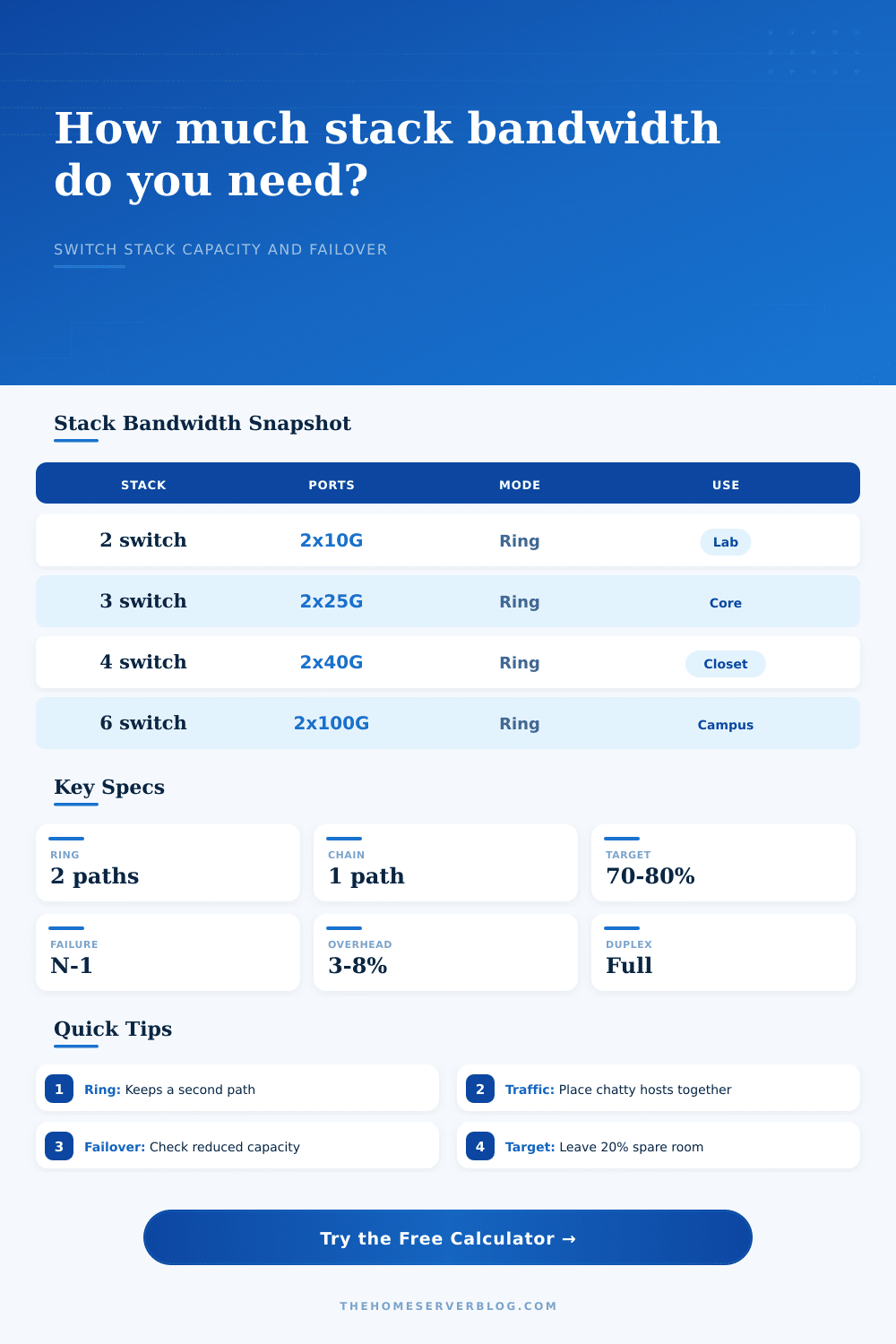
| 2 members, 2 x 10G each | 40 Gbps before overhead | Small NAS, Proxmox, or router edge | Single member failure leaves one active switch. |
| 3 members, 2 x 25G each | 150 Gbps before topology factor | Home lab core with several 10G hosts | Place storage and compute to reduce fabric crossings. |
| 4 members, 2 x 40G each | 320 Gbps before overhead | Access closet stack with 10G uplinks | Failover can push traffic through longer paths. |
| 6 members, 2 x 100G each | 1200 Gbps before overhead | High-density lab, lab classroom, or rack row | Control-plane limits may arrive before raw bandwidth. |
| Traffic type | Locality effect | Calculator treatment | Design move |
|---|---|---|---|
| Uplink north-south | Only crosses stack if uplinks are on different members | Counts selected uplink demand against safe capacity | Spread uplinks across members for resiliency. |
| Server east-west | Can consume fabric heavily when hosts sit apart | Applies a topology crossing multiplier | Keep storage-heavy hosts on the same member or nearby members. |
| Wireless client traffic | Usually bursty with many small flows | Benefits from oversubscription target | Put AP uplinks near router or controller uplinks when practical. |
| Camera and IoT streams | Predictable but constant | Counts as steady demand with less burst relief | Avoid sending every camera stream across the entire stack. |
| Failure model | Capacity effect | Risk level | Calculator cue |
|---|---|---|---|
| No failure | All members and stack ports available | Normal | Use for peak but not maintenance planning. |
| One member down | Removes ports and may turn a ring into a line | Medium | Good N-1 setting for firmware updates. |
| One stack link down | Ring survives with lower path diversity | Medium | Approximate by increasing overhead or using chain mode. |
| Multiple failures | Can isolate members or overload remaining fabric | High | Expect a warning unless demand is very low. |
If you’re like me, you have more than a cable modem and router in your home. And you build a home lab because you want to have some control, some redundancy, and the satisfaction of watching traffic flow exacty where you tell it to.
But you run into a physical reality check when you stack switches to form single logical device. That stack cable’s a bottleneck. It is not an infinite pipe. It is a shared resource that every cross-switch conversation pays for. If you get the sizing wrong, your beautiful network collapse under its own weight of east-west traffic.
How to Size Your Switch Stack
The calculator above will run the math for you, but in order to understand what those numbers mean, you need to look beyond raw gigabits. Uplink bandwidth vs. Stacking bandwidth is the bandwidth used for stacking. An uplink is use for traffic going into and out of your core router or to/from the internet. A stack are used for traffic between switches within your stack.
This is important because today’s labs create mountains of internal traffic. Virtual machines talk to your NAS. Backup software replicates data across a second server. A media server stream content to a smart TV. Any of these devices living on separate physical switches means that data cross the stack fabric. Too little fabric size = latency spikes, microbursts, dropped packets. It is not a bandwidth issue at all on the wall ports. It is a plumbing issue in the rack.
First it wants your stack topology: ring or chain? That’s the biggest consideration. With a ring there are two paths for traffic to follow, so you double your effective capacity and have some failover. But a chain is easy to wire. It’s also fragile: cut a link in a chain and you could be isolating half of your switches. The calculator assumes that a ring maintains a second path as long as one exists, whereas a chain depend entirely on a single line. Unless you’re very constrained in terms of switch port availability, you should of go for a ring just about every time.
Next comes defining your demand. Here’s where most folks go wrong. They use their internet speed as their whole network load. Nope! Chances are that your internal traffic is much larger than your internet. Even if you’re on a 1-gigabit internet plan, you might be moving 4K video files around within your network. Your stack has to handle the 10-gigabit+ load of that.
The calculator shows your east-west internal traffic versus your north-south uplink demand. So you can understand your actual headroom. Keep your use under 70 or 80 percent so you don’t get congested when something goes haywire in a burst.
The scary number is failover capacity. What happens if that cable fails? What if that switch goes down? A good stack is redundant. You can expect redundancy. But redundancy come at the cost of capacity. When a ring has a switch failure, it means traffic has to go elsewhere, typically longer routes. That means the fabric becomes even more congested.
The calculator takes out the failed member(s) and recalculates the safe capacity. If your failover capacity isn’t greater then your actual traffic demand, you’re in trouble. You’ll be feeling that lag the very instant something fails.
And then there’s the layer of oversubscribing. None of these networks is used 100% all the time. And you assume that not all ports will spike at the same time. What oversubscription ratio would you like to set for the stack? This is how you decide on a number. The conservative (safe) ratio is 1.5 to 1, and the risky ratio is 8 to 1 for light, very bursty traffic. What’s the difference between running a few Wi-Fi access points vs Proxmox or TrueNAS? There is more headroom. You pick what that target is and it figures out the safe amount you can operate above that.
The tool And finally, you can’t overlook overhead. There is no free lunch. Bandwidth is required for the switches to maintain synchronization with each other. To send and receive state information. It is used to administer VLANs. It is used to perform keepalives. That’s the secret cost of using stacks: the network tax. And the calculator factors in just a bit… Typically between 2-8 percent, for it. It might seem small, but it adds up when the speed gets high. This is the difference between a smooth running stack and one that flaps under load. Throughput isn’t the name of the game here. Stability is.
When it comes time to run a backup job or some other big file transfer, you want to be confident the stack won’t choke. When it’s time to update firmware and take a member down, you still want the rest of the lab to continue humming along.
While the page lays out common configurations in its reference tables, this is where main work happens: matching the pattern of your traffic with the capacity of your fabric. Don’t get blinded by the shiny specs of each switch, remember that connections between switches are what limit things. Size the stack for failure, not only for when everything goes right. This is how you’ll build a lab that will last.