HomeServerBlog storage efficiency planner
Storage Dedup Ratio Calculator
Estimate logical protected size, deduplicated physical storage, compression effect, metadata load, reserve target, dedup ratio, and capacity reduction for VM stores, backup repositories, file shares, logs, and mixed NAS pools.
1Storage presets
2Dedup model inputs
Calculation breakdown
Model health
3Live dedup detail cards
Before compression and metadata are applied.
Usable capacity to leave the entered reserve free.
Estimated index and reference-map footprint.
Approximate block count after dedup.
4Workload comparison grid
VM images
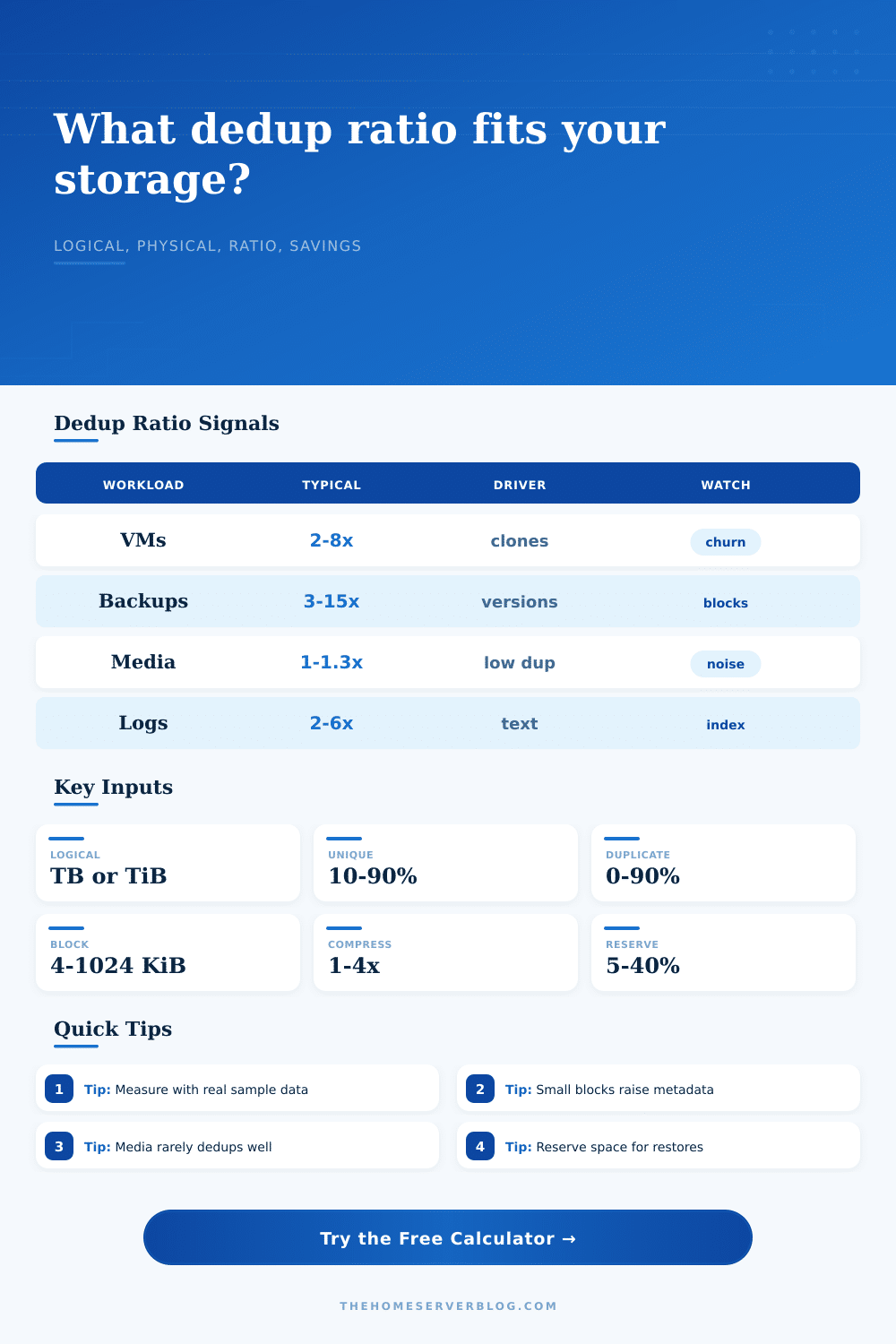
Operating system images, package caches, golden templates, and cloned boot disks often share large block runs.
2x to 8xBackup sets
Versioned backups are usually strong dedup candidates when change rate stays low and blocks are aligned.
3x to 15xMedia archive
Video, music, and compressed photo exports usually have limited repeats beyond accidental duplicate files.
1x to 1.3xLogs and text
Plain text, metrics, and structured records may compress heavily and dedup repeated templates well.
2x to 6x5Dedup reference tables
Dedup ratio guide by workload
| Workload | Common Range | Why It Happens | Planning Watch |
|---|---|---|---|
| VM and container images | 2x to 8x | Shared OS files, base images, packages, and cloned disks. | High write churn can create new blocks quickly. |
| Backup repositories | 3x to 15x | Multiple restore points retain mostly unchanged data. | Large changed-file rewrites can reduce ratio. |
| General file shares | 1.2x to 4x | Copied documents, archives, project folders, and repeated templates. | User behavior matters more than filesystem type. |
| Media and NVR footage | 1x to 1.3x | Codecs already remove much repeated information. | Do not expect block dedup to rescue video pools. |
Block size and metadata table
| Block Size | Match Behavior | Metadata Pressure | Good Fit |
|---|---|---|---|
| 4 to 8 KiB | Finds fine-grained matches | Very high | Databases, VM disks, small files |
| 16 to 32 KiB | Balanced match rate | Moderate | Home lab backup and file data |
| 64 to 128 KiB | Fewer but stable matches | Lower | Large files and image backups |
| 256 KiB to 1 MiB | Coarse matches only | Low | Sequential archive workloads |
Backup generations sensitivity
| Generations | Logical Stored | Physical Used | Effective Ratio |
|---|---|---|---|
| Calculate | 0 | 0 | 0:1 |
This table keeps the current VM/source count, uniqueness, duplicate blocks, compression, metadata, block size, and reserve inputs.
Change rate sensitivity
| Change Rate | New Unique Blocks | Physical Used | Ratio Signal |
|---|---|---|---|
| Calculate | 0 | 0 | 0:1 |
Lower change rates generally improve dedup because more generations point back to existing blocks.
6Dedup planning tips
That’s probably why you got started in the first place. Maybe it was because your virtual machines were piling up in a jumble of same file over and over again? Or maybe you found yourself with alot of extra drive space being used on backup jobs? In either case, deduplication try to fix this by holding onto only unique bits. It doesn’t work like magic; it just works through geometry. You’re attempting to cram an unruly heap of digital junk into a tidy box and the junk’s shape really does matter.
After plugging in your workload profile into calculator, it does math for you. No more guesswork about how much your particular combination of files might actualy shrink. One key takeaway: not all data is created equaly.
How to Plan Your Storage Space
Video files are compressed. Codecs has already squeezed out as much redundancy as possible before the files hit your hard drive. A library of 4K movies doesn’t gain much from dedup; there’s hardly anything left to squeeze! You pay a lot with metadata overhead and processing power. The tool shows this by showing little reduction for media workloads.
Backups are not virtual machines. You have eight VMs each running Windows? They all share terabytes of identical boot files. Dedup identifies those blocks that is common across multiple file and only stores them once. And that’s where the ratio gets interesting. Ratios goes into the double digits frequently.
But there’s a cost associated with that. There’s a tax. The tax is metadata. For every block that is unique, an entry must be made in the index. Each reference must also be mapped. The lower the block size you set (the more you try to pick up small matches), the larger your index become. The tool models this tradeoff explicitely and forces you to consider the size of the index itself… a detail most people don’t think about until their pool fills up.
That’s where block size comes into play. With smaller blocks (e.g., 4 kilobytes), you get lots of matches, but you’re also creating a ton of administrative overhead. With larger blocks (e.g., 128 kilobytes or higher), you have fewer matches but you retain a lean index. How do you choose? That all depends off what you’re storing.
If it’s frequent, small writes such as a database backup, then small blocks could of been worth the cost of the index. If it’s big image files for archiving, then bigger blocks are the way to go. Toggle this option in the calculator and you’ll note how much the physical footprint shifts. You’ll also note that as metadata increases, the effective ratio drops, a very important difference between theoretical savings than real world available space.
Compression is the other supporting player, and it usually comes after deduplication in the pipeline. In general if there’s Dedupe, you want to do that first. Then the rest of your unique stuff gets compressed. Why? Because if you compress before you dedup, same file becomes 2 or more unique compressed streams which kills dedupe efficiency. Current systems mostly get this right, but you should check. Also note the compression multiplier we have on the tool. That’s based off the assumption you’re just using it on unique data. That’s the realistic assumption of how most prosumer and enterprise storage stack work.
Finally, think about the reserve. Never run a storage pool at 100% capacity. Write amplification and fragmentation, particularly in dedup systems, is very sensitive to this. Running the drive full tanks your performance. Ingest stalls, restore slows down.
Use calculator’s suggested safety reserve, that buffer of empty space that keeps your system healthy. Don’t waste your space on it. Think of it as a buffer. It is insurance. Treat it that way and you’ll save yourself the panic of running out of space on a critical backup window.
Just like you need to plan for the best case when calculating, you need to plan for the worst case too. The goal isn’t just to shrink numbers on a dashboard. Build a lasting system. Duplication can be a great tool but don’t think deduplication will replace proper capacity planning. Let the numbers help direct your equipment buys but leave some room for the wild world of actual data. When your backup finishes in time, your future self thank you.