Subnet Prefix Length Calculator
Plan an IPv4 subnet by host count, usable hosts, CIDR prefix, subnet mask, VLAN count, reserve percentage, network size, and a route summarization hint.
Example: 192.168.20.0 or 10.40.0.0
| CIDR | Subnet Mask | Total Addresses | Usable Hosts | Typical Use |
|---|---|---|---|---|
| /32 | 255.255.255.255 | 1 | 1 host route | Loopback, single host, firewall object |
| /31 | 255.255.255.254 | 2 | 2 point-to-point | RFC 3021 router transit only |
| /30 | 255.255.255.252 | 4 | 2 | Legacy routed link |
| /29 | 255.255.255.248 | 8 | 6 | Small appliance segment |
| /28 | 255.255.255.240 | 16 | 14 | Management or lab services |
| /27 | 255.255.255.224 | 32 | 30 | Small client VLAN |
| /26 | 255.255.255.192 | 64 | 62 | Office, camera, or IoT VLAN |
| /25 | 255.255.255.128 | 128 | 126 | Large wireless or device VLAN |
| /24 | 255.255.255.0 | 256 | 254 | Common home lab VLAN |
| /23 | 255.255.254.0 | 512 | 510 | Dense client network |
| /22 | 255.255.252.0 | 1024 | 1022 | Campus-style LAN block |
| /21 | 255.255.248.0 | 2048 | 2046 | Multi-VLAN site reserve |
| Network Profile | Host Target | Recommended Prefix | Usable Hosts | Reserve Fit |
|---|---|---|---|---|
| Management VLAN | 10 to 12 devices | /28 | 14 | Tight but tidy |
| Camera VLAN | 20 to 28 devices | /27 | 30 | Good for NVR growth |
| IoT VLAN | 35 to 55 devices | /26 | 62 | Good with 10% reserve |
| Guest WiFi | 60 to 110 leases | /25 | 126 | Short DHCP lease friendly |
| Main LAN | 120 to 220 clients | /24 | 254 | Simple operations |
| Lab aggregate | 300 to 500 nodes | /23 | 510 | Use with clear DHCP scopes |
| Block | CIDR Range | Total Addresses | Good Fit | Planning Note |
|---|---|---|---|---|
| 10.0.0.0/8 | 10.0.0.0 to 10.255.255.255 | 16,777,216 | Large labs, many sites | Easy to summarize by site or rack |
| 172.16.0.0/12 | 172.16.0.0 to 172.31.255.255 | 1,048,576 | Site blocks | Less common at home, still private |
| 192.168.0.0/16 | 192.168.0.0 to 192.168.255.255 | 65,536 | Home networks | Avoid overlap with VPN peers |
| CGNAT note | 100.64.0.0/10 | 4,194,304 | Provider use | Not RFC1918 for LAN planning |
| Subnet Size | 2 VLANs | 4 VLANs | 8 VLANs | 16 VLANs |
|---|---|---|---|---|
| /28 each | /27 summary | /26 summary | /25 summary | /24 summary |
| /27 each | /26 summary | /25 summary | /24 summary | /23 summary |
| /26 each | /25 summary | /24 summary | /23 summary | /22 summary |
| /25 each | /24 summary | /23 summary | /22 summary | /21 summary |
| /24 each | /23 summary | /22 summary | /21 summary | /20 summary |
When you set up a home lab the first time, it’s like building a house blind. You’ve got some switches, a router, and some server you’ve put together that want to talk to each other, yet you don’t want them talking to your smart fridge. Usually, the frustration sets in when you run out of network addresses (or worse, when they bleed where they shouldn’t).
Everything changes once you begin thinking in terms of blocks instead of individual IPs. At that point, it stops being so messy and confusing, it becomes more about spatial planning for an invisible room, which is why subnetting is more about spatial planning different than math.
How to Plan Your Home Network Space
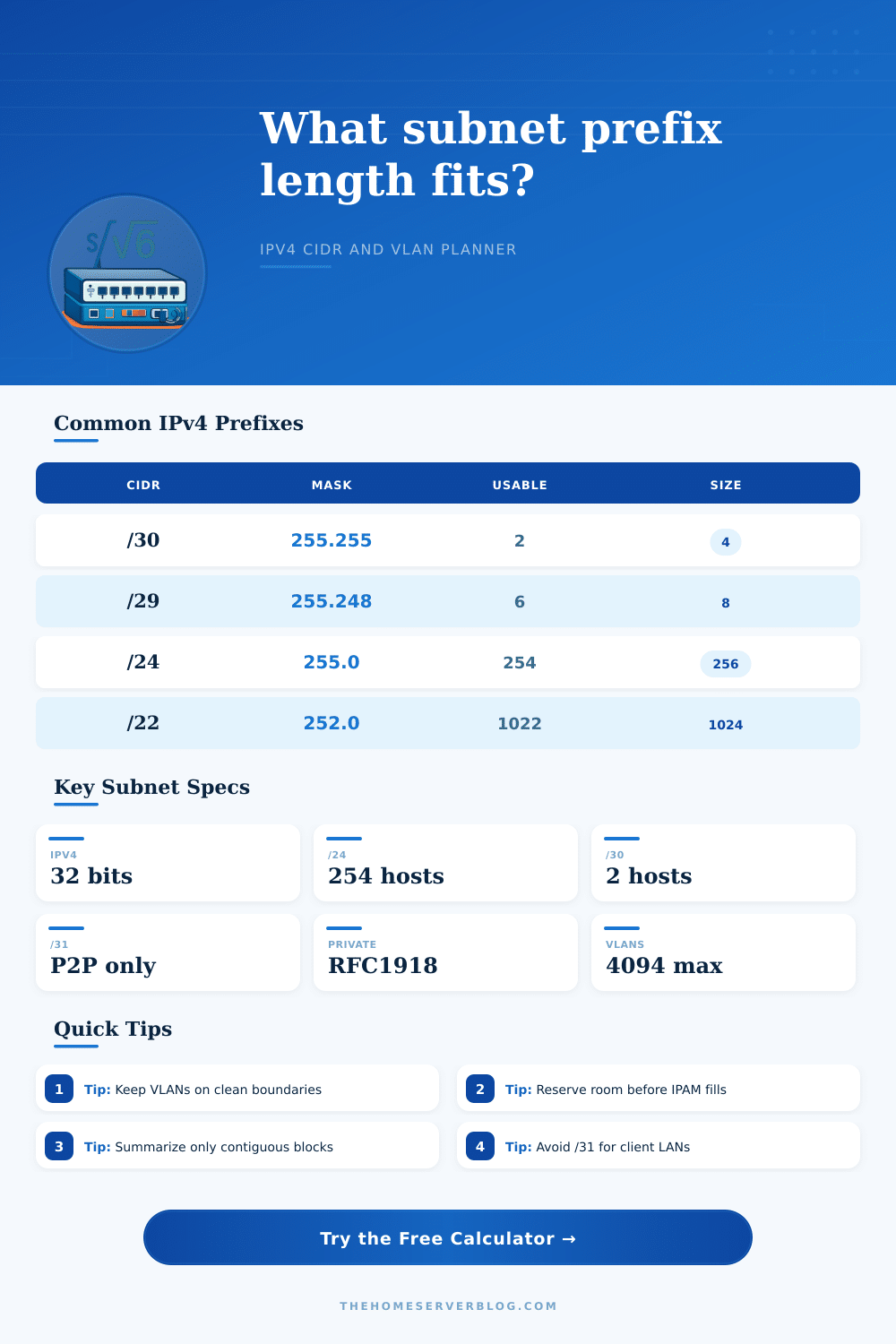
When most people first start out they will do a /24 subnet by default. This leaves you with 254 usable hosts. If you have twenty devices and never intend to go beyond that, that’s great. A /24 subnet falls apart the moment you want to segment traffic for security or performance without carving up your address space into tiny, unmanageable shards.
The calculator above lets you plug in your number of devices plus expected growth then does the math for you (as opposed to having to shift binary bits around in your head). It takes your physical hardware requirements and converts them into language of CIDR notation.
But what’s the right amount of space to keep blank? When creating new networks, it’s tempting to fill ‘em up; each phone gets its own IP, each server have its own IP address. But in reality, devices come and go, guests hop on the Wi-Fi and new projects get thrown onto the weekend backlog.
That’s where the reserve percentage comes in to account for churn. If you’re building out a VLAN for your IoT network, which includes forty cameras and smart bulbs, don’t plan to give them all the exact same number of IP addresses. Eventually, you’ll add another sensor and… whoops! The limit is reached. Now you gotta redesign half of your routing table.
Thirty percent headroom might seem like overkill but it saves you from a world of pain during painful sessions of changing IP addresses.
The tricky part is figuring out what length prefix to use; you want the prefix to be long enough that you have some breathing room, but not so long as it makes your route summary unwieldy. Using a longer prefix mean you can combine more smaller subnets into a single announced route, saving on memory in your router’s memory bank. However, there’s a caveat: the subnets need to be lined up correctly and contiguous. Randomly scattering around /29s and /28s in a larger subnet won’t allow you to combine them effectiveley.
The table on the page clearly explains how nicely four /28s pack into a /26 container. And that’s why anyone who want to build something beyond a flat topology of devices needs to care about how things align.
There’s also a special note on point-to-point links. These defy convention. If you’re connecting two firewalls with a point-to-point link you may be inclined to give them a whole /24. That’s incredibly wasteful! A /30 or even better, a /31 will save that precious space for real, customer-facing traffic.
It sounds trivial, but when your environment is dense and every address matters… it makes a difference. The tool helps separate those infrastructure requirements from your other, user facing VLANs. It prevents you from over-allocating enterprise level addresses to just one router hop away.
Home users know and love their private IP address ranges such as 192.168.0.0/16. However, running remote access tunnels, VPNs etc. This can lead to clashes. When configuring these services, it’s easy to accidental overlap with publicly accessible traffic on the Internet. Sticking to a solid plan in that space avoids this.
This is about defining boundaries so that internal systems remains protected, yet also enable controlled communication. In the end, good subnetting is all about planning for the future, reserving space for the unknown. That’s why you’ll never use all of the IP addresses you reserved. And that’s fine. It is supposed to be there as a buffer against complexity. This acts as an expansion buffer that allows you to grow now without pulling down something that already works today.
Begin with clear boundaries. Honor the binary nature of the prefixes. Trust the calculator to do the math. This allows you to worry less about arithmetic and more about how things connect.