Switch Buffer Per Port Calculator
Estimate usable buffer per active switch port, frame capacity, absorbable burst time, and loss risk for home lab, NAS, storage, and aggregation switch designs.
Switch Buffer Results
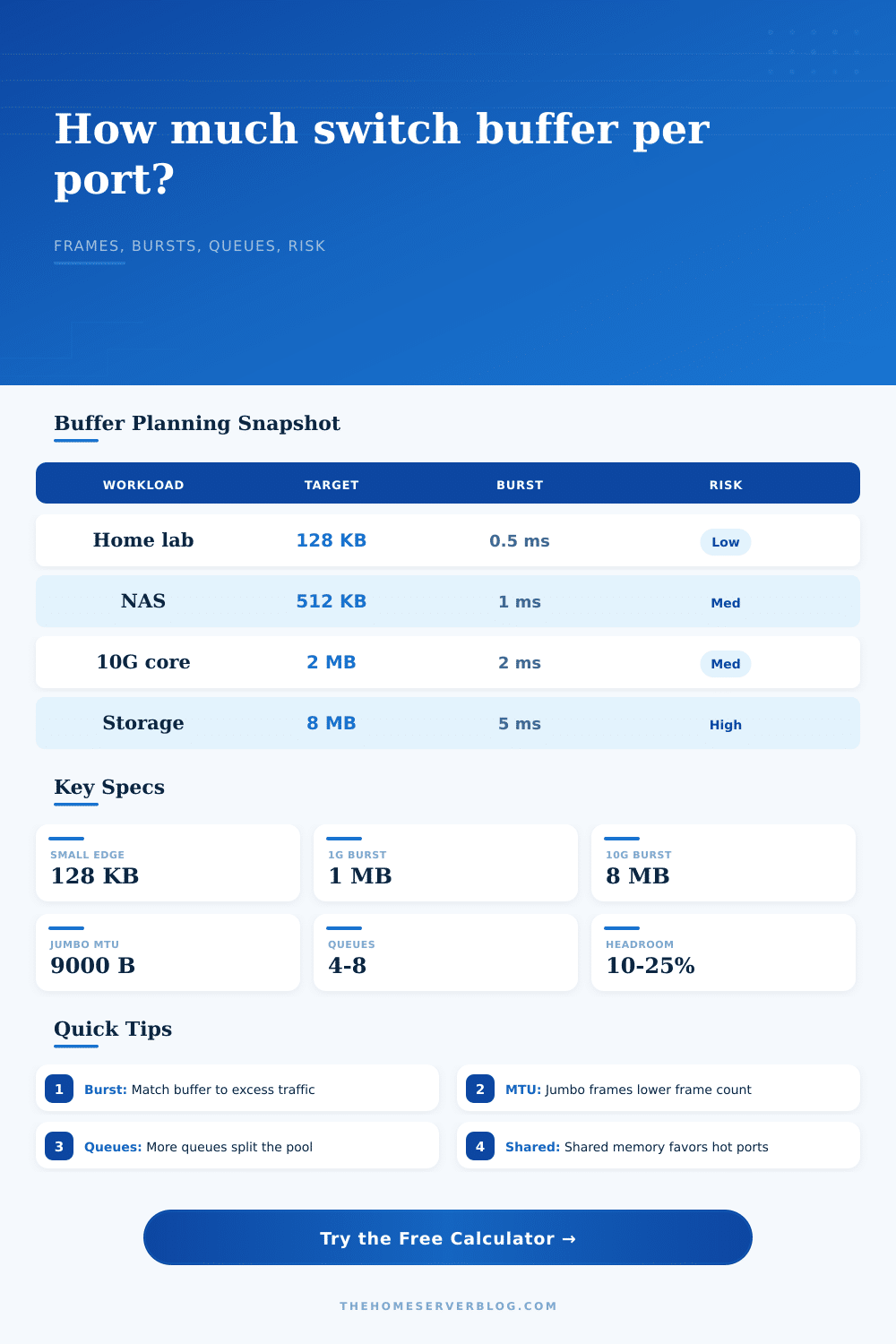
| Workload | Typical per-port buffer | Burst window | Planning note |
|---|---|---|---|
| Quiet 1G home lab | 64-256 KB | 0.2-1 ms | Fine for browsing, DNS, backups with modest concurrency. |
| PoE camera or IoT edge | 128-512 KB | 0.5-2 ms | Steady ingress usually matters more than rare uplink bursts. |
| NAS backup fan-in | 512 KB-2 MB | 1-4 ms | Watch many 1G clients merging into one 1G or 2.5G uplink. |
| 10G home lab core | 1-8 MB | 1-5 ms | Speed mismatch from 10G to 1G creates large queues quickly. |
| Storage or iSCSI VLAN | 4-16 MB | 2-10 ms | Deep buffers reduce drops, but monitor latency during congestion. |
| MTU | Mode | Wire bytes used | Frames per 1 MB buffer |
|---|---|---|---|
| 1500 bytes | Standard Ethernet | 1538 bytes | 681 frames |
| 2000 bytes | Overlay-friendly | 2038 bytes | 514 frames |
| 9000 bytes | Jumbo frames | 9038 bytes | 116 frames |
| 9216 bytes | Large jumbo | 9254 bytes | 113 frames |
| Congested egress | 1 ms excess burst | 2 ms excess burst | 5 ms excess burst |
|---|---|---|---|
| 1G at 2:1 | 122 KB | 244 KB | 610 KB |
| 2.5G at 2:1 | 305 KB | 610 KB | 1.49 MB |
| 10G at 2:1 | 1.19 MB | 2.38 MB | 5.96 MB |
| 25G at 2:1 | 2.98 MB | 5.96 MB | 14.9 MB |
| QoS queues | Simple queue share | Good fit | Watch for |
|---|---|---|---|
| 1 queue | 100% | Unclassified lab traffic | Voice and storage cannot be isolated. |
| 4 queues | 25% | Home lab plus APs | Small buffers can starve best-effort traffic. |
| 8 queues | 12.5% | Voice, video, storage, LAN | Queue tuning matters more than total memory. |
| 16 queues | 6.25% | Policy-heavy switches | Unused classes should not trap buffer space. |
Everything’s nice and neat: The firewall rules makes sense. The VLANs are clean. The network cabling is well managed. But then there’s that backup job that make your system stutter at midnight. Packets vanish. Your storage array complains.
Usually you don’t even notice this problem until it fails. It is not a speed problem, but a buffer problem. Switches has a small amount of internal memory, often called packet buffer or SRAM, where they hold frames before sending them out. This memory stores frame until they are sent out.
How Switch Buffers Work
When too many frame get into the switch at one time, the memory gets filled. When it does, what happens? It drop frames. There’s nowhere else to put them so they’re dropped. This is what we call a microburst. It doesn’t last long but boy can it impact you for minutes of retransmission.
Once you plug in your port speeds and expected burst windows, the calculator handles math to figure out how much memory your traffic pattern will consume. You can use that to figure out how much memory your traffic pattern consumes.
How does it shares its resources? Does it use a shared pool design, where any active port can borrow memory from central bank? It’s efficient for uneven traffic; a busy port borrows space from a quiet one. Or does it use a private buffers design, where each port get a fixed slice of memory? That’s predictable (you know exactly what capacity you have). But if the uplink’s congested, then the private slices on the downlinks sits unused. The uplink overflows and drops packets, while the downlinks is empty.
Choose the architecture that matches your traffic shape. The most common cause of buffer exhaustion are speed mismatch. One example is feeding ten gigabit ports into a single one gigabit uplink. The upstream link cannot handle inbound data, that’s ten times faster than what it can do. Without enough buffer, where does all that extra data go? Not anywhere.
The next thing to know is how much buffer devices should of provide based off workload. The tool includes reference tables for that. Use these as a starting point to see what kind of buffers you need compared to yours. For a home lab that doesn’t push too hard, perhaps only a few hundred kilobytes will do. When talking about storage traffic going through a core switch, we’re looking at megabytes of buffer here.
Why? Storage protocols such as iSCSI don’t cope very well with lost packets. They retransmit them instead, consuming additional bandwidth and leading to further packet loss, it becomes an ever-worsening failure loop.
The size of the frame is another important consideration. A larger frame means there are fewer frames that will fit into a given amount of buffering space. While jumbo frames reduce overhead (fewer bytes per overhead), they reduces the number of individual packets that the buffer can hold. That impacts latency. Voice traffic requires small buffers since you don’t want packets waiting too long. Large files require deep buffers to soak up the shock of data coming in.
To help with this, the tool takes MTU settings into account and shows you how many full frames your calculated buffer could hold. That helps visualize how much it could actualy hold in terms of data vs. Abstract bytes.
It gets even more complex when you consider QoS queues. With eight queues, each has only an eighth of the buffer. That’s good: it protects sensitive traffic by isolating it. A VoIP call won’t be drowned out by a sudden burst of web traffic. On the flip side, that means each queue will get filled up sooner with less memory. So you want isolation but also capacity.
If there are too few queues and if they all get too big, then one kind of traffic will drown out another; but if there are too many queues and they all have too little memory, then they’ll all gets filled up prematurely. The goal is not to eliminate congestion. You can’t kill congestion on a crowded network. You want to handle it gracefuly.
Make the buffer big enough to catch the occasional microburst but small enough that you’re not creating too much latency. Use the numbers from the calculator, but know the traffic. Know what the burst patterns are and look for them in your monitoring data.
Don’t size the buffer based solely on the datashet details; make it fit real life. If the buffer is right, you won’t even know its there.