Switch Forwarding Rate PPS Calculator
Estimate packets per second, bps load, fabric requirement, and usable headroom for line-rate Ethernet switch planning.
⚙Switch presets
🖧Forwarding inputs
Forwarding result
📊Current frame breakdown
🗂Switch comparison grid
📝Ethernet frame tables
| Frame profile | Frame bytes | Wire bytes with IFG | 1G one-way PPS |
|---|
| Ethernet speed | 64B packets | 1518B packets | 9000B packets |
|---|---|---|---|
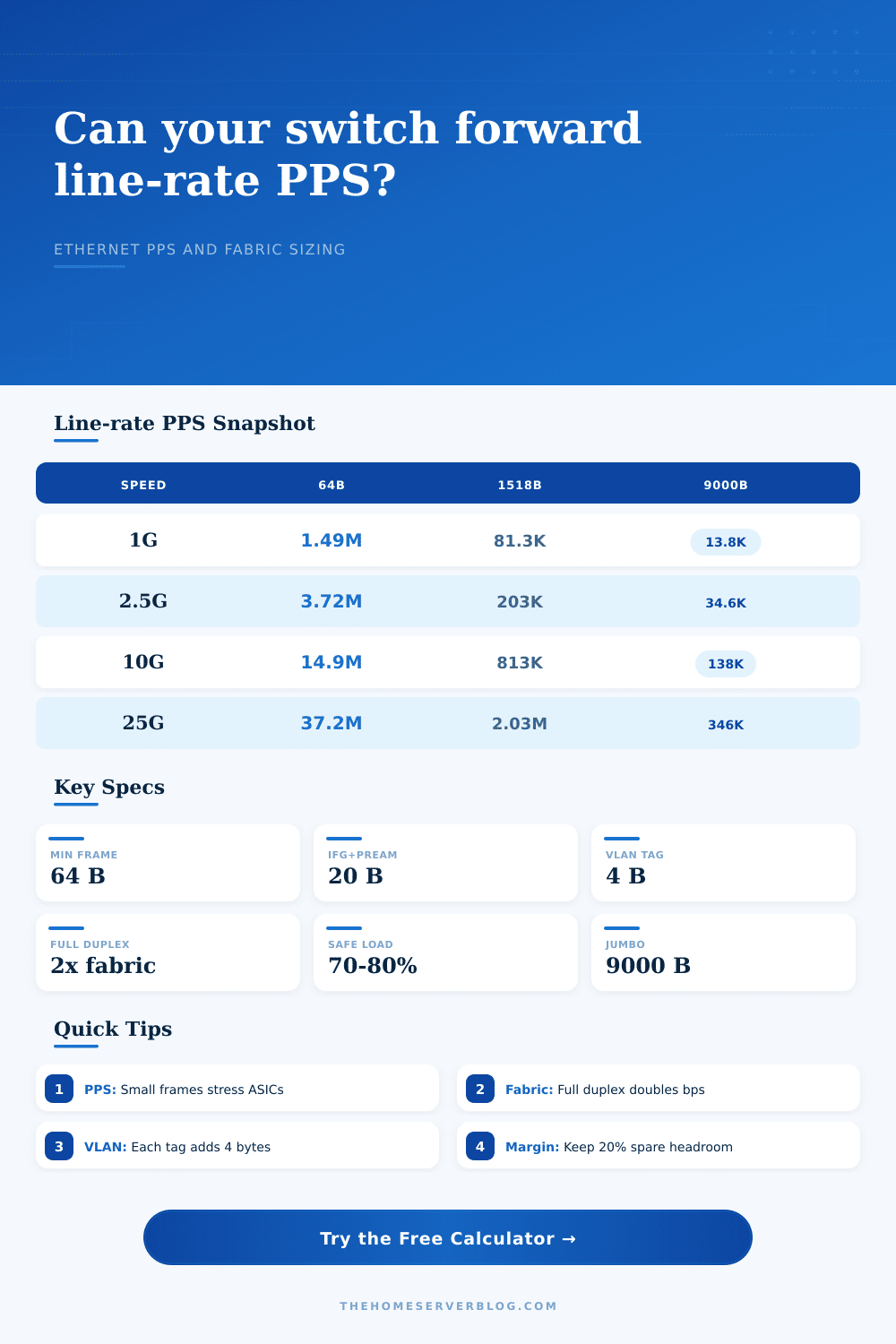
| 1G | 1.488 Mpps | 81.3 Kpps | 13.85 Kpps |
| 2.5G | 3.720 Mpps | 203 Kpps | 34.6 Kpps |
| 10G | 14.88 Mpps | 813 Kpps | 138 Kpps |
| 25G | 37.20 Mpps | 2.03 Mpps | 346 Kpps |
| 100G | 148.8 Mpps | 8.13 Mpps | 1.38 Mpps |
| Tagging mode | Extra bytes | 64B wire bytes | 1G PPS effect |
|---|---|---|---|
| Untagged access | 0 B | 84 B | 1.488 Mpps |
| Single 802.1Q | 4 B | 88 B | 1.420 Mpps |
| QinQ double tag | 8 B | 92 B | 1.359 Mpps |
| Triple nested tags | 12 B | 96 B | 1.302 Mpps |
| Switch class | Typical ports | Non-blocking fabric | 64B full-duplex PPS |
|---|---|---|---|
| Home office access | 8 x 1G | 16 Gbps | 23.8 Mpps |
| Managed access | 24 x 1G | 48 Gbps | 71.4 Mpps |
| Multi-gig AP edge | 8 x 2.5G | 40 Gbps | 59.5 Mpps |
| NAS aggregation | 8 x 10G | 160 Gbps | 238 Mpps |
| 25G lab leaf | 32 x 25G | 1,600 Gbps | 2,381 Mpps |
💡Planning tips
When purchasing a switch, don’t just look at bandwidth, also consider its forwarding rate. A lot of folks read a spec sheet that says the box has “forty-eight gigabits per second of switching capacity” and think it can handle all that traffic at once. They’re wrong.
Knowing how much data the pipe holds (bandwidth) doesn’t mean knowing how many individual packets has to go through that same pipe. Send a bunch of little packets through your network, and you’ll be able to max out the processor without filling the pipe. To know if switch will drop frames under load, look at its forwarding rate in terms of packets per second.
Why Packet Rate Matters More Than Bandwidth
Once you know your frame size and number of ports (enter that into the calculator above), the math is done for you. No more guessing about whether you’ll be able to get line-rate performance from your hardware. Now the question becomes: What is a typical workload?
Traffic in a small office or home lab is unlikely to be a constant stream of full-size frames. There will be web browsing, which generates relatively small response packets. There might be VoIP calls, which send small datagram packets. There may even be large files being transferred occasionally. All of this comes at a cost to the switch ASIC in terms of each packet processed.
Packets with lower payloads relative to overhead are more expensive to process. Small packets, like sixty-four bytes, is the worst-case for packet processing. They are the smallest possible Ethernet frame. If a switch can handles 64-byte frames in real time at full line rate, it can handle any other frame size.
But in that case, when you are overloading the system, it won’t drop traffic because of total bandwidth capacity (which still looks good on paper), instead it’ll drop traffic based off the packet per second of these smaller frames.
Also remember: When you move your data across the wire, there are other bytes invisibly riding along. There’s the inter-frame gap. There is a start frame delimiter. There is also a preamble for every Ethernet frame. All these extra bytes consume physical time on the wire, fewer bytes means fewer packets you can squeeze through gigabit per second.
Then there’s all the overhead from VLAN tags. Each four-byte tag adds another entry onto the list. If you’re running a trunk port, all those tags will add up. Small stuff, yes, but it matters. The tool takes all those tags into consideration, and lets you see how many packets per second you’ll lose because of them: 1Q tag reduces max packets per second for any given link speed. It doesn’t sound like much. However, those missing packets can accumulate quickly and become notable drops or latency in a high-throughput environment.
It gets even more complicated with full-duplex operation. Today’s switches operate in full duplex mode where they send and receive at the same time. That means that the inside of the switch has to deal with traffic coming in and going out simultaneously. Basically, it needs twice as much bandwidth for non-blocking operation. So that twenty-four port gigabit switch isn’t really a twenty-four gigabit switch. When considering incoming traffic plus outgoing traffic, you’re looking at a forty-eight gigabit switch. This is what the fabric requirement output on the calculator shows you, the real bandwidth figure you should of use when comparing to manufacturers’ specs.
Sometimes datasheets don’t list control traffic overhead. Sometimes it lists half-duplex numbers. Control traffic refers to items like routing updates, LLDP, Spanning Tree Protocol and more. It’s all background noise, but it takes up processing cycles. Add a small bit for control traffic to make sure there is enough room for a stable network.
The second trap is oversubscription. Many budget switches brag about huge total bandwidth because they oversubscribe the fabric. This means that when all the ports want to talk at once, the switch falls over. Think of it as a shared resource model that’s great when lightly used, but crap when stressed out. In critical paths, strive for non-blocking designs.
Examine the headroom calculation. That shows you how far below the switch’s stated limits there is spare capacity compared than your calculated load. Twenty percent is a safe bet. That leaves some buffer for configuration errors, or an unexpected spike in traffic. Without the buffer, the next burst of little packets will hit the ASIC hard, resulting in packet loss which appears as timeouts or jitter.
To illustrate the difference between big and little frames, the tool has some neat tables of reference. For example, one gigabit link can move more than one million 64 byte packets per second. It seems reasonable until you multiply that by twenty-four. Now you’re asking the switch to push almost thirty-million packets per second. Most consumer grade, unmanaged home switches won’t do that. They’re built to forward at whatever speed they can, not full line-rate.
If you’re building a lab, or replacing the access layer, focus on switches with high forwarding rates. Forwarding rate is sanity; bandwidth is vanity. Before checking how many gigabits the switch has, look at its packets per second rating. During a busy afternoon your network will thank you for it.