HomeServerBlog tape archive planner
Tape Library Capacity Calculator
Size an LTO tape library for home lab backups, media archives, VM exports, and small rack environments by combining tape generation, native capacity, compression, library slots, cleaning media, retention sets, offsite copies, growth margin, drive count, and sustained write speed.
1Tape library presets
2Capacity and retention inputs
Calculation breakdown
Library pressure
3Capacity, slots, sets, and throughput cards
Native capacity multiplied by the selected compression factor.
Total slots after cleaning tape reservations.
Full protected data set after the growth margin.
How long the modeled data set takes to stream to tape.
4LTO generation grid
5Tape planning reference tables
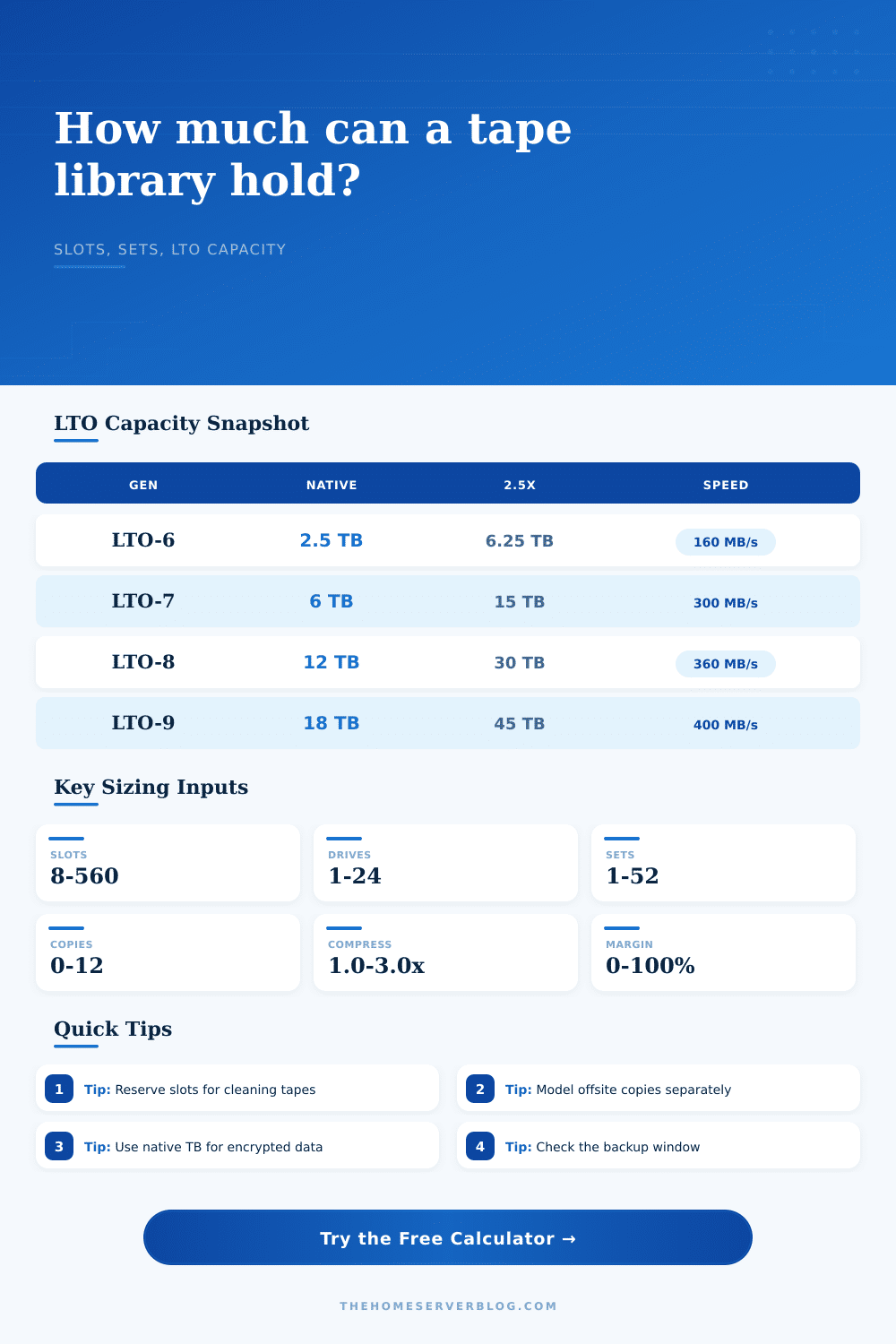
LTO cartridge capacity and speed
| Generation | Native capacity | Compressed at 2.5x | Native speed |
|---|---|---|---|
| LTO-5 | 1.5 TB | 3.75 TB | 140 MB/s |
| LTO-6 | 2.5 TB | 6.25 TB | 160 MB/s |
| LTO-7 | 6 TB | 15 TB | 300 MB/s |
| LTO-8 | 12 TB | 30 TB | 360 MB/s |
| LTO-9 | 18 TB | 45 TB | 400 MB/s |
| LTO-10 | 36 TB planning | 90 TB planning | 900 MB/s planning |
Library slot planning examples
| Library class | Typical slots | Drive count | Planning note |
|---|---|---|---|
| Desktop autoloader | 8 slots | 1 drive | Good for one or two rotating full sets. |
| Small rack library | 24 slots | 1 to 2 drives | Works for home lab weekly retention. |
| Mid rack library | 48 to 80 slots | 2 to 4 drives | Common for NAS and VM archive rotation. |
| Modular library | 100 plus slots | 4 plus drives | Useful when offsite export sets are frequent. |
Compression factor guidance
| Data type | Use factor | Why it matters | Planning stance |
|---|---|---|---|
| Encrypted backups | 1.0x | Already randomized before tape. | Size from native capacity. |
| Video and photos | 1.0x to 1.2x | Most media is already compressed. | Keep margin conservative. |
| VM images mixed | 1.2x to 1.8x | Free space and repeated OS files help. | Measure from backup reports. |
| Text, logs, databases | 1.8x to 3.0x | Structured data can compress well. | Use recent job history. |
Retention set patterns
| Rotation | Online sets | Offsite sets | Library impact |
|---|---|---|---|
| Monthly archive | 1 to 3 | 1 to 2 | Few slots, long shelf life. |
| Weekly fulls | 4 to 8 | 1 to 4 | Good balance for home labs. |
| GFS style | 8 to 16 | 4 to 12 | Needs larger magazines. |
| Project vault | 1 per project | 1 copy | Capacity driven by project size. |
Tape capacity is best planned from native TB first, then adjusted with your own compression history. Compression ratios vary sharply across encrypted archives, media files, VM images, logs, and database exports.
6Tips
The vast majority of people who build home labs think about tape as a straight-forward matter of math: how much data do I have, divided by amount of each tape. However, what they neglect is that a tape library is a real world machine made out of physical components with hard limits on mechanics, scheduling rules, etc. Regardless of how many LTO-9 tapes you purchase, if you has a tape library with only two drives and a twelve hour backup window, you will eventually hit your wall well short of whatever the theoretical max capacity is.
Once you enter in your drive speed and number of slots, the calculator do the math for you, saving you from having to guess at conversions and coefficients. This is why people are wrong so often: They use the compressed capacity numbers for all of their sizing. Yes, yes, LTO-9 can hold forty-five TB. And LTO-8 can do thirty. These number are great for text data that shrinks very easy (in a best case scenario). For anything else… Including moddern video files, database exports and even encrypted volumes, this number becomes a one-to-one compression ratio. In other words, your tape has the same amount of space as its native capacity. So if you buy your library to the marketing spec numbers and now you’re filling it up with encrypted backups, guess what? Every night you’ll be two tapes short. This isn’t a big deal, and it’s really just nitpicking, but boy howdy does it matter when you’re making plans for the future. Always use the native terabyte size for any data that’s already encrypted or compressed.
The Real Limits of Tape Libraries
Next we come to the question of how many slots are actually in use. There aren’t forty eight slots for data in a library with forty eight slots. There’s likely an import or export magazine (which may require two slots). There should be slots reserved for cleaning tapes which is necessary for health of your drives. In reality, the number of slots available for storing data is much smaller than the total number of slots.
The tool lets you consider the number of slots needed for cleaning. It then reports on a realistic number of slots available by accounting for these reservations. That is important, as slot exhaustion is a silent failure mode. Oh,” you say, “I can fit one more retention set.” But you forgot about space reserved for cleaning tapes. When the robot arm looks for the next slot to store a backup, it cannot move past other maintenance media.
Size matters, but so do your retention policies. Do you practice a rotation scheme like grand-father-father-son? That means having several complete sets of furnitures online at any time. You have two offsite copies and six weeks of on-site backups. This means you need room for 8 sets at any given time, including the daily incrementals that will be merged. The slot calculator forces you to look at the number of sets that will fit into your existing slot configuration so you can see how much pressure is being put on your hardware. There is nothing worse than having a policy that calls for more storage space than physical hardware are available. When the math doesn’t work out, it’s time to either shrink the retention period or expand the hardware capacity (or both).
Another limitation we all tend to gloss over until three in the morning on a Sunday is backup windows. No matter how many slots and tapes you have, there’s still a limit to how quickly you can actualy get the data written. You’ve got two LTO-8 drives? That would theoretically get you seven hundred megabytes per second. However, you have to factor in network overhead and the way your backup software processes everything. In reality, you will probably perform slower then your theoretical maximum. The calculator then takes into account your estimate of write time vs. Your available window. Let’s say it’s going to take you twenty hours to back up your stuff, and you only have twelve for the task. Uh oh, you know you’ve got a problem. This isn’t solely a “buy more tapes” issue; it could be something as simple as optimizing your source network, or maybe even adding a third drive.
A tape library is cheap storage for cold data. But it’s also a labor of love. Unlike a cloud bucket, you can’t just set it up and forget it. Tape forces you to consider your schedule, the health of your drives, and the physical movement of that media. To have a library that actualy functions, you need to know the difference between compressed and native capacity, how many non-data slots there are, and your tape’s read/write speeds. A reliable backup isn’t just about storing something; it’s about doing so in the limitations of your environment. So know the difference between the simple promise of capacity and the physical reality of your hardware, and make your backups reliable once more.