TCP Throughput Calculator for Home Networks
Estimate goodput, see the bottleneck, and tune TCP for RTT, loss, MTU, and parallel streams.
1 GbE Desktop NIC
2.5 GbE NIC
10 GbE NIC
Wi-Fi 6 Bridge
Wi-Fi 6E AP
VPN Router
SSD NAS
HDD NAS
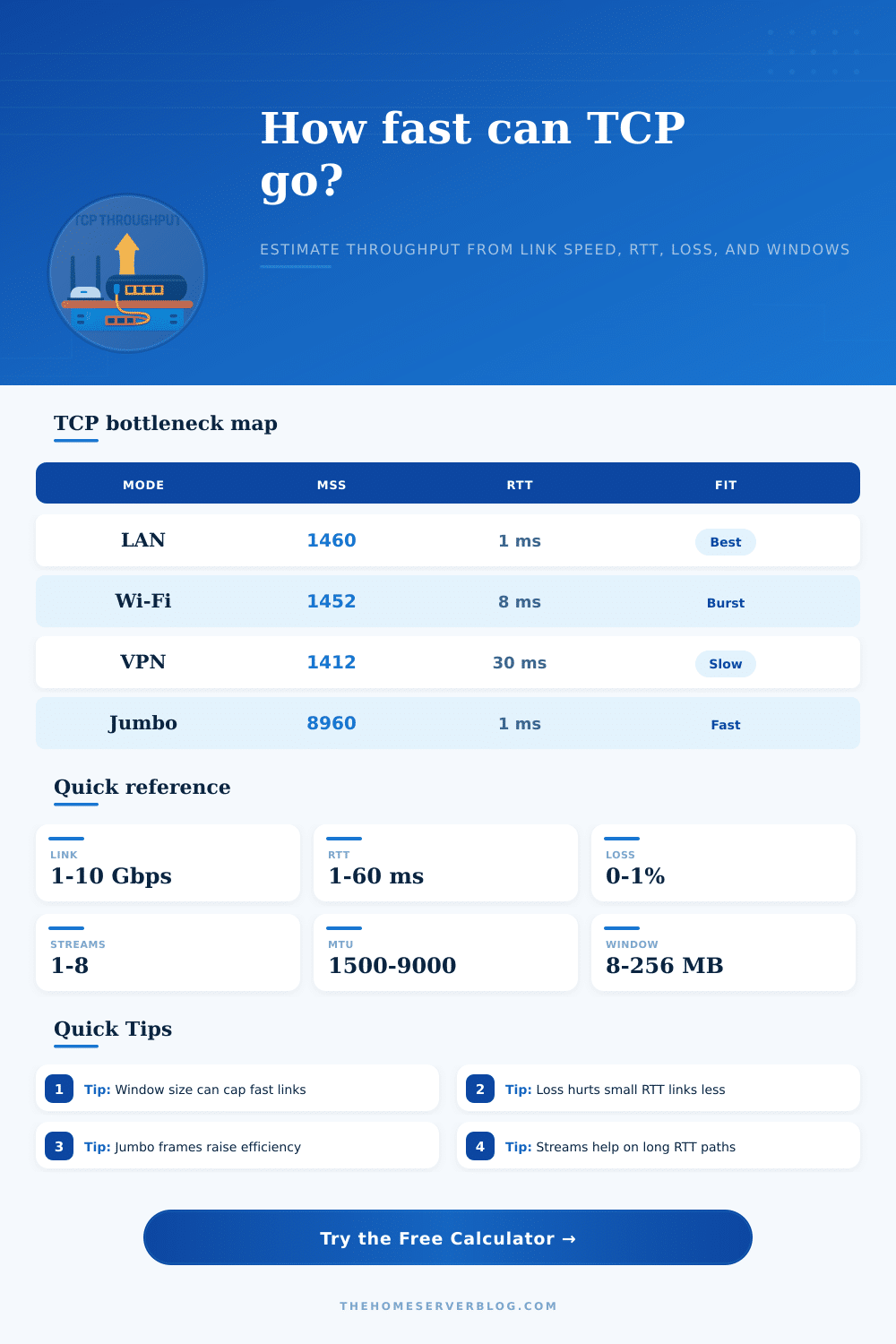
| Mode | Frame Cost | Typical RTT | When It Wins |
|---|---|---|---|
| Ethernet LAN | Low | 1-2 ms | Best baseline |
| Wi-Fi Bridge | Medium | 3-10 ms | Short burst |
| VPN Tunnel | High | 15-60 ms | Remote access |
| Jumbo Storage | Very low | 1-3 ms | Bulk sync |
| MTU | IPv4 MSS | IPv6 MSS | Notes |
|---|---|---|---|
| 1500 | 1460 | 1440 | Default LAN |
| 1492 | 1452 | 1432 | PPPoE path |
| 9000 | 8960 | 8940 | Jumbo frames |
| 1200 | 1160 | 1140 | Small tunnel |
| RTT | Loss | Single Stream | Practical Fit |
|---|---|---|---|
| 1 ms | 0.01% | Very high | LAN copy |
| 5 ms | 0.05% | High | Switch hop |
| 20 ms | 0.10% | Medium | WAN backup |
| 50 ms | 0.50% | Low | Remote sync |
| Scenario | Streams | Target | Main Limit |
|---|---|---|---|
| Backup copy | 1-2 | Stable rate | Window |
| VM migration | 2-4 | High burst | Link cap |
| Remote sync | 2-6 | Steady flow | Loss |
| Jumbo SMB | 1-8 | Bulk max | CPU |
Tip: Raise the receive window first when RTT dominates the link.
Tip: Use jumbo frames only when every hop supports them.
Throughput with an Transmission Control Protocol (TCP) determine how much data will travel across the network. TCP throughput is typically less than the maximum speed of the network connection. People often expects there connection to allow data to be transferred at the maximum speed of the connection.
However, multiple factor limit the throughput of TCP. These factors include round-trip time, packet loss, and the size of the TCP receive window. Each of these factors limit the data that can travel over the network, but understanding these factors can allow people to manage the data that transmit over the network.
Why TCP Is Slower Than the Network and How to Fix It
Round-trip time is the length of time for a data packet to make its way from the source to the destination and for the acknowledgment signal to make its way back to the source. If the round-trip time for data to make its way from source to destination and back is high, the source has to wait a longer time before it can send another data packet. The high round-trip time creates a limitation on the TCP throughput of the data that transmits across the network.
The size of the TCP receive window limit the amount of data that can travel across the network. If the TCP receive window is too small, it will limit the amount of data that is sent across the network. Increasing the size of the TCP receive window allow more data to be sent across the network without having to wait for an acknowledgment signal from the destination.
By increasing the size of the TCP receive window, a high round-trip time can eliminate the limitation to some extent. Packet loss is another limitation on TCP throughput. Data packet may not reach their destinations, which force the network to retransmit the packets that were lost in transmission.
Loss of packets reduce throughput. Wireless networks may lose more packets than those on a wired network. Several TCP streams running in parallel can mitigate loss of packets.
Several TCP streams allow data to be transferred in a way that if one stream is lost, the others can continue the data transfer. TCP throughput is also limited by the hardware settings and the limitations of the hardware itself. One setting is the Maximum Transmission Unit, or MTU.
The MTU is the size of the data packet that is sent across the network. The standard size of the MTU is 1500 bytes. Many networks can be configured to use jumbo frames that allow the MTU to be increased to 9000 bytes.
Using jumbo frames can increase the throughput of TCP data because fewer data packet headers will have to travel across the network. However, every device on the network must be able to support jumbo frames. If any device do not support jumbo frames, the data packets will be fragmented, and this fragmentation will reduce the throughput of TCP data.
Additionally, the hardware on the network may also have limitations on the data that can travel across the network. For example, an older hard drive may be a part of a NAS device and may have a maximum transfer speed that is lesser than the network speed. In this instance, the older hard drive is a limitation on the TCP throughput of the data.
To increase the TCP throughput of a network, several steps can be taken. The round-trip time of the data can be checked. High round-trip time may require the increase of the size of the TCP receive window.
The packets that travel across the network can be checked for data loss. High rates of data loss may indicate that the use of parallel TCP streams should of been implemented. If the data is to remain within a local network and if all of the device on the network support jumbo frames, the use of jumbo frames can increase the throughput of the TCP data.
Each of these variables should be adjusted one at a time to observe there individual effect on the throughput of TCP data traveling across the network.