TLS Handshake Size Calculator
Estimate ClientHello, certificate chains, OCSP stapling, SCTs, TLS records, packet overhead, and TLS 1.2 versus TLS 1.3 handshake bytes for home servers and lab services.
Full byte breakdown
| Preset | Typical certificates | Approx chain bytes | Best fit |
|---|---|---|---|
| Lets Encrypt E1 ECDSA P-256 | Leaf + E1 intermediate | 1,900 to 2,400 B | Modern home HTTPS, Caddy, nginx, Traefik |
| Lets Encrypt R3 RSA 2048 | Leaf + R3 intermediate | 3,000 to 3,800 B | Compatibility-first public web services |
| DigiCert EV RSA 2048 | Leaf + one or two intermediates | 4,800 to 6,400 B | Business services with longer certificate policies |
| Cloudflare Origin ECC | Origin leaf + Cloudflare origin CA | 1,500 to 2,100 B | Proxy-only origin encryption |
| mkcert local CA | Local leaf + local root | 2,200 to 3,100 B | LAN labs and development hostnames |
| Message or field | Typical base bytes | What increases it | Calculator mapping |
|---|---|---|---|
| ClientHello | 220 to 550 B | SNI, ALPN, supported groups, key shares, cipher list, padding | Cipher suites, ALPN, SNI, group, extra extensions |
| ServerHello | 90 to 160 B | Selected group, random, legacy compatibility fields | TLS version and key exchange group |
| Certificate | 1.5 to 7 KB | RSA chains, extra intermediates, long policies, client certs | Chain preset, cert count, client cert bytes |
| CertificateVerify | 80 to 420 B | RSA signatures are larger than ECDSA or Ed25519 | Signature family |
| Finished | 40 to 80 B | Protocol version and transcript hash | TLS version and handshake mode |
| Layer | Common bytes | Applies when | Practical note |
|---|---|---|---|
| TLS record header | 5 B per record | TCP TLS records | Each handshake record adds a small fixed header. |
| IPv4 + TCP | 40 B per segment | No TCP options counted | Use this for rough WAN byte-on-wire estimates. |
| Ethernet frame | 18 B per frame | MAC header + FCS | Does not include preamble or inter-frame gap. |
| QUIC initial | 1200 B minimum datagram target | HTTP/3 first flight | Small ClientHello values may be padded upward. |
| PPPoE or VPN | Lower effective MSS | Tunneled links | Reduce payload target for accurate packet counts. |
TLS 1.2 full handshake
TLS 1.3 full handshake
| Scenario | Typical TLS setup | Main byte drivers | Expected range |
|---|---|---|---|
| Reverse proxy to apps | TLS 1.3, ECDSA public cert, h2 + http/1.1 | SNI, ALPN, ECDSA chain, OCSP | 4.5 to 7 KB |
| NAS admin UI | TLS 1.3 or TLS 1.2, RSA cert | RSA leaf, intermediate, browser extensions | 6 to 10 KB |
| mTLS admin portal | TLS 1.3 with client certificate | Server chain plus client chain | 8 to 15 KB |
| MQTT over TLS | TLS 1.2 or TLS 1.3, compact ALPN | Cert chain, small ClientHello | 3.5 to 8 KB |
| HTTP/3 lab endpoint | QUIC TLS 1.3 with initial padding | QUIC padding, ECDSA chain, ALPN h3 | 5 to 9 KB |
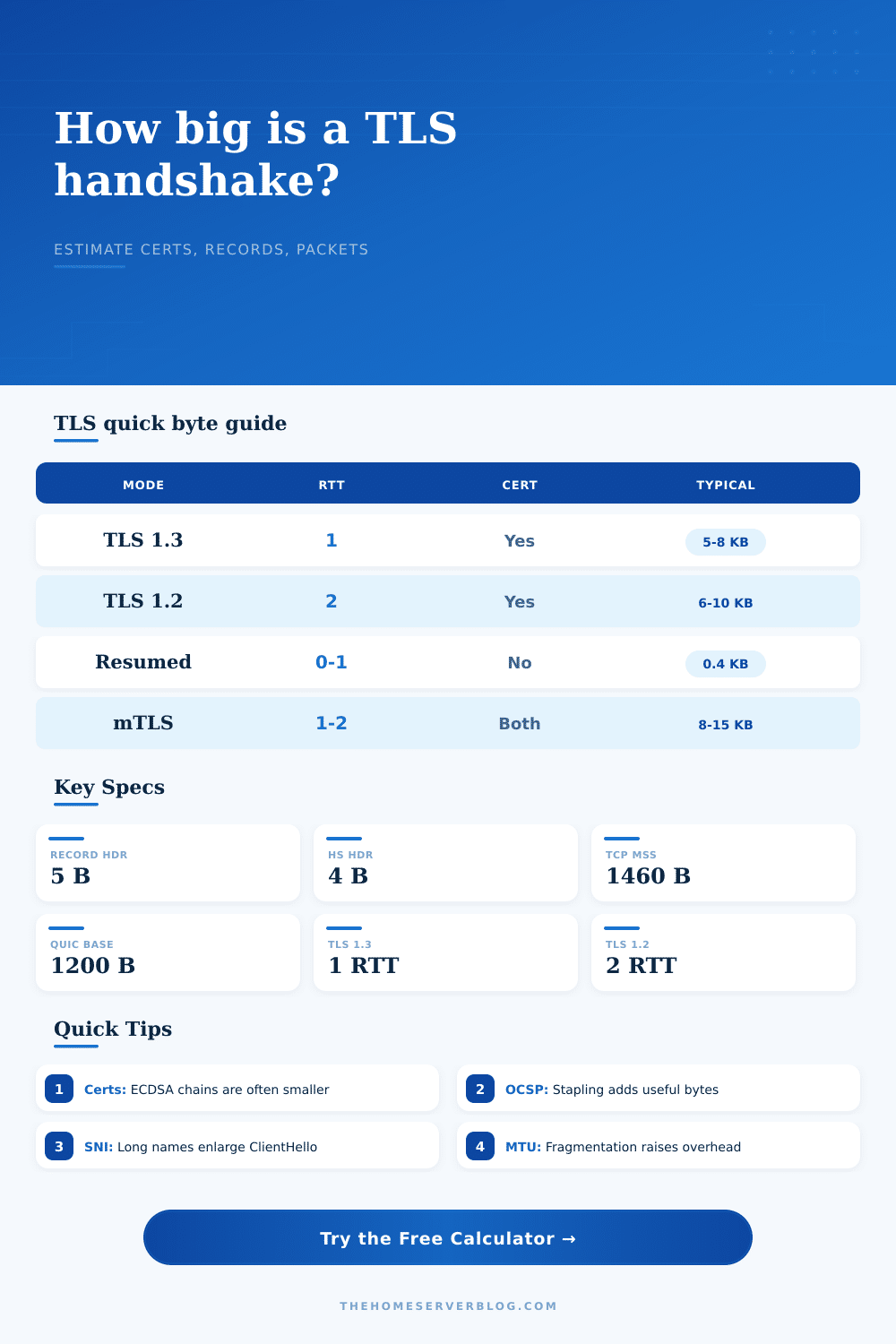
Glance at the home server’s status page. You see that there’s something odd with the first connection. It doesn’t seem to be the disk I/O or the processor load. The problem is the unseen cost of trust. Before any bytes of dashboard can cross the network, your browser has to negotiate a cryptographic handshake. That negotiation consumes space and time. When the numbers are tiny; which they usually are for most admins who overlook them entirely (they add up). Measured in milliseconds across a high latency link, a few milliseconds here and there make all the difference between a snappy interface and one that frustrate. Knowing how many bytes that handshake realy uses makes all the difference. That’s the number of round trips needed based on which version of the protocol you use.
By design, TLS 1.3 cuts down on all of this chatter and does its entire handshake in a single round trip. TLS 1.2 takes two round trips; another whole trip means another packet has to make its way from your client to your server and back. If you’re on a local network, you’ll never notice, if you’re connecting via a congested WAN or a shaky cellular connection, you might notice some lag as a result. You can plug your numbers in the calculator above and it will calculate just how long that extra hop will cost you in terms of real world lag. It makes abstract rules of a protocol into concrete budgetary numbers.
Why Small Delays Hurt Speed
And there’s more: certificates matter most here. “You may think a certificate is just a little file,” you say? Nope. A normal RSA 2048 certificate chain includes the leaf, intermediates, and sometimes OCSP stapling responses. This chain will be over three kilobytes large. Switching to ecdsa p-256 cuts the chain size roughly in half. Less payload means fewer TCP segment, which means there’s less opportunity for your segments to be fragmented or held up at the receiver due to congestion window. The table on the page shows this, comparing the performance impact of ECDSA chains from Lets Encrypt versus older RSA setups. And the answer is… yes, it saves, and it saves a lot. Using the correct cert type gets you faster connections if you’re proxying several services with a single reverse proxy instance.
Then there’s the cost of extensions. Every Server Name Indication entry, ALPN protocol, and cipher suite you advertise adds bytes to the original ClientHello message. Each one has overhead in the handshake, you’re paying for options you may not ever use. So while it’s tempting to enable all the things just in case, pruning those unused ciphers will reduce size of the initial packet, which can matter most when using a constrained network. These extensions are accounted for in the calculator so that you can see exactly what kind of bloat your configuration introduces. You may be surprised at the cost of that extra hundred bytes of unused cipher suites.
Mutual TLS fundamentally changes the game. Now we’re not just sending one chain, we’re sending two (and the client authenticates using its own cert). The handshake is double the size! Great for security, terrible for speed. That’s why the calculator allows you to specify the size of your client certs, it lets you see the tradeoff in action. You get identity verification… but at the cost of time and bandwidth. In most cases, that tradeoff is worth it for a home admin portal. However, it is a bottleneck waiting to happen on a public API being served thousands of request.
There’s also a cost of the connection based off transport layer framing. Each packet has a header (Ethernet frame, IP packet, TCP record). Your handshake payload gets split up if large enough and each packet has those overheads too. In the case of a small connection, it hits the TCP slow start penalty. QUIC solves this by bundling it all together into bigger initial datagrams. It doesn’t hit the TCP slow start penalty when opening small connections. Based off your path MTU, the tool estimates what these transport costs will be. It also estimates how many actual packets there is crossing the wire. There are often more then you’d imagine.
The last multiplier of performance is latency. Even if you get the tiniest possible handshake in the world, your round trip time is high so the connection is still going to feel slow. The calculator combines latency, bandwidth, and byte size into a time budget. That’s what matters for user experience: does making my server switch to TLS 1.3 really make it feel faster? Does pruning my certificate chain really do anything useful? It takes those configuration choices and turns them into performance predictions, no more guesswork, just optimization. The handshake is small but it’s the first thing the user sees so making it lean makes everything else feel instant, which is the goal. You should of seen how much faster it gets.