TOTP Time Window Calculator
Model accepted MFA code windows, clock drift tolerance, login attempt exposure, and lockout effects for a home lab, VPN, NAS, or admin portal.
| Window policy | Accepted steps | Usability effect | Security effect |
|---|---|---|---|
| Current only | 0 previous, 0 future | Needs good clock sync and quick entry. | Smallest online code surface. |
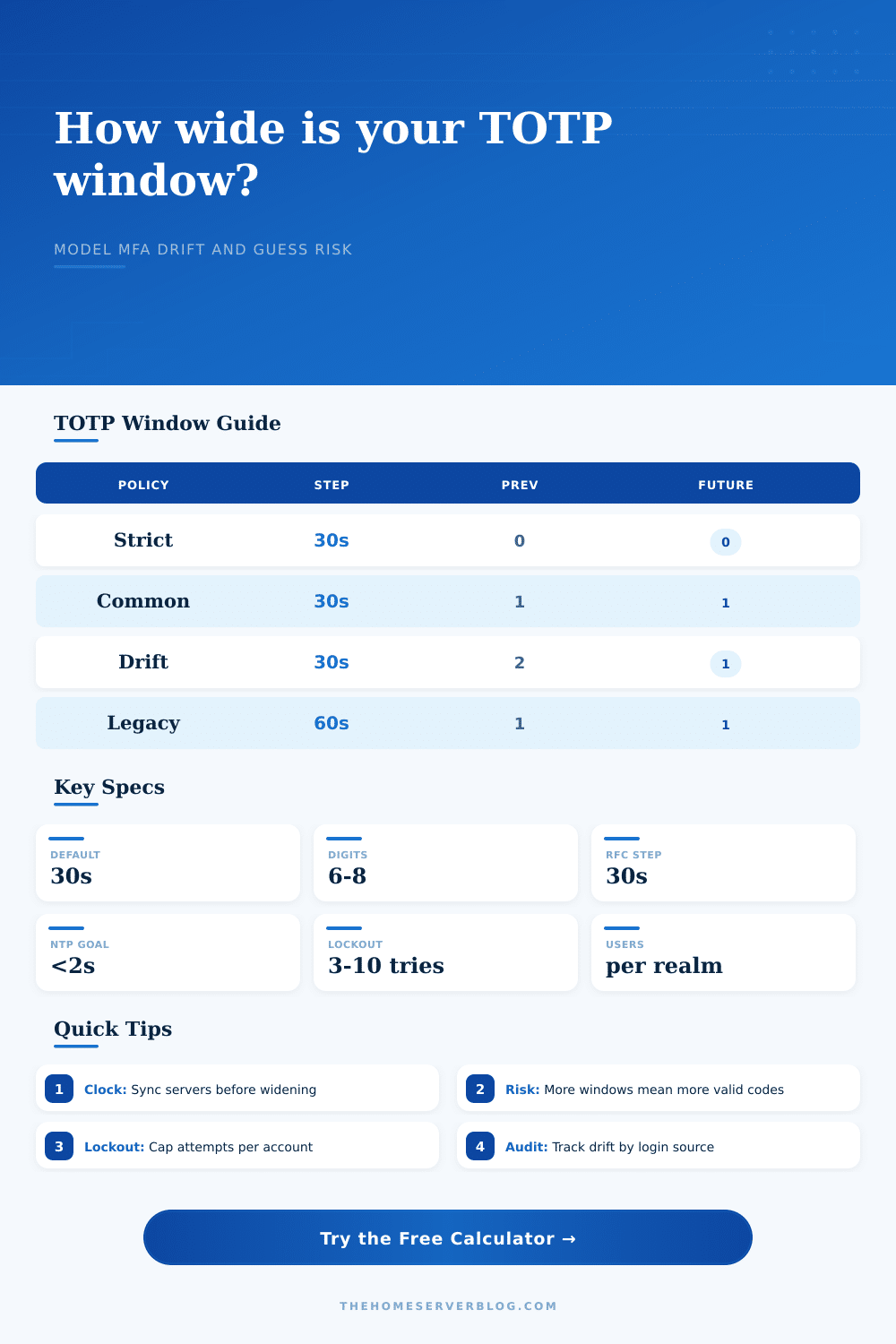
| Common tolerance | 1 previous, 1 future | Handles moderate typing delay and device skew. | Three times as many valid codes as current only. |
| Drift recovery | 2 previous, 1 future | Useful during migration or known NTP trouble. | Wider window should be temporary and logged. |
| Legacy 60 second step | 1 previous, 1 future | Longer wait between visible code changes. | Longer exposure span for the same code count. |
| Drift source | Typical symptom | Calculator input | Operational check |
|---|---|---|---|
| Verifier host fast | Fresh codes rejected early. | Positive server drift. | Compare host time against NTP peers. |
| Phone clock slow | Codes work near expiry only. | Negative client drift. | Check automatic time on the device. |
| Remote login latency | Code expires during submit. | Network delay. | Measure round trip and form processing delay. |
| Cluster node mismatch | One node accepts, another rejects. | Server drift per node. | Inspect NTP offset across every verifier. |
| Digits | Code space | 1 accepted step | 3 accepted steps |
|---|---|---|---|
| 6 digits | 1,000,000 | 1 in 1,000,000 per try. | 3 valid codes before lockout math. |
| 7 digits | 10,000,000 | Ten times the 6 digit space. | Good middle ground when supported. |
| 8 digits | 100,000,000 | One hundred times the 6 digit space. | Useful for high value admin realms. |
| Any length | 10 to the digits | Attempt caps still matter. | More windows multiply valid answers. |
| Lockout model | Per user cap | Best fit | Calculator effect |
|---|---|---|---|
| No cap | Attempts input only | Testing labs, not public login pages. | Uses every modeled attempt. |
| Soft lockout | 10 tries | Low risk internal apps with alerting. | Caps each account before cooldown. |
| Standard lockout | 5 tries | Most VPN, NAS, and admin portals. | Balances typo recovery and guess control. |
| Adaptive risk | 2 tries | Privileged or internet-exposed admin paths. | Smallest modeled attempt budget. |
Basic TOTP App
Usually 6 digits with a 30 second display. Server-side window and lockout settings decide most risk.
Managed MFA Suite
May add device health, risk scoring, remembered devices, and central logs around the same TOTP code math.
Password Manager TOTP
Convenient for shared admin workflows, but it can place password and TOTP seed behind the same unlock event.
Hardware Backed MFA
Often paired with phishing-resistant flows. When TOTP is used, drift and accepted-window math still applies.
A second later, you see a code on your phone: it’s good until twelve seconds from now. As the timer ticks down to zero, you paste it onto the login page, but the server say no. Paste again. Nope!
Two factor auth sucks, and this is the most frustrating part about it; its rarely even related to how secure you are. Usually it’s a question of timing. It is about timing of when your authenticator app spits out code, versus when the server thinks that code is still valid.
Balancing Security and Convenience
To be friendly to users, most systems gives you the current time step plus or minus one more step (say, if someone’s typing slowly or their clocks are off by a few seconds). That results in a small window where the code is valid, which is friendly but also increases amount of surface area an attacker can exploit.
You can plug those numbers into this calculator and it’ll do the calculation for you. You give it a number of steps ahead (how far into the future) your server accept, a number of steps back (how many past step), and specify what the step size is (typically 30 seconds).
Then there are variables most admins skip because “it just works”… until it doesn’t work anymore. Enter your network latency when sending that form to the server, your client device’s clock drift, your server’s clock drift, etc. Now you know not only if someone tried to brute force, but also whether issue was simply a time difference between your browser and their server. That transforms a fuzzy feeling of something being wrong into a measurable way to judge the risk.
The primary issue with time based passwords is that your phone probably isn’t synced to NTP as well as your server. Your phone probably syncs its clock rarely, and maybe even drift a bit between syncs. So if your phone is running 4 seconds ahead and your server is running behind by 2, now we’re talking about a 6 second difference in effect. And then there’s another second to account for the network lag of typing and sending your code. And then there’s another second to account for the network lag of typing and sending your code. This puts you right against edge of the accepted window.
Your password policy could allow for only current step, which locks you out. Or, if your policy allows one previous step, you might luck into getting in. This puts you right around edge of what people consider an acceptable range. (And your password policy could have only allowed for the current step, which locks you out.) Or your policy allows one previous step, in which case you might luck into getting in.
The table on the page does a good job of breaking it down. It compares stricter password policies against more lenient ones. It makes the password easier to use while tripling or quadrupling the number of possible codes a potential hacker can access at any given time.
This is where the trade-off comes in: you have to use some judgement, not just configure things. The more forgiving you are (more steps allowed in future/past), the less brittle the security. You don’t need perfect latency/clock sync; a client can connect from a coffee shop with spotty Wi-Fi. But the attack surface is bigger.
For every extra step you allow, there’s one more valid code to guess. If one out of a million codes is valid, then one out of a thousand is also valid. If 3 are valid, then an attacker is three times as likely to get it right.
The tool can help you quantify this: given the size of your userbase and lockout thresholds, how many times do attackers effectively gets to try? It includes how long they can “accept” a code.
The last layer of protection against this extended surface is lockout policy. If you add extra seconds to your time frame to account for inaccurate clocks, you must reduce number of allowed guesses to match that larger attack space. Giving people as many attempts as they want over an extensive time period is just asking for a brute force success.
The calculator takes your given lockout limit and multiplies that by the number of potential users and valid time intervals. Then it tells you if your parameters are providing sufficient tolerance for good-faith users to make mistakes without being locked out. Meanwhile, chance of guessing correctly remains very small.
You don’t want no-risk; you want managed and understood risk. It is a system that will work for your users when they’re running just a bit behind on their clocks, while remaining closed to an automated attack. Find the sweet spot by tweaking the latency and drift inputs until you have the desired result. Your window of time needs to be narrow enough to reject attackers easily, yet wide enough to absorb the natural variability in the real world.
Exactly how far do you want to give leeway? Why? What will this mean when the next piece of code gets rejected? Is it a security event or did the user’s clock get off? Act accordingly. That’s worth a few minutes of variable configuration.