Video Data Rate Calculator
Estimate video bitrate, sustained NAS throughput, storage per hour, retention capacity, and network headroom for Plex libraries, NVR systems, editing bays, capture cards, and home lab media pipelines.
The calculator estimates sustained data rate from pixel rate, chroma sampling, bit depth, codec compression behavior, audio load, simultaneous streams, and a selectable container or planning overhead.
| Codec profile | Typical use | Compression behavior | Home server note |
|---|---|---|---|
| H.264 high profile | Remote Plex, OBS, webcams | High interframe compression | Good compatibility, moderate CPU/GPU encode load |
| H.265 / HEVC main | 4K movie library, NVR archive | Stronger compression than H.264 | Check client decode support before converting a full library |
| AV1 archive | Long retention, web delivery | Very strong compression | Encode time can dominate small home servers |
| ProRes 422 | Editing, color handoff | Light intraframe compression | Needs fast SSD or multi-disk NAS storage |
| DNxHR HQ | NLE editing and review | Light intraframe compression | Plan for sustained writes, not only peak cache speed |
| Uncompressed | Capture validation, lab video | No compression | Can exceed 10 GbE at high resolution and frame rate |
| Format | Resolution | Frame rate | Uncompressed 4:2:2 10-bit |
|---|---|---|---|
| 1080p30 | 1920 x 1080 | 30 fps | 1.24 Gbps before audio and overhead |
| 1080p60 | 1920 x 1080 | 60 fps | 2.49 Gbps before audio and overhead |
| 1440p60 | 2560 x 1440 | 60 fps | 4.42 Gbps before audio and overhead |
| 4K30 | 3840 x 2160 | 30 fps | 4.98 Gbps before audio and overhead |
| 4K60 | 3840 x 2160 | 60 fps | 9.95 Gbps before audio and overhead |
| 8K30 | 7680 x 4320 | 30 fps | 19.91 Gbps before audio and overhead |
| Network path | Practical payload | Good for | Planning limit |
|---|---|---|---|
| 100 Mbps Ethernet | 80 to 95 Mbps | One HD stream or low-rate cameras | Avoid multi-camera 4K writes |
| 1 GbE | 750 to 940 Mbps | Plex, backups, light editing proxies | High-bitrate intraframe 4K can saturate it |
| 2.5 GbE | 2.0 to 2.35 Gbps | Several cameras or one edit station | Disk speed may become the limiter |
| 10 GbE | 7.5 to 9.4 Gbps | 4K editing, fast ingest, NAS workstations | Use SSD cache or enough HDD spindles |
| 25 GbE | 20 to 23.5 Gbps | Shared edit storage and capture labs | Thermals and PCIe lanes matter |
| Project size | Equipment count | Primary result | Secondary result |
|---|---|---|---|
| Small Plex server | 1 server, 2 clients | 10 to 40 Mbps per remote 4K transcode | 1 GbE is usually fine |
| Home NVR | 4 to 8 cameras | 32 to 160 Mbps continuous ingest | Retention drives storage, not link speed |
| Creator NAS | 1 edit bay | 700 Mbps to 2.5 Gbps media stream | 2.5 GbE minimum, 10 GbE preferred |
| Capture bench | 1 HDMI or SDI source | 1 to 12 Gbps depending format | NVMe staging may be required |
| Archive node | Batch encoder plus NAS | Low live rate, high batch writes | Watch temporary scratch capacity |
When you begin to build a homes server for video, you must first consider an amount of data that the video will produce. You must also consider if the network of your home can move that data without cause constant buffering of the video data. The amount of data that your video server will produce is one of the main factors to consider when building such a server, and the capacity of the network are another of the main factors to consider.
These two factors will impact every other decision that you have to make about the drive configuration and the length of time that you will retain the video data that is store on the server. If you do not consider these two factors, you may find that your disks becomes full with the data from the video content that you store on the server. Video data rate refers to the amount of data that must be moved in order to represent the video content that is to be stream or stored on the server.
Calculate Video Data, Network and Storage Needs
Data rate is determined by the resolution of the video content, the frame rate, and the codec that is use for the video content. For instance, higher resolutions contain more raw pixels that must be moved to represent each frame of the video content. Furthermore, highly compressed codecs allow for fewer raw pixels to be transmit over the network in order to represent the same video content as less compressed codecs.
As another example, the codec that is used in editing video content will require higher data rates than the codec that is used to distribute video content to a phone, as editing codecs allow for fewer raw pixels to be transmit. The data rate and the data transfer speed are two different factors that influences the data transfer rate, although they are related to one another. You can use the calculator to calculate the data transfer rate based off the parameters of the video data that is created.
Each parameter has a significant effect upon the data transfer rate. For example, the dimension of the frames of video content and the frame rate will determine the number of raw pixels that are created each second. Furthermore, the chroma subsampling rate and the bit depth of the video data will determine the number of samples of each pixel of video content that is created each second.
The codec that is used will determine the rate of compression of that raw data, and that rate will have a significant effect upon the total data transfer rate. Finally, audio tracks will be created with each video clip, and the addition of audio data will have a significant effect upon the total data rate, as other audio tracks will have additional data to transmit as well. By adjusting each of these parameters, you can determine if the video data that will be created can be contained within the payload of the network link, or if additional data transfer speed are required for both the network and storage devices.
Many people will discover the limits of their home server when attempting to stream several high-resolution video content streams at once. A single 4K video camera may be contained within a single gigabit network link, but if three additional cameras is added to that network, the network link may become saturated and unable to transmit additional data. The video data calculator will reveal these limits before any network hardware is purchased.
Furthermore, the video data calculator will also reveal the storage implications of the video content that will be added to the server. The storage implications will reveal how many gigabytes of data will be created each hour, which can help with the determination of how many terabyte of data will be required for storage to support a desired length of video data retention. Another figure to consider is the data transfer rate of the network link itself.
It is unlikely that a network link will maintain its advertised data transfer rate. Factors like network protocol overhead, network switches, and the limitations of the hard drives will reduce the data transfer rate that is permit to travel across the network link. If there is only a small amount of headroom in the data transfer rate of the link, as is indicated in the status message for the calculator, that small headroom may lead to saturation in the network link.
Thus, the status message helps to reveal if the network link is safe and will not become saturated by the amount of data that is to be moved. After you calculate the data transfer rate for each hour of video content, the amount of data that will be produced each day can be determined. As video data is store in a server, it is continuously recorded and available for retrieval around the clock.
Thus, if data is retained for several days, the daily amount of data that is produced will significantly impact the amount of storage that is required. By multiplying the amount of data that is produced each hour by the amount of daily video usage and the number of days of retention, you can calculate the total amount of data that will be produced in the same unit as storage drives are sold. Another of the main factors that impact both the data transfer rate of the video content and the amount of storage that is required is the codec that is use.
As mentioned, interframe codecs like H.264 or HEVC are used to compress the video data by comparing each frame of video content to the other frames, while intraframe codecs like ProRes or DNxHR do not perform any comparison between frames but require each frame to stand alone. Intraframe codecs require significantly more storage for the same length of video. Each of these codecs can be selected in the calculator.
Another of the factors that impact video data transfer is the number of audio tracks that is contained within the video content. Each audio track will create additional data that is to be transferred over the network link. Furthermore, the bitrate of each audio track has an additional impact upon the total amount of data that is created.
These factors can be selected in the calculator to determine if the amount of audio tracks has an impact upon the network data transfer, and if additional planning are required for that audio. The final factors to consider in the video data rate calculator are the container overhead and the safety margins for the data transfer. Video files contain additional data beyond that of the codec data, such such as subtitles and additional files for high bitrates.
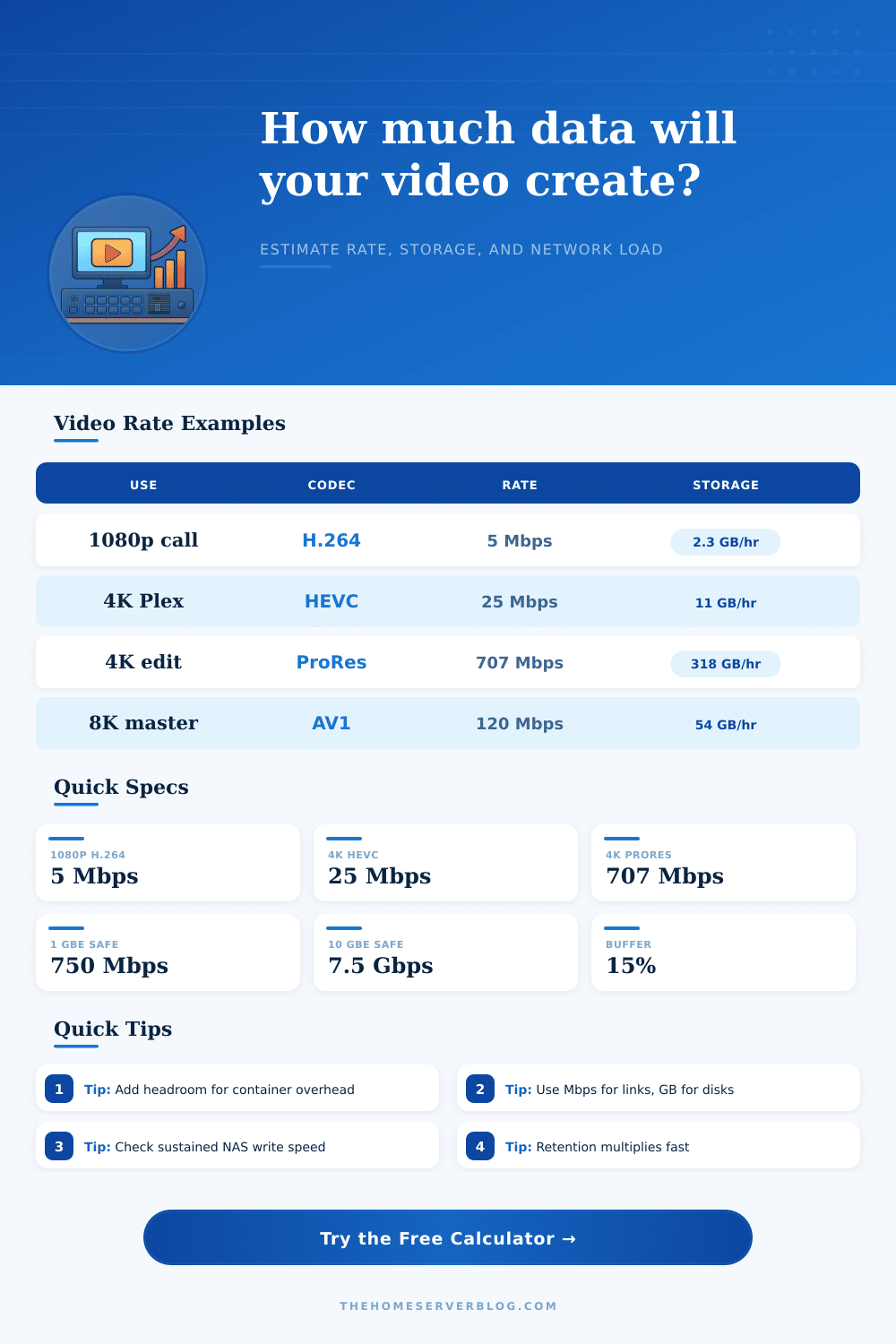
These additional factors can be tested in the calculator by selecting percentages for container overhead. Additionally, you can also set safety margins; if additional data is created or transferred beyond that which is calculated, the server and network link will be required to handle that increased data transfer rate. Many users will select a percentage of overhead rates of 15%, as it is thought to be an appropriate amount of overestimation of data transfer rate.
The value of calculating the number of gigabits per second of data transfer that will be required for the video data server is that it helps to avoid some common source of disappointment with the video server hardware. It avoids the situation in which the network of the home is not able to provide the necessary data transfer rate for the video data servers. It also avoids the situation in which the number of active video data streams saturates the data link.
While the calculator is no substitute for testing the actual network and storage hardware, it does limit the number of testing configurations that is required by the system administrator. Thus, calculating the data transfer rate prior to purchasing hardware will ensure that the video server does not become a bottleneck within the home network.