HomeServerBlog Calculator
VM Density Calculator
Estimate safe virtual machine density for Proxmox, VMware ESXi, and Linux KVM hosts by comparing vCPU, RAM, datastore, and network constraints.
▣Real Home Lab Presets
⚙Host and VM Inputs
🗄Equipment Spec Grid
Quiet Proxmox or KVM node for DNS, monitoring, light Linux VMs, and a few service containers.
Common ESXi edge box where RAM and single NVMe datastore space usually limit density first.
Flexible workstation class node with PCIe expansion, more cooling, and better mixed VM headroom.
Dense rack node for HA clusters, shared storage, and larger Proxmox or vSphere VM pools.
Large consolidation host that needs NUMA awareness, measured storage latency, and network separation.
Good for NAS plus utility VMs, but ZFS ARC, replication, and scrub work must be reserved.
Firewall-side appliance or tiny lab host; density is modest but power draw stays easy to cool.
Useful for AI, media, or remote desktop VMs where PCIe lanes and cooling can matter more than CPU count.
💡Density Notes
📋Hypervisor Overhead Reference
| Platform | CPU reserve | RAM reserve | Storage reserve | Network reserve | Density note |
|---|---|---|---|---|---|
| Proxmox VE | 6% scheduler and host services | 2 GB plus 4% | Snapshots, backups, LVM-thin, ZFS metadata | 5% for management and corosync | Strong lab density, but ZFS and PBS jobs need explicit margin. |
| VMware ESXi | 7% VMkernel and agents | 4 GB plus 5% | VMFS, snapshots, vSAN or vMotion staging | 6% for VMkernel traffic | Great visibility through ready time; avoid oversized SMP guests. |
| Linux KVM | 5% host OS and qemu helpers | 2 GB plus 3% | qcow2, LVM, ZFS, or btrfs metadata | 4% for bridges and host services | Lean hosts can run dense, but storage stack choice changes results. |
| Hyper-V | 8% parent partition and services | 4 GB plus 6% | Checkpoints, VHDX growth, CSV space | 6% for management and live migration | Dynamic memory helps only if minimums are honest. |
📈Constraint Bands by Workload
| Density policy | vCPU ratio band | RAM reserve | Storage free target | Network assumption | Best fit |
|---|---|---|---|---|---|
| Conservative production-like | 1.5x to 2.5x | 18% plus platform | 25% to 30% | Lower oversubscription | Databases, AD, monitoring, always-on app servers. |
| Balanced mixed VMs | 2.5x to 4.0x | 12% plus platform | 20% to 25% | Busy-hour average | Home services, small apps, test servers, lab utilities. |
| Lab and bursty idle VMs | 4.0x to 7.0x | 8% plus platform | 15% to 20% | Short spikes acceptable | Training labs, throwaway guests, dormant CI workers. |
| Database or latency sensitive | 1.0x to 1.8x | 22% plus platform | 25% to 30% | Separate storage traffic | PostgreSQL, domain controllers, low-latency services. |
| VDI or desktop sessions | 2.0x to 3.5x | 16% plus platform | 20% to 30% | Boot storms matter | Remote desktops, GPU guests, classroom labs. |
🖧Common Project Sizes
| Scenario | Typical host | Average VM shape | Main limiter | Expected density | Watch item |
|---|---|---|---|---|---|
| Three-node Proxmox minis | 12 threads, 64 GB, 2 TB each | 2 vCPU, 4 GB, 80 GB | RAM after N+1 reserve | 8 to 12 VMs per host | Backups and live migration on 2.5 GbE. |
| ESXi NUC edge | 16 threads, 96 GB, 4 TB NVMe | 2 vCPU, 6 GB, 120 GB | RAM and datastore free space | 10 to 14 VMs per host | Snapshot cleanup and USB NIC reliability. |
| KVM workstation lab | 32 threads, 128 GB, 6 TB SSD | 3 vCPU, 6 GB, 140 GB | Memory before CPU | 14 to 19 VMs per host | GPU passthrough and host desktop load. |
| Dense 1U HA node | 64 threads, 256 GB, 12 TB SSD | 4 vCPU, 8 GB, 180 GB | vCPU ratio or network | 22 to 32 VMs per host | NUMA placement and storage latency. |
| Storage hybrid host | 24 threads, 192 GB, 20 TB usable | 2 vCPU, 8 GB, 250 GB | Host RAM reserve | 12 to 18 VMs per host | ZFS ARC, scrub, replication, and backup windows. |
⚖Host Profile Specs
| Equipment profile | Threads | RAM | Usable datastore | Network budget | Good density use |
|---|---|---|---|---|---|
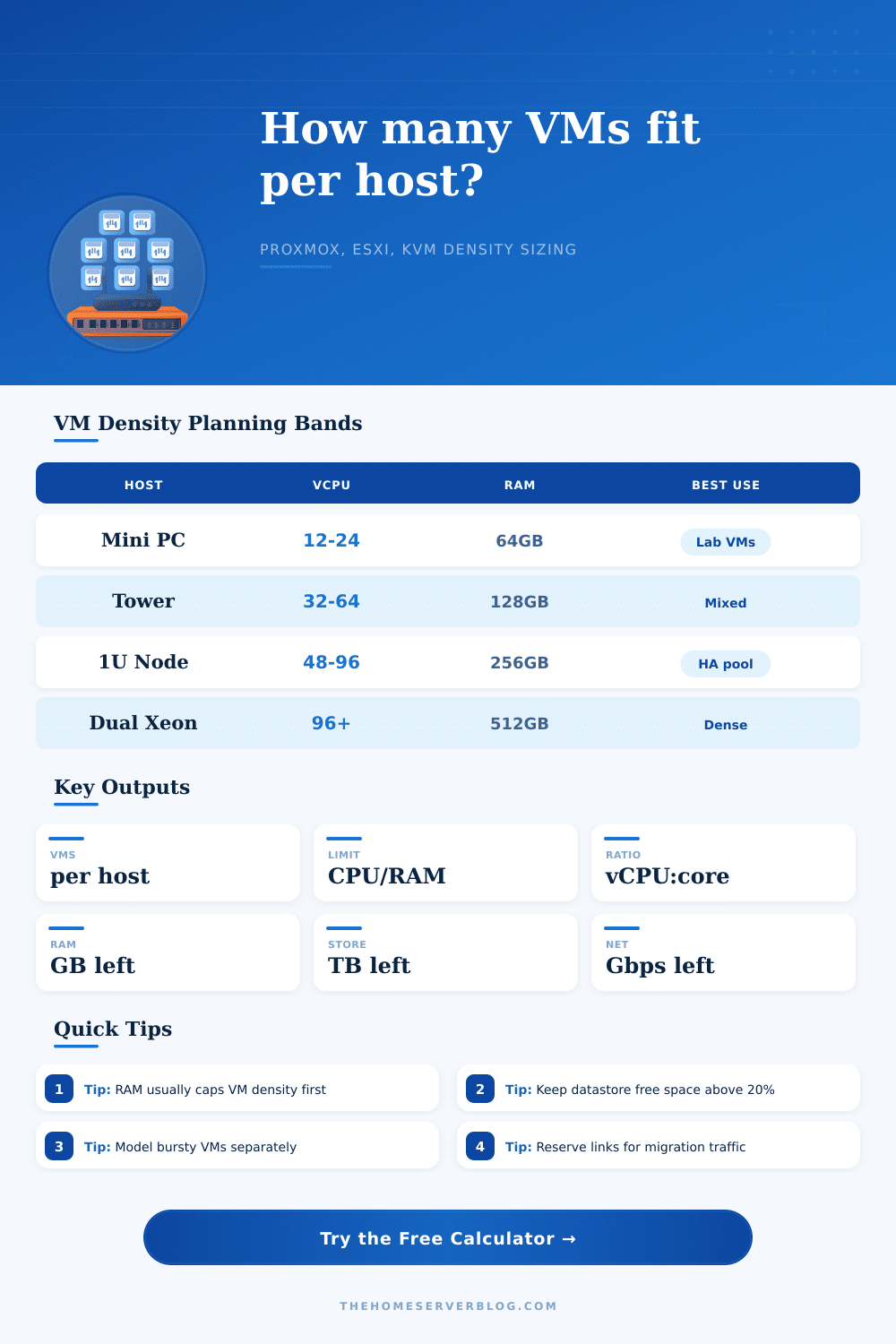
| 1L Mini PC | 12 | 64 GB | 2 TB | 2.5 Gbps | Core home services, DNS, monitoring, light Linux guests. |
| NUC / Edge Box | 16 | 96 GB | 4 TB | 2.5 Gbps | ESXi edge, remote office lab, compact Proxmox node. |
| Workstation Tower | 32 | 128 GB | 6 TB | 10 Gbps | KVM workstation, build runners, media, mixed app guests. |
| 1U EPYC/Xeon Node | 64 | 256 GB | 12 TB | 25 Gbps | Dense Proxmox or vSphere HA node with shared storage. |
| Dual Socket Server | 96 | 512 GB | 24 TB | 25 Gbps | Consolidation host where NUMA sizing must be checked. |
| Storage Hybrid Host | 24 | 192 GB | 20 TB | 10 Gbps | NAS plus utility VMs, backup services, and lab apps. |
| Low Power Appliance | 8 | 32 GB | 1 TB | 1 Gbps | Firewall-side host, tiny KVM lab, travel services node. |
| GPU Lab Host | 48 | 256 GB | 8 TB | 10 Gbps | Media transcode, AI guest, VDI testing, PCIe passthrough. |
When you rack up that first server and boot the hypervisor, you’re excited. You have new hardware, blinking lights, and a need to put all services in virtual machines. And it’s tempting to stuff ’em in until you can barely breathe. But that’s not density, density isn’t stuffing as many guest in those slots as possible. Density is running as many as you want without turning your whole infrastructure into a slow-mo sludge-fest.
The usual answer is “I’ll look at CPU cores and do some quick division in my head.” Sixteen threads? You must be able to host sixteen 2 vCPUs right? This makes sense on paper, until reality hit with storage latency and RAM pressure. To get over your naive arithmetic, the calculator help you take into account invisible overhead which kills performance.
How to Plan Your Server Capacity
Hypervisors aren’t free layers. They require a baseline of RAM just for themselves, scheduling other things, management traffic, etc. KVM, ESXi, and Proxmox each need a baseline reserve to operate. This is where you tend to run out of memory before running out of CPU.
Because most VMs is only using four gigabytes of memory, it appears that you have all kinds of room to grow. But once each one of them uses that much memory at the same time, your host run out pretty quickly. To calculate this, it assumes a certain amount of your total available memory, adds a safety buffer to that number, deducts the hypervisor reserve, then divides the remainder by how much memory you expect each VM to use. That helps avoid the trap of allocating too much memory based off idle numbers instead of actual load.
Similarly, there is storage to consider, with a twist. Make room for disk growth and snapshot storage. Running out of space on a datastore make you not just slow; it makes you broken. Don’t plan on using maximum capacity. The calculator imposes a reserve percentage to make sure this doesn’t happen.
Network bandwidth is another silent killer in small labs. VM live migrations and backups shares the pipe with user data. This happens if your VMs require backup replication or live migration. How do you choose the proper density policy?
This all comes down to what’s running in those containers. If it’s a bunch of sleeping container, a high oversubscription ratio will be just fine since they won’t wake up simultaneously. It is not like that with a database server. That needs steady resource access. To illustrate this, the page has a reference table showing how aggressive policies will max out number of containers while conservative ones maintains latency. Your workload determines what matters most.
Ignore network separation at your own peril: During busy hours, backups will bog down the link. Your web servers will start to sputter. This happens not because of a lack of RAM, CPU, or other parts, but because of bandwidth… Something no spec sheet will warn you about. The calculator requires that you enter a reasonable network budget per host.
If your goal is to run a lot of VMs on each machine, then this simple step will show you whether those physical switch ports can realy handle all the virtual traffic you plan on generating. It returns its results showing the real world constraints. Sure, running a dozen-thread mini PC with 64 gigs of RAM is fine for learning, but that thing’s going to choke on your enterprise apps. You can get a ton of elbow room if you stay within NUMA boundaries by getting yourself a dual-socket server.
Its output tell you what’s hitting the wall first. Is it CPU? Time to ratchet down those vCPUs. Is it RAM? More sticks, fewer guest. That’s the point; planning out ahead avoids last-minute troubleshooting. Growing smartly means knowing your limitations. No more guesswork, just engineering. And the math doesn’t lie. It tells you when your resources reach their end.
You’ll probably be surprised to discover safe density number is less than you’d hoped. But it is more than you feared. That’s where home labs live, reliably. Rather than a maxed-out host that feels like it could always use another core or two, why not a quiet host that works like a charm? It should of been easier to figure out without the tool.