HomeServerBlog Wi-Fi planning tool
Wi-Fi Co-Channel Interference Calculator
Estimate same-channel contention, overlap pressure, channel reuse score, and usable airtime when multiple APs can hear each other on the same Wi-Fi channel.
1Deployment presets
2CCI model inputs
Breakdown
Channel planning verdict
3Channel reuse comparison grid
4Live planning metrics
Estimated non-overlapping choices for the selected band and width.
How strongly same-channel APs are likely to wait on each other.
Extra collision pressure when APs do not cleanly hear each other.
Width with the best modeled reuse score for the same inputs.
5CCI and channel planning tables
| Band | Practical channel plan | CCI behavior | Planning note |
|---|---|---|---|
| 2.4 GHz | 20 MHz on 1, 6, and 11 | High reuse pressure | Use low power, avoid 40 MHz bonding, and reserve it for IoT or coverage edges. |
| 5 GHz | 20, 40, or 80 MHz | Moderate reuse pressure | Good default for home labs because several clean channels may be available. |
| 5 GHz with DFS | 40 or 80 MHz | Lower CCI if DFS is stable | Great for capacity when clients support DFS and radar events are rare. |
| 6 GHz | 40, 80, or 160 MHz | Lowest ordinary CCI | Best band for dense reuse, newer clients, and wide channels. |
| Channel width | Reuse strength | CCI tradeoff | Good fit |
|---|---|---|---|
| 20 MHz | Strong | More channels and smaller collision domains. | Dense AP grids, apartments, warehouses, voice, and 2.4 GHz networks. |
| 40 MHz | Balanced | Moderate peak rate while preserving reuse options. | Mixed 5 GHz homes, offices, cameras, and mesh backhaul with separation. |
| 80 MHz | Limited | Higher client rates but fewer independent channels. | Small homes, clean 5 GHz areas, and 6 GHz client groups. |
| 160 MHz | Tight | Very few reuse choices; CCI grows quickly in multi-AP designs. | Same-room high-throughput clients, 6 GHz, or point-to-point backhaul. |
| RSSI separation | Meaning | Modeled effect | Practical response |
|---|---|---|---|
| 0 to 6 dB | Co-channel AP is almost as loud | Strong deferral and sticky roaming risk. | Change channel, reduce AP power, or move APs farther apart. |
| 7 to 14 dB | Same-channel cell is still prominent | Moderate contention and some client confusion. | Prefer 20 or 40 MHz and improve channel spacing. |
| 15 to 24 dB | Useful separation | CCI exists but can be managed with airtime discipline. | Check retries, use band steering, and tune minimum RSSI carefully. |
| 25 dB or more | Strong reuse boundary | Low same-channel impact for most clients. | Channel reuse is usually healthy if overlap and retries stay low. |
| Measured signal | CCI clue | Calculator input | Planning action |
|---|---|---|---|
| High channel utilization | APs wait often | Airtime utilization per AP | Lower channel width or spread APs across more channels. |
| High retry percentage | Frames collide or fail | Retry rate | Look for hidden nodes, weak clients, or excessive overlap. |
| Nearby same-channel BSSIDs | Shared contention domain | APs on same channel | Plan reuse pattern and reduce transmit power where possible. |
| Clients see two APs strongly | Roaming boundary is too broad | RSSI separation and overlap | Adjust AP locations, power, or minimum basic rates. |
6Wi-Fi CCI tips
In the kitchen, you grab your phone. Full signal bars. But that video buffeting wheel. Why’s that? You’re not on slow internet; it’s not your Wi-Fi. It’s waiting for everyone else in the neighborhood to talk first.
That’s called co-channel interference. A fast network become a queue. The calculator above do the math for you. It makes invisible collisions visible: a picture of your airtime health.
Why Your Wi-Fi Feels Slow
Raw throughput doesn’t matter. Most people think Wi-Fi speed are about raw throughput. Wrong. Wi-Fi is half-duplex; only one device can speaks at once, and those multiple access points contend with one another if they’re on the same channel. The calculator models that contention.
How many devices is sharing the frequency? What’s their average airtime? If there are three access points on the same channel and each one’s busy forty percent of the time, then the medium get more congested. The tool estimates that airtime. You gets a sense of what fraction of the airtime is usable by your devices.
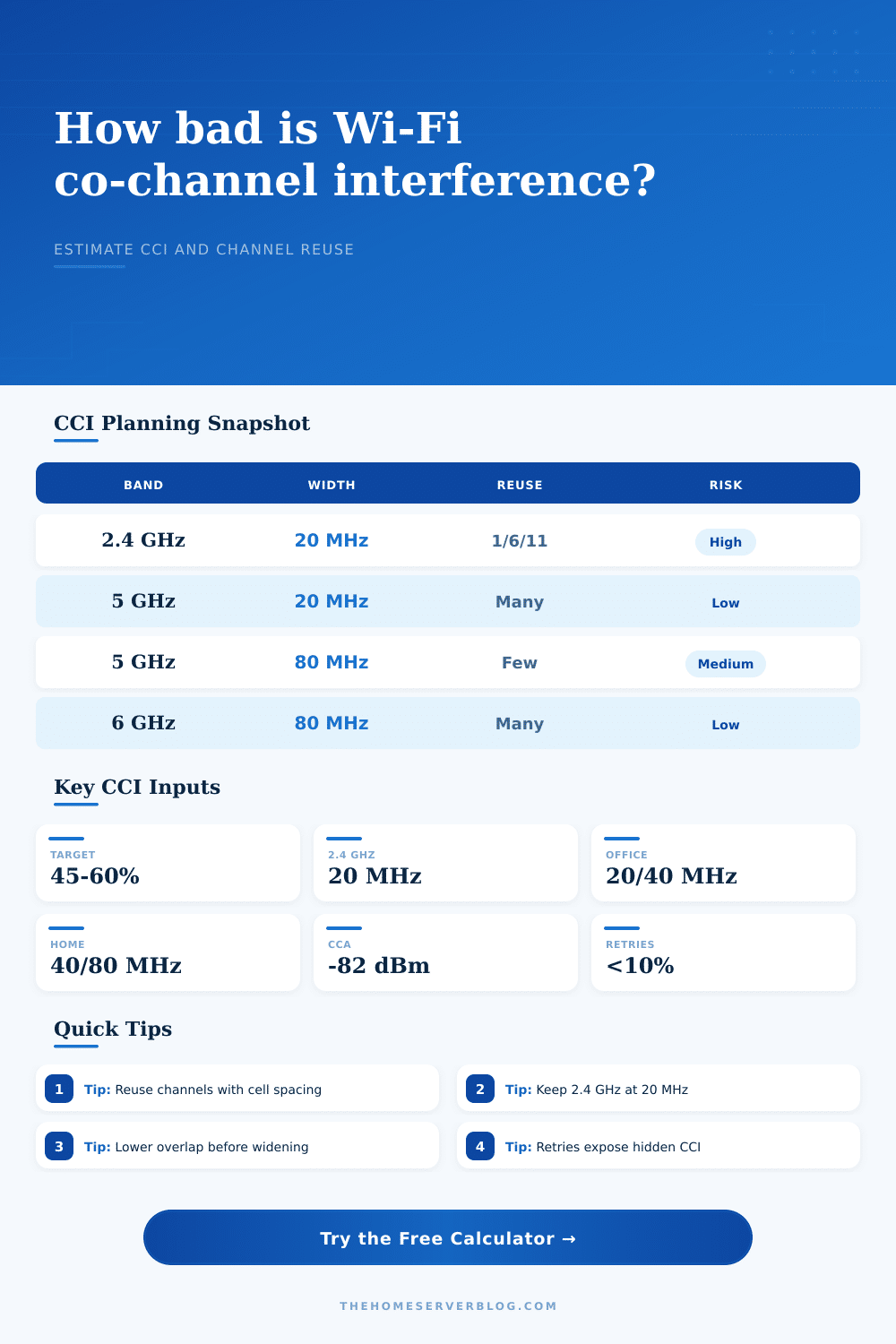
The first lever to pull is channel width. Speeds are higher on wider channels which use more spectrum, leaving less non-overlapping channels available for reuse. Wide channels can causes more interference then they resolve in a crowded environment like a busy office or apartment. The reference table on the page demonstrates that tradeoff.
Twenty-megahertz channels at two-point-four gigahertz keep interference low. Five or six gigahertz has more room and going wide is safer, but it’s all about the geometry.
Where do most home networks falls down? RSSI separation. Your client should hear your access point loud and clear while it hears its neighbor quietly. How much quieter does the access point has to be from the client? That’s the decibel separation you ask the calculator for.
Ten decibel separation or less means your devices can’t decide which one to talk to. You get high retries and sticky roaming. Fifteen- to twenty-five-decibel separation is the sweet spot. You can reuse them without any confusion. If your survey shows weaker separation, the model flags it with a lower reuse score, telling you you’ll need to adjust your power settings or layout.
The indicator of trouble is retries, High retries indicate that packets are either being lost or colliding. This usually happens due to too much overlap (or hidden nodes). The tool takes that into account when calculating airtime headroom. Even though the raw signal may appear fine, your network’s actual capacity will be reduced if it has high retries. You might have a network that looks healthy in a diagram and feels sluggish in practice. The calculator lets you see that reality before deploying.
You’re presented with total result: your share of the client on that busy channel. How much of the busy channel’s time will your devices get? In an environment where there are 32 clients sharing a single channel at 50% utilisation, well. That share is going to be small.
Classroom environments and other dense areas is a reality check. There isn’t room for a fast lane for everybody. Wi-Fi planning isn’t so much about pursuing the strongest possible signal as it is managing chaos. You need just enough coverage to roam but not so much that devices compete for access. That’s what the tool shows in a snapshot.
It doesn’t eliminate the need for site survey; it calls out what those surveys should of focusing on. Sometimes, reducing the transmit power will improves performance. It makes smaller cells and reduces interference. It’s not about covering the entire floor with one massive signal. It’s about creating a grid of little tiny cells with clean signals.
Once you get your head around airtime being Wi-Fi’s currency, everything else starts falling into place for you. There is no more guesswork, just design.