Wi-Fi Link Margin Calculator
Estimate free-space path loss, received signal, SNR, fade margin, and likely Wi-Fi rate from EIRP, distance, frequency, antenna gains, cable losses, wall loss, noise floor, and receiver sensitivity.
RSSI after path, walls, gains, and losses.
Back-calculated from EIRP, gain, and cable loss.
Link margin minus the target fade reserve.
Best modulation that fits both SNR and sensitivity.
| Band | Typical frequency | FSPL behavior | Planning note |
|---|---|---|---|
| 2.4 GHz | 2412-2472 MHz | Lowest Wi-Fi path loss | Best range, more interference, fewer clean channels. |
| 5 GHz | 5180-5825 MHz | About 6.6 dB more loss than 2.4 GHz | Common home lab balance for APs, cameras, and mesh. |
| 6 GHz | 5955-7115 MHz | About 1.2-2.3 dB more loss than 5 GHz | Clean spectrum helps high MCS but walls hurt quickly. |
| Directional bridge | Usually 5 or 6 GHz | Antenna gain offsets path loss | Alignment and Fresnel clearance matter more than indoor APs. |
| Obstacle | 2.4 GHz loss | 5 GHz loss | 6 GHz loss |
|---|---|---|---|
| Drywall interior wall | 2-4 dB | 3-6 dB | 4-8 dB |
| Brick or concrete wall | 6-12 dB | 10-18 dB | 12-22 dB |
| Low-E glass or foil insulation | 8-20 dB | 12-28 dB | 15-32 dB |
| Metal rack, shelving, appliances | 10-30 dB | 15-40 dB | 18-45 dB |
| Margin band | Interpretation | Likely symptom | Useful action |
|---|---|---|---|
| 25 dB+ | Very strong reserve | High MCS is likely if airtime is clean. | Check client capability before raising channel width. |
| 15-25 dB | Good working margin | Stable indoor link or reasonable bridge headroom. | Watch retry rate and roaming threshold. |
| 8-15 dB | Usable but narrow | Rate shifts during movement or weather. | Lower MCS target, use narrower width, or improve antenna placement. |
| Under 8 dB | Fragile link | Drops, retries, or low modulation. | Add AP density, reduce walls, align antennas, or move band. |
| HomeServerBlog scenario | Starting target | Noise assumption | Fade target |
|---|---|---|---|
| Same-room Wi-Fi 6E or Wi-Fi 7 | -55 to -62 dBm RSSI | -96 to -92 dBm | 10-15 dB |
| Office AP through one wall | -62 to -68 dBm RSSI | -95 to -90 dBm | 12-18 dB |
| Outdoor camera or garage AP | -67 to -74 dBm RSSI | -96 to -91 dBm | 15-22 dB |
| Point-to-point bridge | -55 to -70 dBm RSSI | -98 to -92 dBm | 20-30 dB |
Whether it’s a buffering stream or a lagging video call, the source of Wi-Fi trouble usually begins when there isn’t enough margin. Margin are the space between signal strength and noise surrounding you. When it comes to wireless communication, there’s no such thing as an on-off switch. It’s a continuous negotiation between signal quality and environmental noise. Most people don’t realize this, so they assumes if their signal bars look good, then their Wi-Fi will also be good. But that’s where most people go wrong, they mistake the loudness of a signal for its reliability.
With a few taps on the calculator, the tool spit out the number of decibels lost traveling through open space (free-space path loss). It then compares that to your receiver’s sensitivity. Those numbers don’t mean much by themselves, but once you understand them, you turns guessing into planning.
Why Good Wi-Fi Needs Signal Margin
Radio physics is one thing; the real world is another. A simple interior wall made of drywall may rob you of a couple decibels. But a window featuring a low-emissivity coating or a brick wall can gobble up a decade worth of decibels all at once. 4 GHz. That’s a negative sound bite, but it’s also true that higher frequencies like 5 GHz and 6 GHz is less prone to the kind of interference that bogs down the lower band. And the calculator will let you build those losses into the equation as well, saving you a surprise when next mesh node comes online. You’ve built a signal strength budget for each ounce you possess. So there’ll be plenty left over for the unknown.
How much does noise kill Wi-Fi? Too many people underestimate it. If you’re in an office full of device or a dense apartment building, the noise floor can climb pretty high. Even if your received signal strength appears fine, this will drop your signal-to-noise ratio. Just as a strong signal over a noisy channel is comparable to attempting a conversation during a rock concert, you’ll be able to hear the person sitting next to you talking, but won’t be able to make out their words.
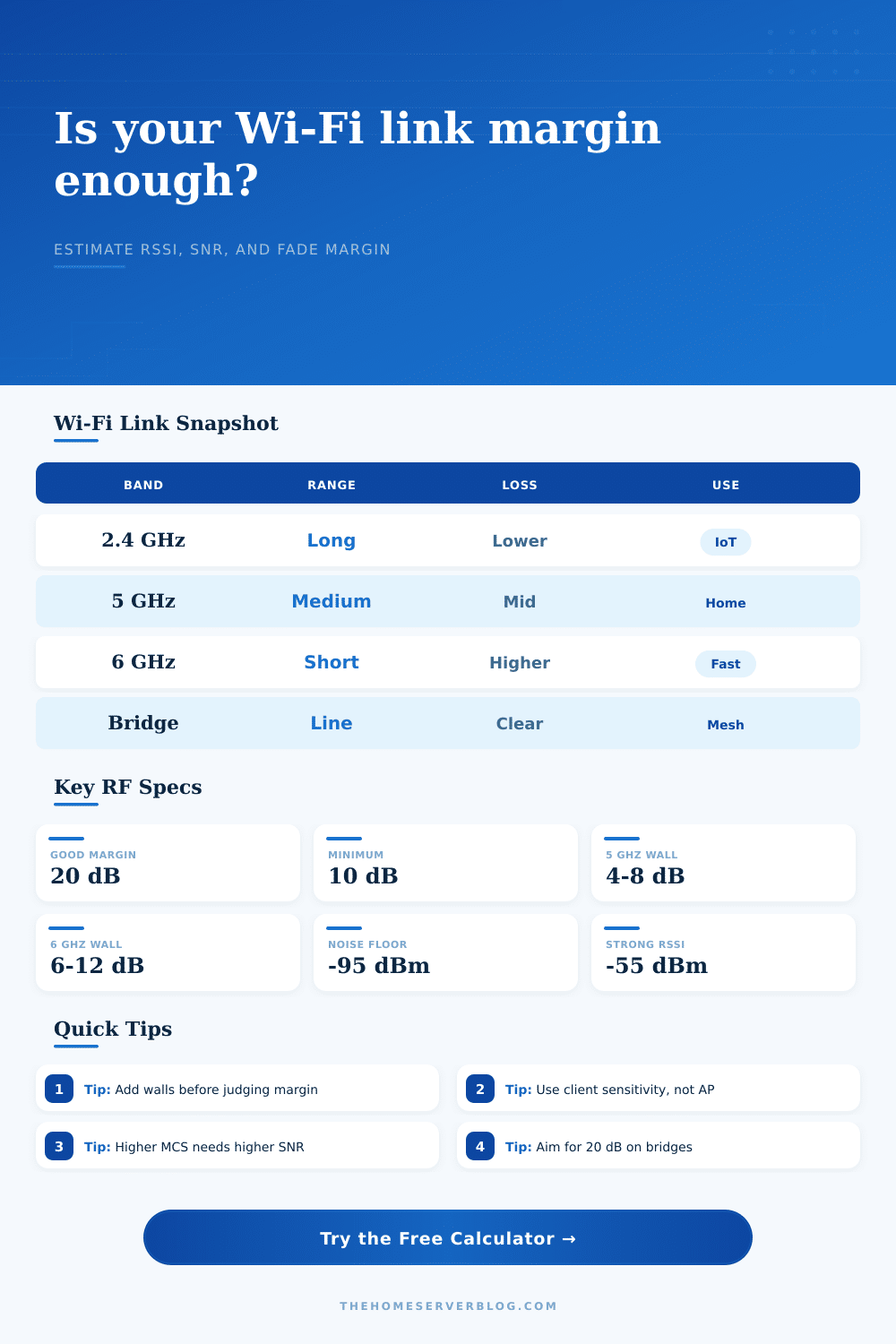
Your link margin is your safety zone. It’s the amount of additional headroom needed to keep your modulation index high in case conditions worsen. For critical links, most planners try to achieve at least twenty decibels of margin. Home indoor nets may gets by with ten to fifteen decibels. Below eight decibels, you’re essentially gambling with each packet you send.
How do various obstacles and bands affect this budget? These reference tables will help you visualize that.
4 GHz loves it Many people is confused by antenna gain. It’s frequently called a “free” increase in performance. But there’s no such thing as gain creating power. All an antenna with gain will do is focus the power into a certain direction, it is like focusing a flashlight beam instead of a naked bulb. Pointing that beam in another direction reduces your effective range.
When using this calculator, you’ll see separate fields for both Receive and Transmit antenna gains. That’s so you know just how much signal is realy getting through to the other end. And then there are cable losses to be considered. Those little connectors and pig tails can account for considerable loss over longer distances. People makes the mistake of ignoring those little losses all too easily. This is especially true when they are trying to build a point to point bridge outdoors where each dB matter.
Good WiFi design isn’t about maximum throughput in perfect circumstances. It’s about maintaining minimum acceptable performance in imperfect circumstances. The calculator is the floor; now it’s up to you to read the number and put it into context.
And if the expected speed falls short of your need, turning on the transmit power wouldn’t solve it… usually. More often, the solution involve removing obstructions. Narrowing down the channel width will increase signal-to-noise ratio. Or maybe you just need to bring access point nearer to the user. Either way, the objective is a solid link that withstands stress. A solid link is better than a temporary spike that dissapears as soon as you pass through a doorway.
That is the real win.