Wi-Fi Transmit Power EIRP Calculator
Convert conducted radio power to mW, add antenna gain, subtract cable and connector loss, sum MIMO chains, estimate EIRP, and compare the result against a selected regulatory planning limit.
Transmit power result
| dBm | mW | Watts | Common Wi-Fi meaning |
|---|---|---|---|
| 14 dBm | 25 mW | 0.025 W | Low indoor client or dense AP tuning. |
| 17 dBm | 50 mW | 0.050 W | Moderate AP chain power for smaller rooms. |
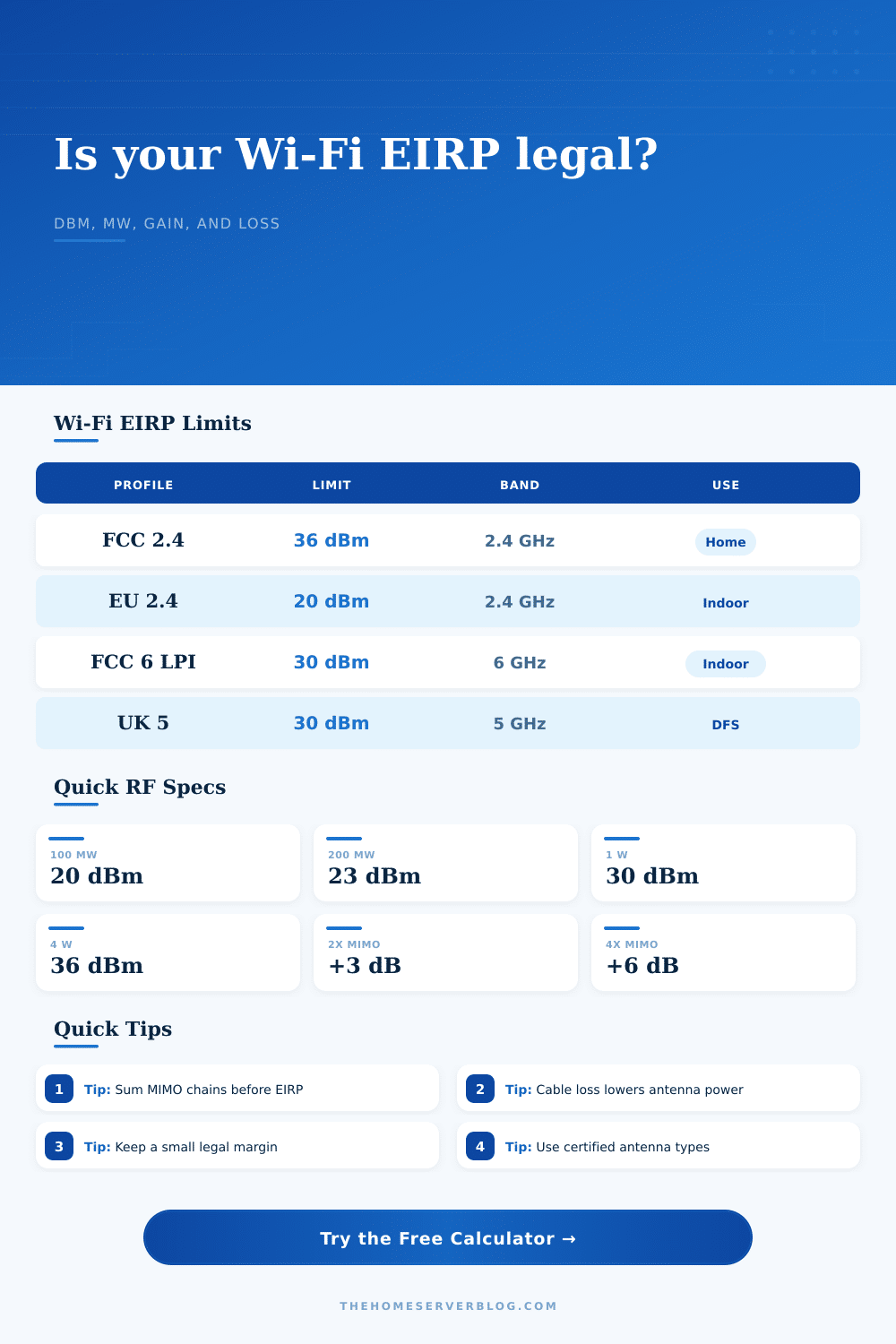
| 20 dBm | 100 mW | 0.100 W | Common EU 2.4 GHz EIRP planning ceiling. |
| 23 dBm | 200 mW | 0.200 W | Common low-power 5 GHz or 6 GHz planning point. |
| 30 dBm | 1000 mW | 1 W | Typical high AP or low power indoor 6 GHz EIRP ceiling. |
| 36 dBm | 4000 mW | 4 W | Often cited FCC maximum EIRP planning value for some Wi-Fi AP cases. |
| Country profile | 2.4 GHz | 5 GHz indoor | 6 GHz indoor |
|---|---|---|---|
| United States FCC indoor AP | 36 dBm | 30 dBm planning for many indoor AP cases | 30 dBm low power indoor; 36 dBm standard power where allowed. |
| Canada ISED planning | 36 dBm | 30 dBm broad planning limit | 30 dBm low power indoor planning value. |
| EU ETSI indoor planning | 20 dBm | 23 to 30 dBm depending on sub-band | 23 dBm low power indoor planning value. |
| United Kingdom indoor planning | 20 dBm | 23 to 30 dBm depending on sub-band | 23 dBm low power indoor planning value. |
| Australia ACMA planning | 36 dBm | 30 dBm broad planning limit | 24 dBm conservative indoor planning value. |
| Japan MIC planning | 20 dBm | 23 dBm conservative indoor planning value | 23 dBm conservative indoor planning value. |
| Band / width | Why EIRP matters | PSD shortcut | Planning note |
|---|---|---|---|
| 2.4 GHz 20 MHz | Few non-overlapping channels make high EIRP noisy. | EIRP - 13 dB | Lower power often improves roaming and reuse. |
| 5 GHz 40 MHz | Outdoor and DFS rules may change usable limit. | EIRP - 16 dB | Good for bridge links and garage APs. |
| 5 GHz 80 MHz | Common home AP width with stronger client support. | EIRP - 19 dB | Check sub-band and country code before raising power. |
| 6 GHz 160 MHz | PSD limits can matter as much as total EIRP. | EIRP - 22 dB | Low power indoor and standard power are different classes. |
| 6 GHz 320 MHz | Wide Wi-Fi 7 channels spread EIRP across more bandwidth. | EIRP - 25 dB | Indoor-only and client-control rules can still apply. |
| Loss item | Typical range | Calculator input | Effect on EIRP |
|---|---|---|---|
| Short internal pigtail | 0.1 to 0.4 dB | Cable loss | Subtracts directly from EIRP. |
| Outdoor coax jumper | 0.5 to 2.0 dB | Cable loss | Can offset part of a high-gain antenna. |
| Lightning protector | 0.2 to 0.8 dB | Connector or cable loss | Include it if installed between radio and antenna. |
| Two RF connectors | 0.2 to 0.6 dB | Connector loss | Small but visible near a legal limit. |
| Dirty or wrong adapter | 1.0 dB or more | Connector loss | May reduce EIRP and create mismatch loss. |
When troubleshooting your Wi-Fi problems, don’t only focus on speed test. The physical layer is where it’s at. That’s where actual work occurs, in watts and in decibels. It is also in regulatory limits, in small print. Those limit are mostly ignored by most folks until their network malfunctions, or worse yet, there license gets flagged.
What matters is power that actually leaves the antenna. This is called EIRP, which stand for Effective Isotropic Radiated Power. It’s not simply how much radio chip outputs. Plugging your hardware into this calculator on this page will do all the math for you. You don’t have to guess at conversions and coefficients. It subtract losses, adds antenna gains, and add up MIMO chains. In other words, it provides you with one honest number. This number can tell you whether or not you’re wasting money or breaking law.
Why EIRP Matters for Your Wi-Fi
Let’s take a look at radio output. These days most access point radios reports the power per chain. If your radio has four chains and pushes twenty decibels per chain, you might assume that means forty decibels total but that’s a common mistake. That doesn’t work. Power add logarithmically. Twenty decibels in each chain is equal to about twenty-six decibels of conducted power. Most folks screw this up. They think having a lot of power per chain mean they still have plenty of room. They don’t. This tool makes that clear right away, it helps prevent you from designing a link that is illegal before you even unbox the device.
And then there’s antenna. High gain isn’t free energy, it’s directional focus. A high gain antenna focuses signal into a narrow beam. That means higher EIRP in same direction. Switch from a four-decibel internal antenna to a twenty-decibel outdoor dish and bam! You’ve just jumped your EIRP.
And regulatory bodies don’t play around when it comes to this stuff. The FCC, for example, typically permits up to thirty-six decibels for indoor access point here in the US. But not everywhere. Generally speaking, European Union only approves twenty decibels on 2.4 GHz. Going beyond this can knock out other services and get your certification revoked.
Remember the losses. Power is eaten by cables and connectors. A long run of coaxial cable may cost you two or three decibels. Small loses from connectors add up. You can subtract these values based off the calculator. This allows you to get a realistic look at what actualy radiates. Ignoring feedline loss will cause you to over-estimate your range. Ignoring antenna gain will cause you to over-estimate your legal compliance.
Consider it as well from the environmental perspective. Is it a rural warehouse or a dense urban apartment building? Less is more in a crowded setting. Less reduces co-channel interference. Less enables your neighbors to re-use the same frequency. More cranked up in a small place simply result in a noisy room. Nobody is going to have conversation there. You get all signal power you lawfully can in an open field. Reach vs. Frequency reuse is always a trade-off different than before.
The page itself includes some reference tables which will give you a fast check against commonly used hardware. These allow you to see what typical devices put out. It allows you to see what the regulatory ceiling is too. Benchmark your setup with these. Leave yourself a safety margin if you’re getting close to limit. Things drift, measurement tools aren’t perfect and radios ages. A two-decibel safety buffer puts you well within compliance.
And finally, it all comes down to balance. How strong do you need to be in order to hit your customers? And how strong can you get before you start stepping on someone else’s toes (or worse)? And I mean toes figuratively: you don’t want to break the law by transmitting too stronger.
The calculator doesn’t make those choices for you. But it enables you to see clearly when it’s time to make them. It provides an actionable number where before there was just abstractions of specs.
So begin with radio power. Include antenna gain. Subtract the losses. Compare against limit. That’s it. When you do this, your network will hum along as intended. It won’t interfere with either regulator or your neighboring networks. Understanding what you’re really measuring is key.