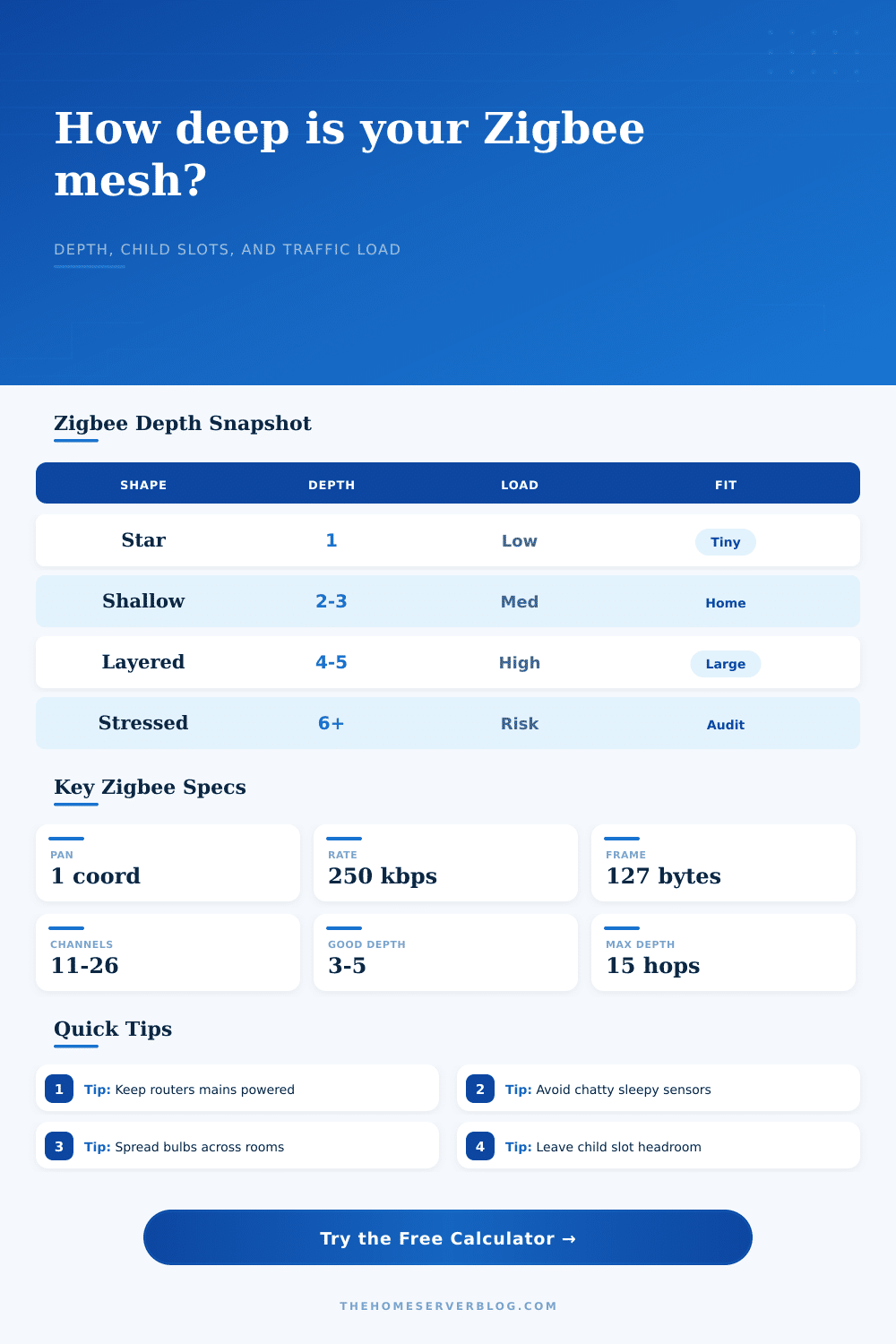
Zigbee Network Depth Calculator
Estimate whether a Zigbee smart home mesh has enough parent capacity, shallow enough route depth, and low enough reporting traffic for stable device joins and daily automations.
Calculation breakdown
Coordinator, router, and end-device count combined across the selected PAN plan.
Coordinator plus routing devices that can hold children and forward traffic.
Estimated steady application reports before route repair and retry overhead.
Battery end devices that mainly need stable parent table entries and good LQI.
Coordinator
- Network roleStarts one PAN
- Typical count1 per mesh
- Child functionCan parent
- Best placementCentral and stable
- Failure impactHigh
Router
- Network roleExtends mesh
- Typical countMany
- Child functionCan parent
- Best placementBetween rooms
- Failure impactLocal
| Topology shape | Typical depth | Router pattern | Planning note |
|---|---|---|---|
| Star | 1 level | Few or no routers | Works for small spaces where all devices hear the coordinator well. |
| Shallow mesh | 2 to 3 levels | Routers near rooms | Good target for apartments, condos, and many medium homes. |
| Layered mesh | 4 to 5 levels | Routers between zones | Useful for multi-floor homes, but parent choice and channel noise matter more. |
| Deep tree | 6+ levels | Long chains | Watch repair churn, weak links, and devices stranded behind one router. |
| Max children setting | Practical parent load | Best fit | Risk signal |
|---|---|---|---|
| 6 to 10 | Small parent tables | Sensor-only networks | Needs more mains-powered routers. |
| 12 to 20 | Common home-lab planning | Mixed lights and sensors | Leave headroom for rejoin bursts. |
| 24 to 32 | Higher-capacity firmware | Larger homes | Check RAM limits and neighbor tables. |
| 40+ | Controller-specific | Multi-PAN planning | Do not assume every router supports it. |
| Reporting pattern | Interval | Payload range | Mesh impact |
|---|---|---|---|
| Quiet environmental sensors | 10 to 30 min | 20 to 50 bytes | Usually easy if parent slots are healthy. |
| Presence or power sensors | 30 to 120 sec | 30 to 80 bytes | Can dominate airtime in dense rooms. |
| Bulbs and groups | Event based | 20 to 70 bytes | Route quality matters during scene bursts. |
| Stress or debug telemetry | 5 to 20 sec | 60+ bytes | Use only for tests or isolated networks. |
| 2.4 GHz channel note | Common Zigbee channels | Wi-Fi overlap clue | Planning action |
|---|---|---|---|
| Lower band | 11 to 14 | Near Wi-Fi channel 1 | Use when lower Wi-Fi is quiet. |
| Middle band | 15 to 20 | Between Wi-Fi 1 and 6 or near 6 | Scan before choosing in apartments. |
| Upper middle | 21 to 23 | Between Wi-Fi 6 and 11 | Often useful when routers are close. |
| Upper band | 24 to 26 | Near or above Wi-Fi 11 | Great when supported by all devices. |
Here’s a failure mode for poorly designed Zigbee: You dim light by pressing a button, and nothing happens. Nada. No blip. So you go into kitchen, press it, and bulb reacts immediately.
Your devices aren’t ON or OFF. Your problem is with the way they talk to each other, a failure mode of a poorly designed Zigbee mesh. The network are alive; it’s just straining under the load of its own structure. Most people think that as long as device can be seen by coordinator, it’s done. It isn’t.
Why Your Zigbee Network Fails
Depth and capacity is often the problem. Zigbee hops signals from one device to another. This means layering communications. Each layer increase risk and latency. A sensor in three rooms with a chain of three routers between it and the hub isn’t any more stable than weakest link in the chain.
This page has a calculator to model this complexity for you. It uses your number of devices and layout assumptions (how many hops might each device have?) to estimate how deep your mesh is: a shallow, efficient web or a deep, fragile tree. No need to run packet captures to see if network is stressed. Just know what goes into it.
Begin by looking at the number of routers. Mesh routers are the workhorses: mains powered devices (like a bulb, or a smart plug, or a wall switch) that remain awake and forward traffic for you. Having few routers and many sensors creates a bottlenecked coordinator. This happen because it tries to talk to everybody directly. This is fine, until you add tenth sensor. Once you add more devices to a coordinator that’s acting as a bottleneck, the airtime fills up.
Adjusting this lets you change maximum number of children per parent. This changes widely based off your hub’s firmware. Some stacks can supports twenty children without choking. Others choke at eight. Set this number too high in the calculator and you’ll be falsely confident. Too low and everything look broken on the network. Find a middle ground based on what your real hardware allow.
And now think about those drowsy sensors. Yes, batteries are nice. But they cause problems for the network in one particular way: They need their parent to be awake and listening before they can talk. And if a sleepy device want to alert you to some motion, what if its parent is already overloaded with kids? If your parent router has reached capacity, then maybe it doesn’t even notice the sleepy sensor attempt to speak.
The calculator accounts for that kind of parent table pressure, which is how many battery device you have, to give you an idea of that attention factor. It’s not just about signal strength; it’s also about whether or not your parent has time to pay attention.
There are other quiet killers, too: namely channel congestion. Sure, it’s on the 2.4 gigahertz band with your neighbor’s smart TV and baby monitor and your Wi-Fi router. Your baby monitor doesn’t know what buffering means when you stream Netflix. To Zigbee, it’s just noise. That’s why they let you put in the input for channel congestion so you can take into account the real world. Perfect performance in a lab test looks great. In your living room? Not so much.
Because your devices do move around, it makes sense to add some buffer for route repair. When a router wakes up after a power outage and picks a different parent, it cause a ripple effect that slows down all the mesh traffic.
These scores are intended as guidelines, not commandments. If your health score is high, you have some wiggle room. If your score is low, that doesn’t imply your network will crash next week. That implies it’ll crash next Tuesday once you’ve added your second thermostat and your microwave comes online.
The page breaks out the why of topology failures into reference tables. Why is a star network so easy yet prone to failure? Why’s a deep tree flexible but sluggish? You want something more like a shallow mesh. Use two or three hop levels. Evenly space out those mains-powered routers. Make sure parent nodes has enough capacity.
There’s no such thing as a perfect coordinator, or the “best” one. There’s just the right one for your network, the one that recognizes its own limitations, that understands physics of radio waves, that doesn’t try to do more than a little piece of plastic with 8MB of memory was ever meant to do. A hundred devices? Sure! This works as long as none of them fight for a single parents attention.
Mesh networks aren’t built overnight. Buy a plug, put it where there’s nothing else, then when your sensor goes dead at 3am because your house is a big ol’ echo chamber, add another router. That’s cheaper than trying to diagnose a network ghost tomorrow. When you press the button, it must work the very first time. You should of checked your signal levels sooner. If you want better results, use more routers. Actually, just ensure you have enough coverage.